
SendSafely can now be used to shield your ticketing platform from inadvertently collecting and storing unwanted and unsolicited Personally Identifiable Information (PII) submitted by customers.
The scenario is all too familiar, an automated identity verification or application process requiring the exchange of sensitive documents breaks down and the frustrated customer reverts to the ease and insecurity of email attachments. The unencrypted files end up in your third party service desk platform, unclassified, available to all agents and stored indefinitely.
Our SendSafely Serverless Email Gateway (SEG) can now intercept and encrypt these inbound email attachments without the need to reject insecure attachments and further frustrate end-users. Combined with one of our native Help Desk apps, SendSafely can provide an end-to-end solution for protecting PII without impacting your agent or customer workflows. Read on for more detail.
The Scenario
The benefit of protecting inbound messages from customers may not be immediately obvious, but consider the following:
Acme Bank uses a third party help desk for managing support tickets and cases. Customers can contact the Acme Bank support team by sending an email tosupport@acmebank.com.
Despite being instructed not to do so, customers frequently send sensitive email attachments that end up being stored as file attachments within the help desk platform. These files are often accessible to all agents with access to the system and frequently are stored for an unlimited amount of time.
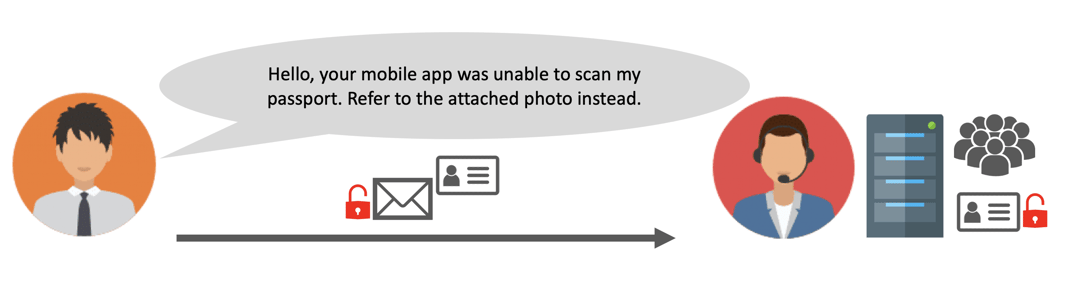
The above scenario is extremely common and one that most financial services organizations try to avoid. Most of these organizations are bound by “know your customer” or “know your client“ (KYC) guidelines that require appropriate identity verification of new clients or customers.
Onboarding new customers is a process commonly managed through a ticketing system like Zendesk or Salesforce Service Cloud. Many financial services organizations use these systems because of their configurable process workflows, but they are typically not well suited for storing sensitive files that contain personally identifiable information like copies of a customer’s passport or driver license.
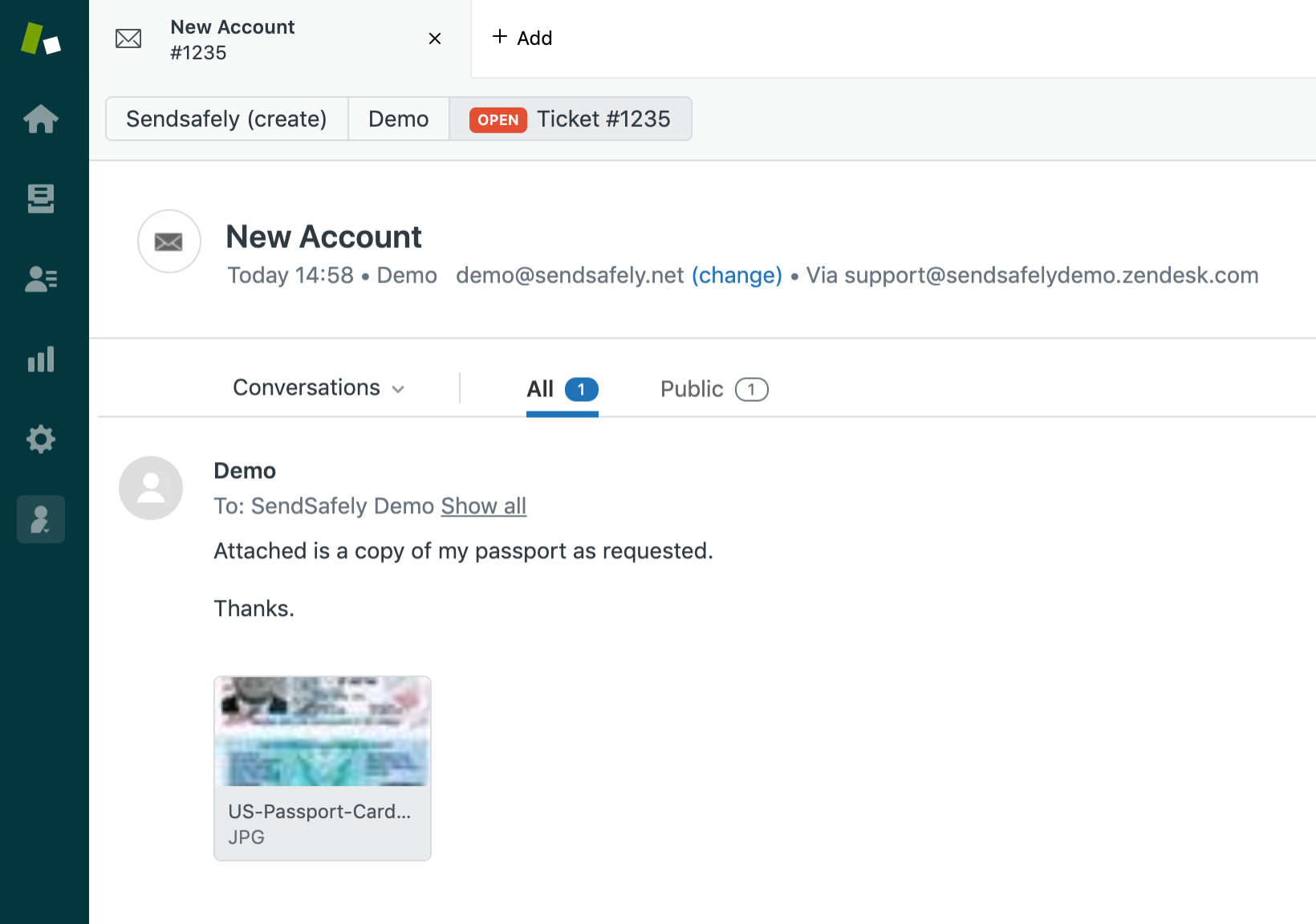
Even if the organization has a designated system for collecting identity verification documents, it can be very difficult to stop customers from using regular email attachments to submit sensitive documents. The ubiquitous nature of email attachments leads many customers to gravitate towards this option since it is typically the easiest method despite the lack of security.
An organization could easily choose to reject these email attachments; however this goes against the current trend of striving to provide the best possible customer experience. Rejecting attachments and forcing users to resubmit using a different mechanism causes friction within the customer experience and leads to frustration.
The Solution
When we originally designed the Serverless Email Gateway (SEG), the intended use case was for transparently protecting outbound email messages sent by our enterprise customers to external recipients. The SEG is able to dynamically intercept attachments that contain sensitive information and protect the attachments using SendSafely before sending them externally.
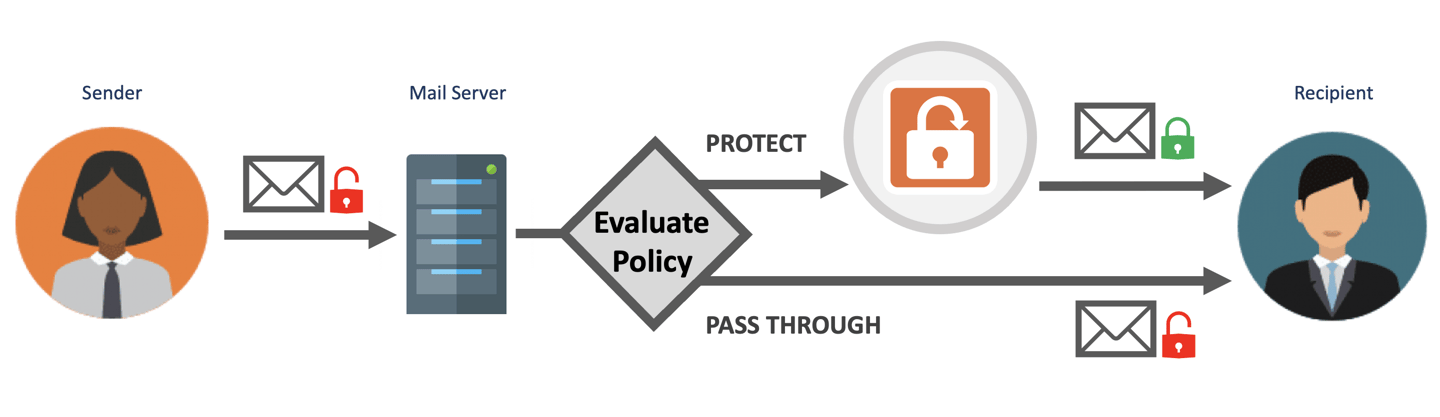
Thanks to a recent update, the SEG can now protect both inbound AND outbound attachments.
The SEG can be configured to automatically intercept inbound email messages that are destined for a ticketing system and dynamically protect attachments before they get ingested. The diagram below shows how most third party ticketing systems receive inbound email messages.
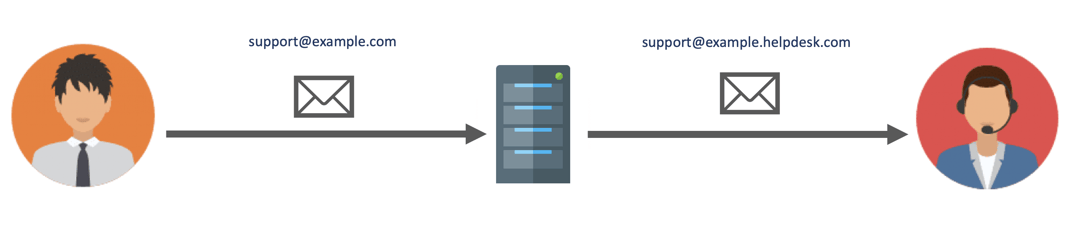
A designated email alias is configured within the company’s mail server for handling incoming email to the ticketing platform. A forwarding rule on the mail server is defined that forwards these messages to the ticketing system using a private email address that gets routed directly to the third party platform.
With the SEG, the email forwarding rule is modified to detect whether each incoming message has an attachment. Messages without an attachment can be forwarded directly to the ticketing system, but messages with an attachment get routed to the SEG instead. The SEG removes the attachment and uploads an encrypted copy of the attachment to SendSafely.
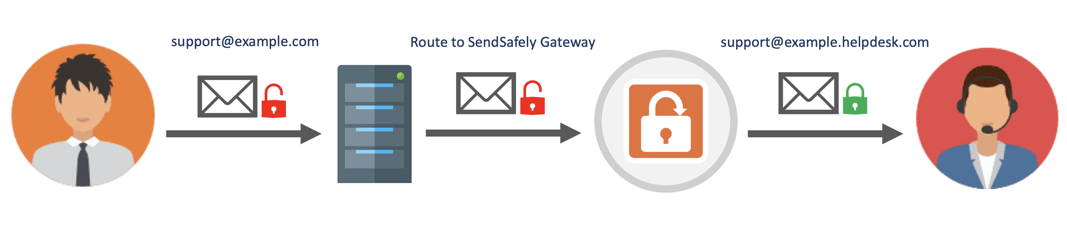
A SendSafely link to the attachments is then appended to the top of the original message, which is then forwarded to the ticketing system (without any files attached).
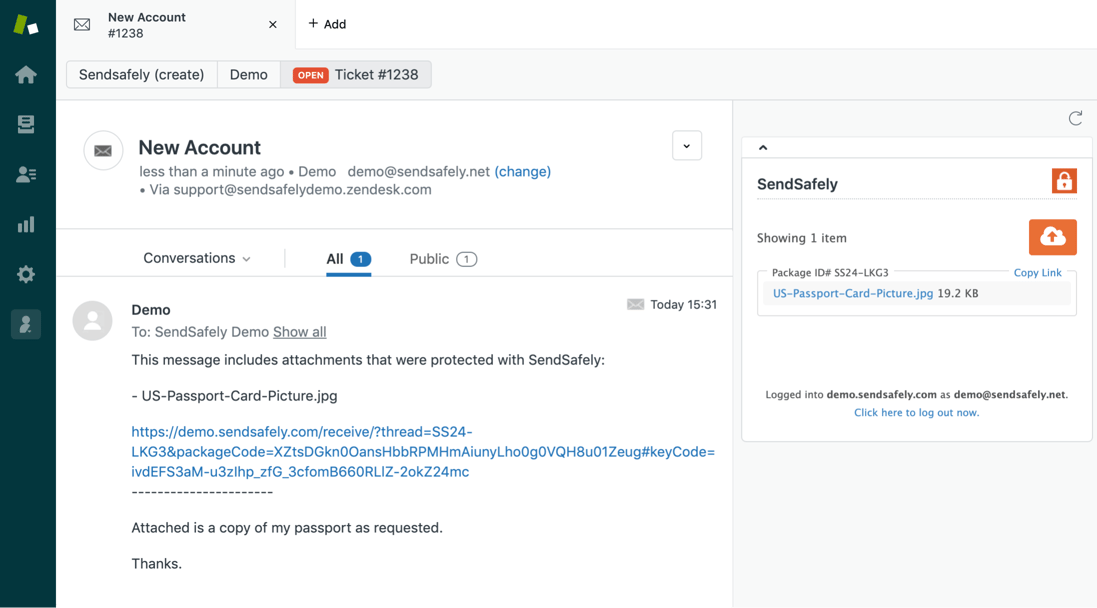
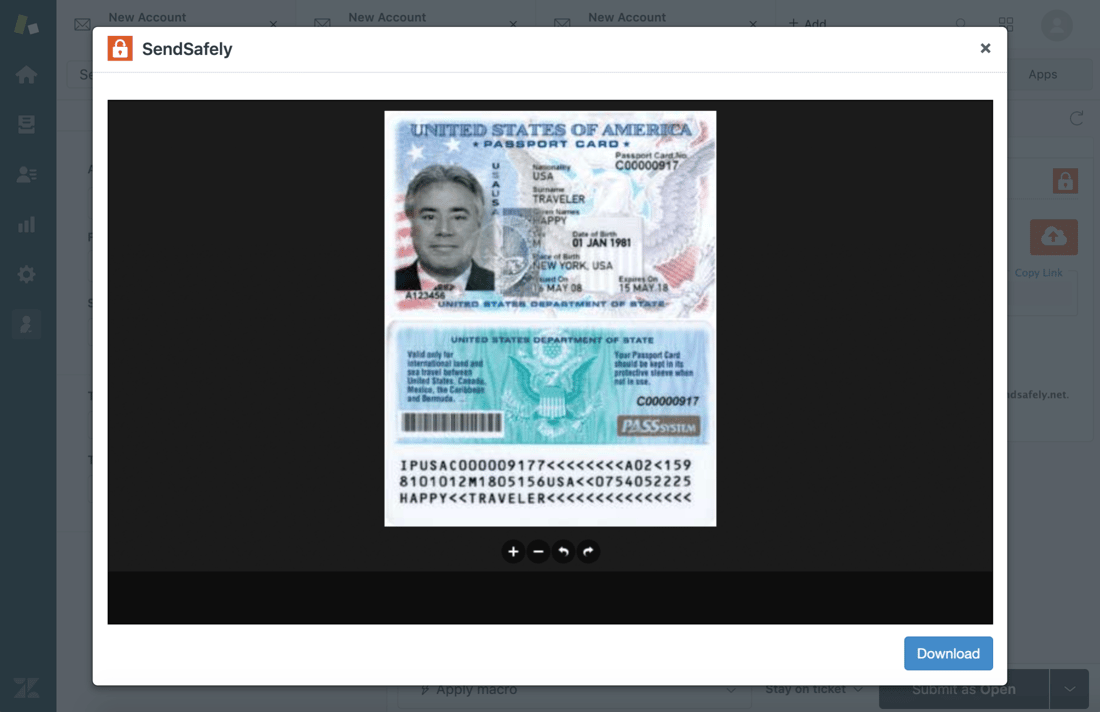
For companies that use Zendesk, Salesforce Service Cloud or Freshdesk, agents can access the secured attachments natively using our free apps that run directly in the agent console. Our apps even have a built-in preview modal that allow the agent to view the file contents without navigating away from the ticket.
The ability to protect inbound attachments with SendSafely offers many security benefits:
- Encryption - Files are encrypted and stored separately from the encryption key. The key is embedded within the ticket link, while the encrypted file is stored in SendSafely. Only users with access to both SendSafely and the ticketing system (your agents) can access and decrypt the files.
- Access Control – You define who can access attachments irrespective of who has access to the ticket. If warranted, only a subset of your agents can be granted access to attachments since access is controlled through SendSafely.
- Auditing and Logging – See exactly which agents are accessing each attachment. Logs are kept that record the identity and timestamp of every access.
- Download Restrictions – SendSafely lets you define policies that allow agents to view attachments but not save or print, preventing inadvertent data leakage.
- File Expiration – File expiration policies can be defined within SendSafely that will disable access after a certain number of days and can also automatically delete files permanently after they expire.
SendSafely: Encrypted File Transfer for Modern Business
If your organization needs a secure way to transfer files with customers or business partners, our platform might be right for you. Contact us today.
Request a Demo


