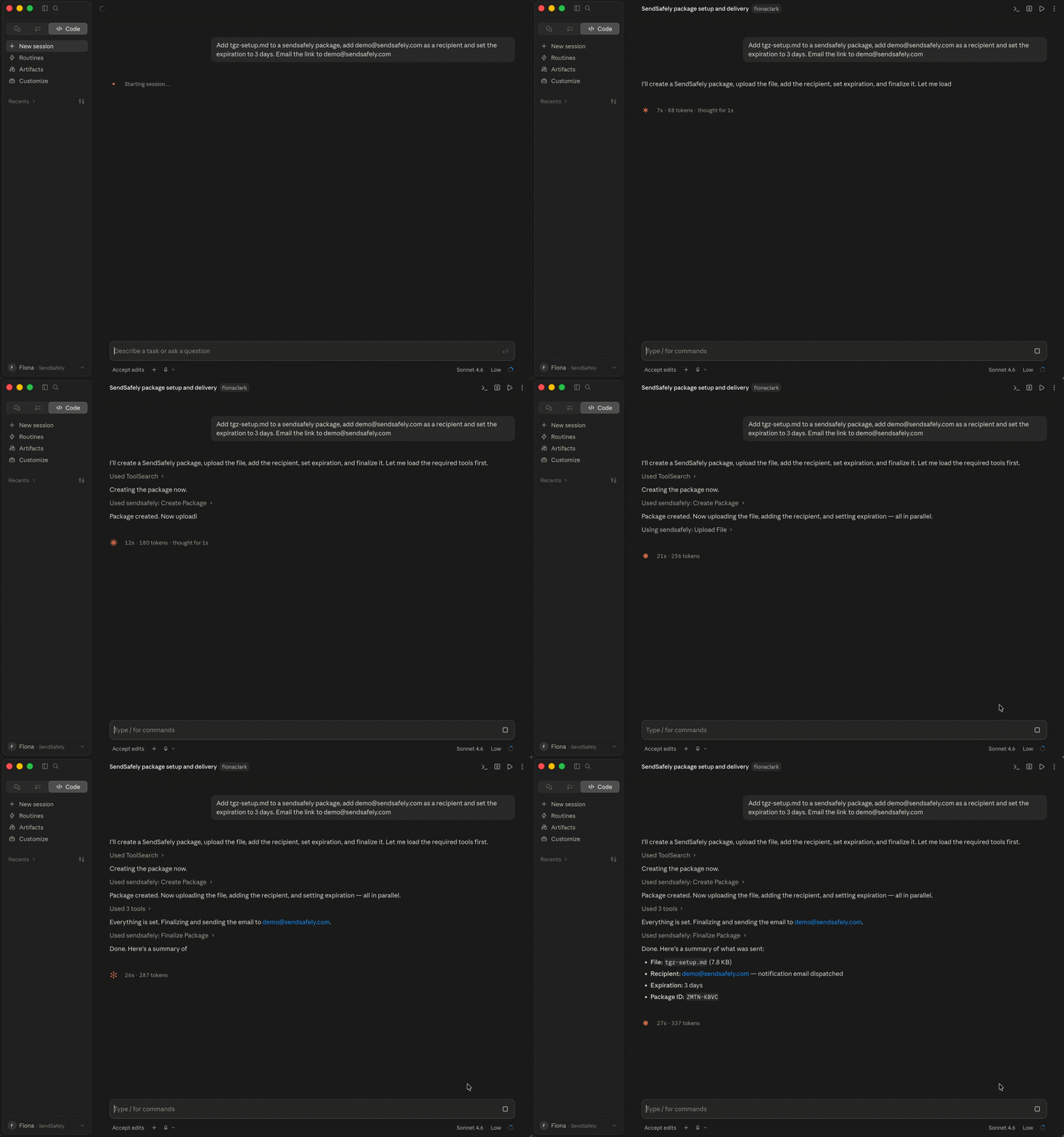
One prompt: add a file to a package, add a recipient, set a three-day expiration, and email the secure link.
Give your AI assistant access to SendSafely's end-to-end encrypted file transfer platform, with the security controls your organization depends on. Send packages, manage recipients, and query activity logs in natural language.
One prompt: add a file to a package, add a recipient, set a three-day expiration, and email the secure link.
Your agent handles every step of a package, from creation to delivery.
Start a new encrypted package.
Specify who can access it, with your choice of authentication method.
Attach one or more files.
Set an expiration date, add watermarking, or limit how many times the package can be accessed.
Seal and deliver. The secure link returns to you or emails straight to the recipient.
Built for inbound workflows, such as monitoring a Dropzone.
Run data rooms, vendor exchange folders, or internal secure storage from the same interface. About Workspaces.
Activity logs for packages and Workspaces, for compliance workflows and automated audit trails.
The SendSafely MCP server is built on the same encryption and access control guarantees as the rest of the platform. Your data doesn't leave the SendSafely trust boundary, and the AI can't read decrypted file contents until you approve it.
For access to the Local MCP Server, reach out to your SendSafely Account Manager or email success@sendsafely.com.
New to SendSafely? Request a demo.
The SendSafely MCP server is currently in beta and is available for use with any MCP-compatible AI client.
For access to the Local MCP Server, reach out to your SendSafely Account Manager, or contact success@sendsafely.com. The Help Center covers installing the Local MCP Server and using the MCP.
Not without your approval. By default the AI assistant acts as an orchestration layer, not a data handler. The MCP enforces a human-in-the-loop authorization step, and asks you to confirm every time you prompt the AI to read a file's contents rather than download it.
No. The SendSafely MCP server is built around the same encryption and access control guarantees as the rest of the platform, and your data doesn't leave the SendSafely trust boundary.
Send encrypted packages, manage recipients, upload and download files, retrieve received packages, administer Workspaces, and query activity logs for packages and Workspaces.
See the SendSafely MCP send, receive, and audit encrypted files from a single conversation.