
Do you use Zendesk and need a streamlined and secure way to distribute software releases, patches and installers to your customers? By using SendSafely with Zendesk Guide, you can add authenticated secure storage and file distribution capabilities to Guide in order to create a gated self-service portal that makes managing software downloads easy for both you and your customers.
Once configured, the SendSafely and Zendesk Guide integration lets you provision specific users to articles within Guide that contain release notes, software documentation, and installation instructions along with a direct to the downloadable software versions and installers in a SendSafely Workspace. All downloads are authenticated and logged, so you’ll know exactly who has downloaded each release. Additional benefits include:
- Point-and-Click Customer Entitlement Provisioning
Customer entitlements are managed directly from Zendesk. Tags are used to identify each product and limit customer access to only the specific software they are authorized to download. Simply add or remove the correct tags from each user to grant or revoke access to a specific product.
- No File Size Restrictions
The use of SendSafely Workspaces behind the scenes allows files of any size (software releases, installers, patches etc.) to be hosted and made available for download from Zendesk Guide articles.
- Download Logging & Reporting
All downloads are logged and available for analysis, auditing and reporting. Logs can also be extracted using the SendSafely API for automated import into other internal systems used to track licensing.
- Ability to Automate New Release Distributions
The SendSafely API allows software teams to automatically publish new releases directly into each Workspace, making them available for download by authorized customers. Each customer can also subscribe directly to the Activity Log for each product workspace in order to be automatically notified when new files are released.
How it Works
This solution leverages User Segments within Guide to enforce authorization on individual articles for each product. This functionality is native to Guide and is available with Zendesk Professional and Enterprise subscriptions.
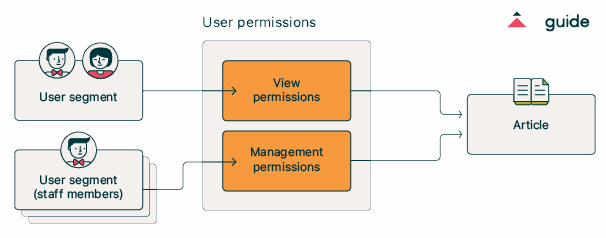
Articles for each product include a download link that directs users to a designated SendSafely Workspace with downloadable files for that specific product. The Zendesk User Segments are then automatically synchronized with the SendSafely Workspace using a script that connects to the Zendesk and SendSafely APIs, which ensures that software downloads are only accessible to users with appropriate permissions. As users are added or removed from each User Segment in Zendesk, they are added or removed from the corresponding SendSafely Workspace each time the synchronization script runs.
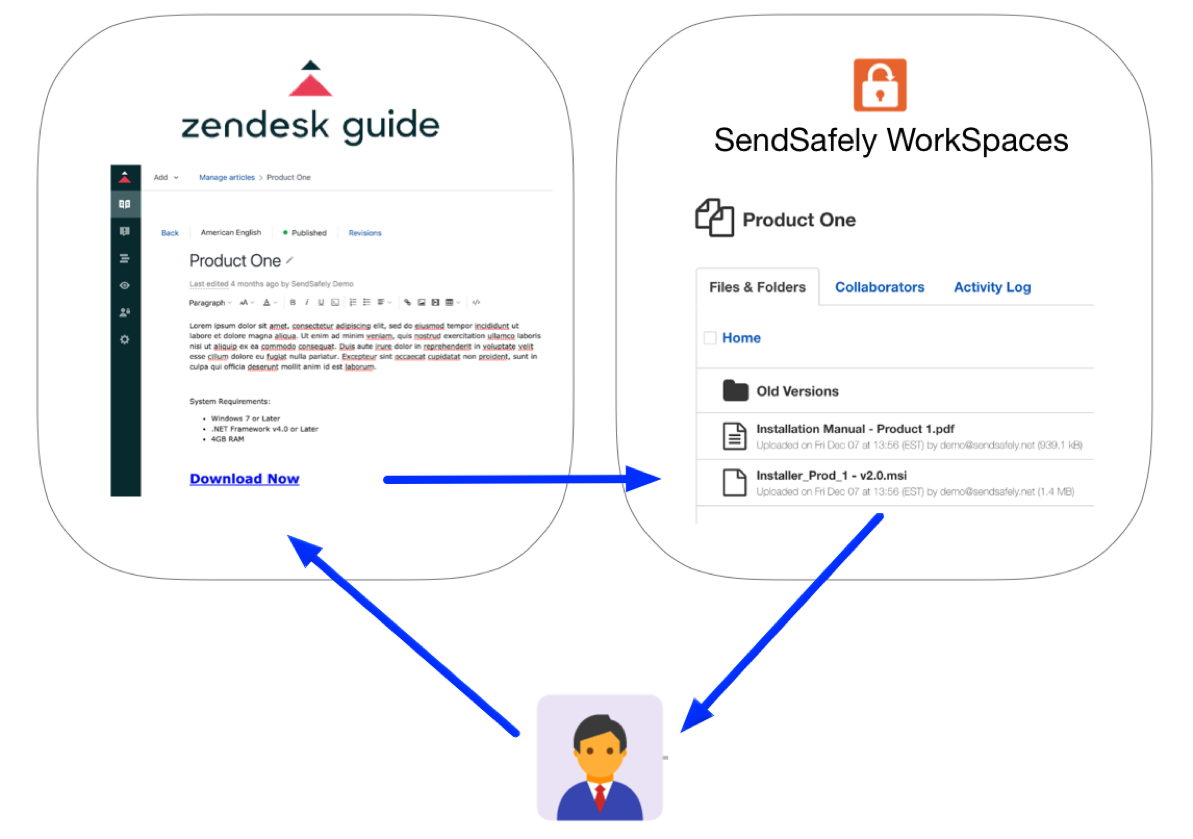
Configuring this Solution
Step-by-step instructions for setting up and configuring this integration are published in our Online Help Center. If you would like more information regarding building a secure software distribution platform using Zendesk and SendSafely, please send an email to success@sendsafely.com.
SendSafely: Integrated File Transfer for the Apps you Love
_If you are looking for a secure way to transfer files with customers or business partners, our platform might be right for you. Contact us today to request a demo and free trial subscription. _
Request a Demo


