
With all the recent high profile hacks occurring across the globe it is becoming readily apparent that encrypting data in transit is no longer enough. Beyond email, files and documents stored in cloud-based repositories are also at risk of being exposed. SendSafely Workspaces combines the Fort Knox-like security and privacy of SendSafely with the collaboration features of document-sharing platforms like ShareFile, SharePoint, Box and Dropbox.
Key features of SendSafely Workspaces include:
- Support for Folders and Subfolders - Keep files organized with a flexible directory structure
- File Versioning - Maintain and store multiple versions of any file in every Workspace
- Activity Logging - Monitor user actions like uploads and downloads
- Access Control - Individual read and write restrictions for internal and external users
- End-to-End Encryption - Unmatched security and privacy from the same powerful algorithms used by SendSafely’s file transfer platform
Just like our file transfer platform, only you and your designated collaborators can decrypt and view your files. Even we don’t have access your files! Take a tour of Workspaces below:
Folders & File Versioning
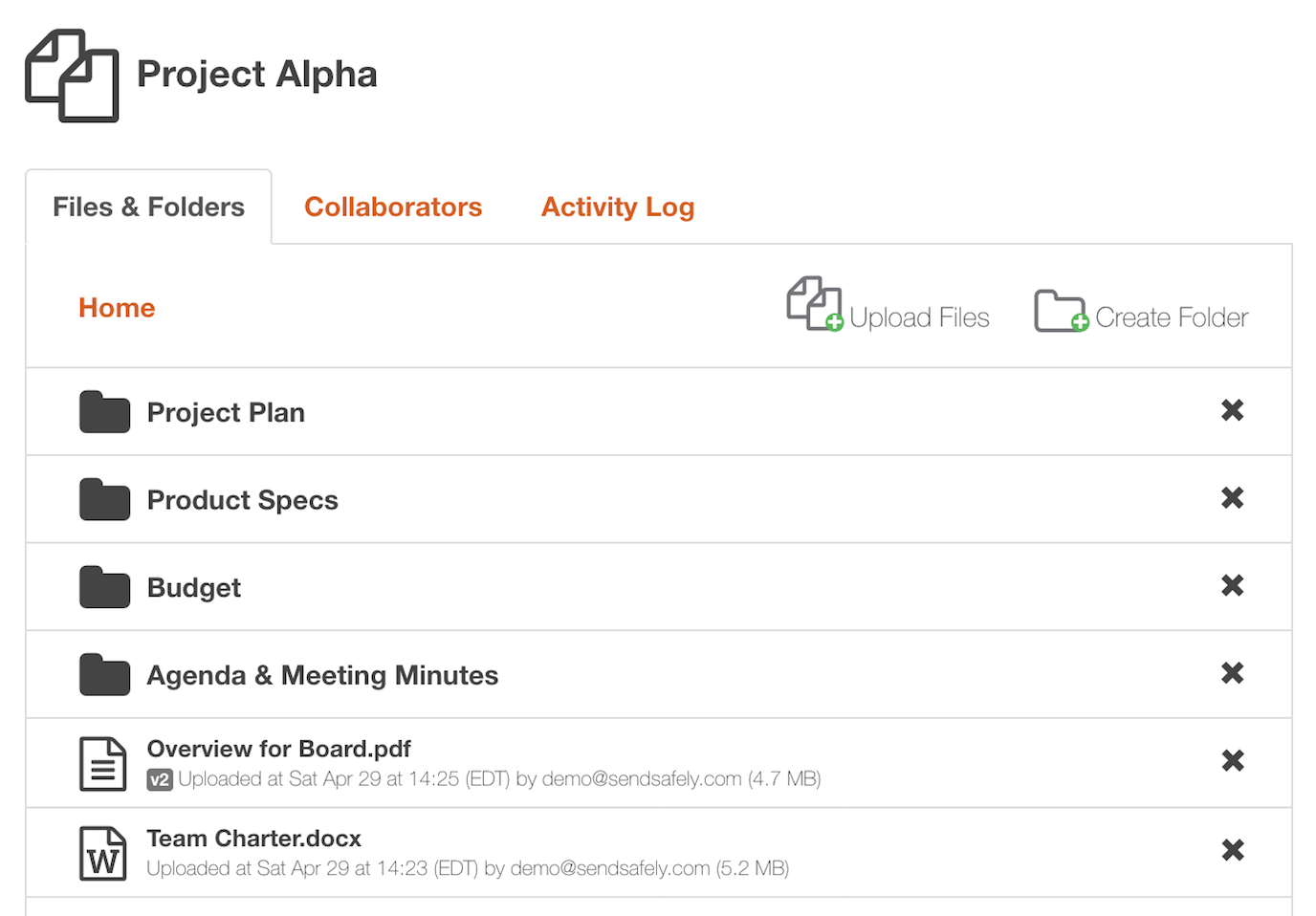
Support for folders and subfolders lets you keep files organized. Version control lets you see and access prior copies of each file after they are updated, and you can restrict access so that only the most recent copy of each file is viewable by others.
Collaborate with Others
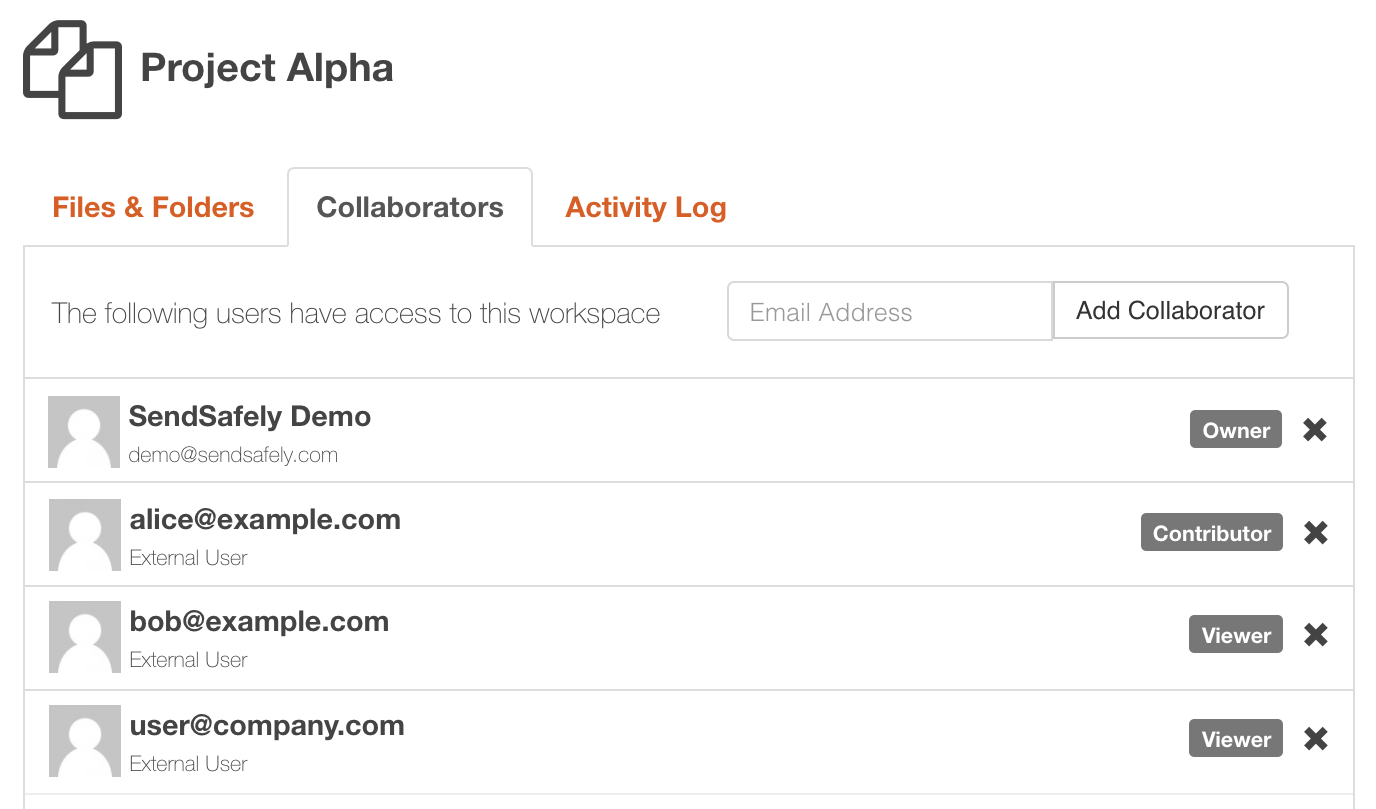
Share content with others with varying levels of access. Each Workspace is completely isolated, and can be shared with a different list of users. Viewers can only download files, while contributors can create and update files and folders in the Workspace. You can even delegate admin rights within each Workspace so that other users can manage the list of Workspace collaborators.
Detailed Activity Logging
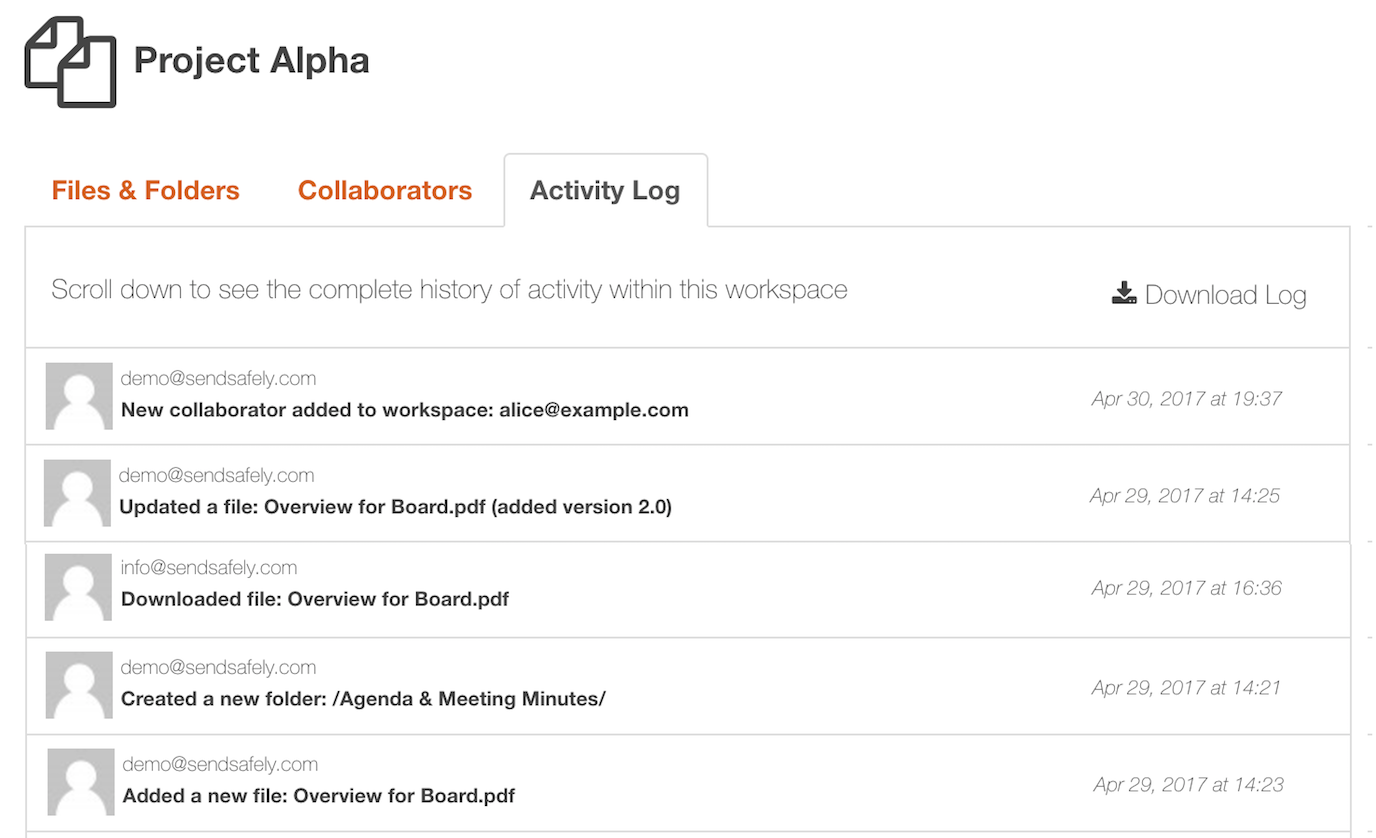
Every action your collaborators take within the Workspace is logged so you can keep track of who’s doing what. You can even export the activity log so it can be imported into another system for analysis and reporting.
For more information or questions regarding SendSafely Workspaces, you can email our support team at support@sendsafely.com.


