
The SendSafely team is proud to announce our new Freshdesk integration, now available in the Freshworks App Marketplace. Our integration allows both your customers and support agents to communicate sensitive data securely using file-level encryption on demand. The integration also adds support for large file uploads, all within the same Freshdesk ticketing workflow you know and love.
As a Freshdesk user, you may have run into cases where customers need to attach large files to a support ticket. Unfortunately Freshdesk file attachment limits cap out at 20MB, regardless of the plan you are on…until now. SendSafely solves this pain-point by allowing individual files up to 10GB to be added to each ticket, with each file encrypted end-to-end for maximum security. If you’ve ever worried about the security implications of a user attaching sensitive files to a support ticket, we’ve got you covered.
How it Works
The SendSafely Freshdesk App works in conjunction with our Freshdesk Dropzone Widget to provide a seamless experience for both end-users and support agents.
End-users see the same familiar attachment interface they are used to, but under the hood the files are encrypted on their machine and uploaded to SendSafely instead of Freshdesk (notice the SendSafely orange padlock logo).
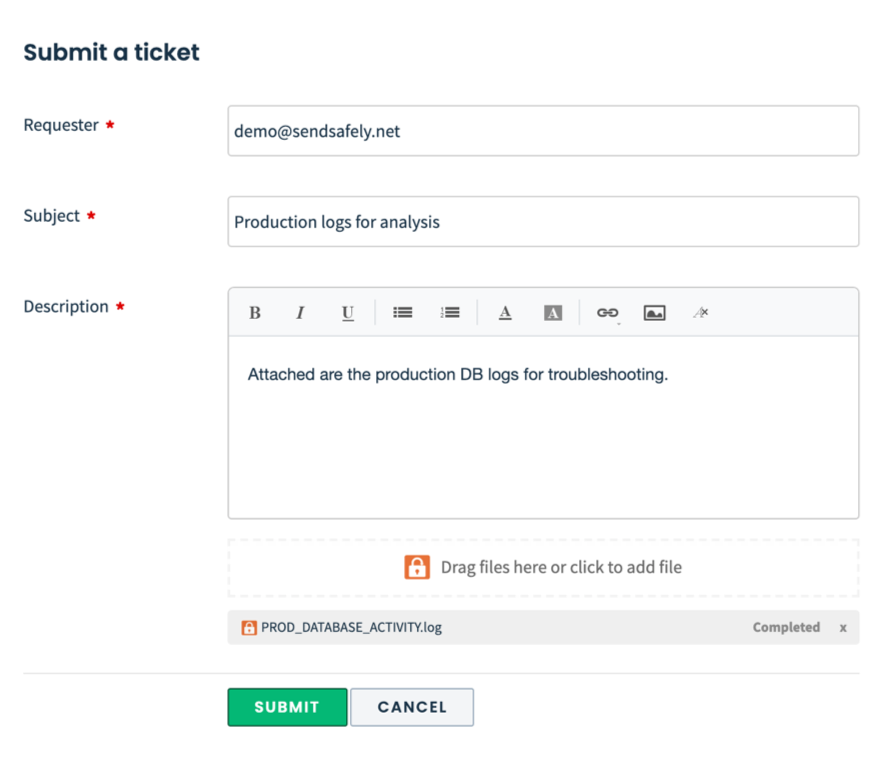
The encrypted files never touch Freshdesk and the decryption keys generated on the user’s machine (required to access the unencrypted data) are never sent to SendSafely. This split-key architecture ensures only your authorized agents with access to both systems can view the secure files (even the folks at Freshdesk and SendSafely can’t view them). To find out more about how our encryption works, check out the How it Works page on the SendSafely website.
Agents are presented with a unified view of all files attached to the ticket they are working. Agents can also easily attach new files to a ticket comment when responding by pressing the orange upload icon from within the app.
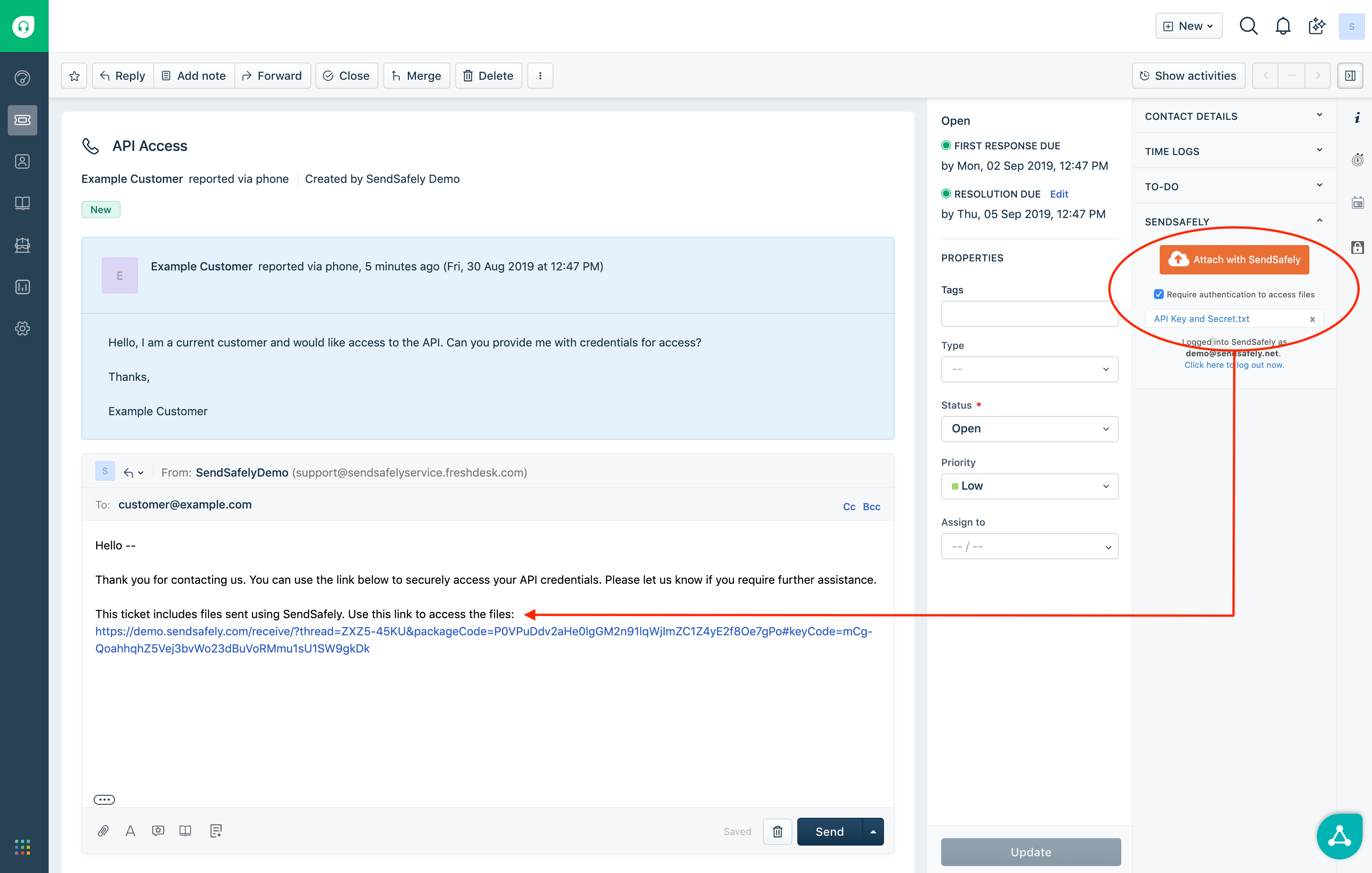
A complete overview of our Freshdesk integration and instructions on how to install/setup each component can be found in our Online Help Center.
**Interested in testing our integration? Get the app from theFreshworks App Marketplace now and sign up for a free two-week trial. **For other questions on the SendSafely Freshdesk integration, please contact our Customer Success Team.
SendSafely: Integrated File Transfer for the Apps you Love
If you are a Freshdesk customer looking for a secure way to transfer files with customers, or simply need to send large attachments using Salesforce, our platform might be right for you.
Request a Demo


