
SendSafely now offers an option to automatically share access to Dropzone uploads amongst individuals within the same end-user organization. This can be useful for companies that have also configured their Help Center to allow shared access to tickets within an end-user organization.
In a standard Help Center configuration, customer access to a support ticket is typically limited to the end user who originally submitted the issue. Zendesk, Salesforce Service Cloud and Freshdesk offer advanced sharing options that allow additional users within an organization to access tickets submitted by their colleagues. This ticket sharing can be accomplished by adding CC’s, configuring shared organizations for end-users, or managing user level permissions. This is useful when multiple end-users are tracking an issue, or if the original submitter is out on vacation.
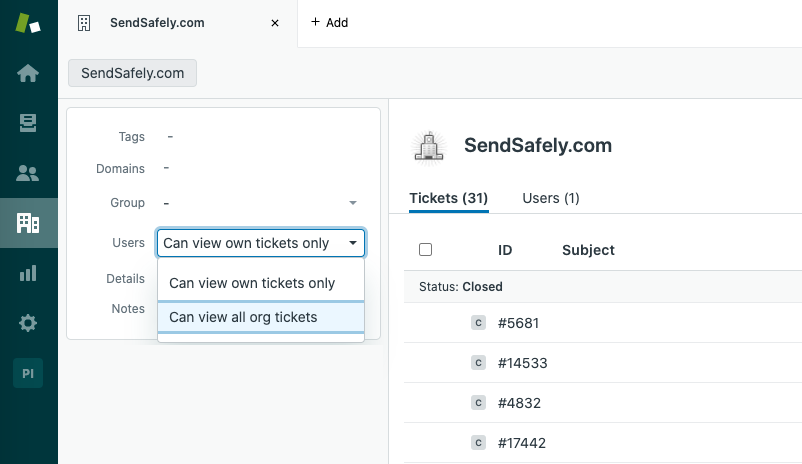
In order to take advantage of this shared ticket access, the SendSafely Dropzone can be configured to allow colleagues of the ticket submitter to access Dropzone uploads as well. This new feature, called Sender Domain Access , allows users with the same email domain as the Dropzone sender (the ticket submitter) to authenticate to SendSafely and access files posted to support tickets.
This new option can be enabled for specific Dropzones within an organization, but is turned OFF by default. A comparison of standard Dropzone authentication, and Sender Domain Access is provided below.
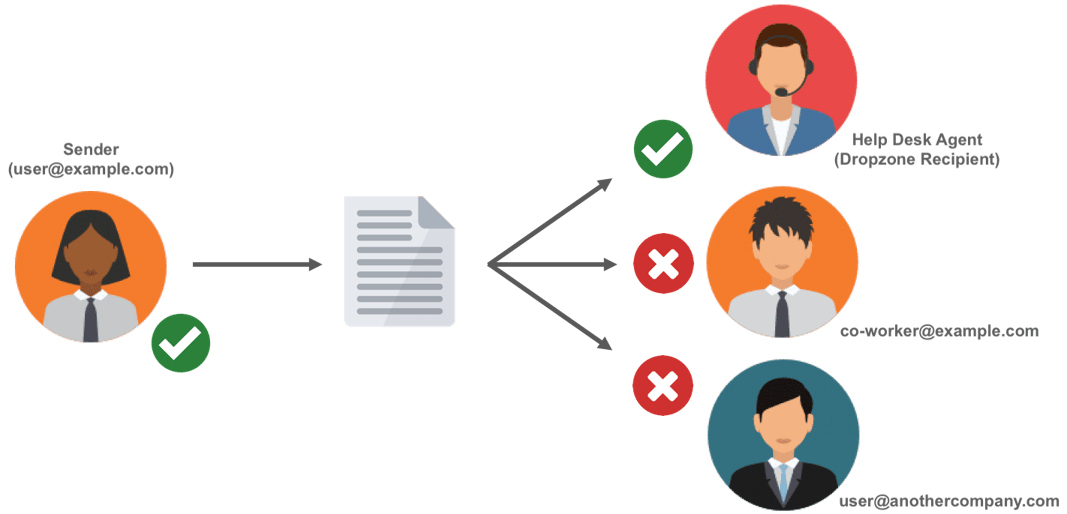
Standard Dropzone Authentication
Normal Dropzone uploads can only be accessed by the email address that uploaded the file (the sender) OR internal Dropzone members (recipients).
####
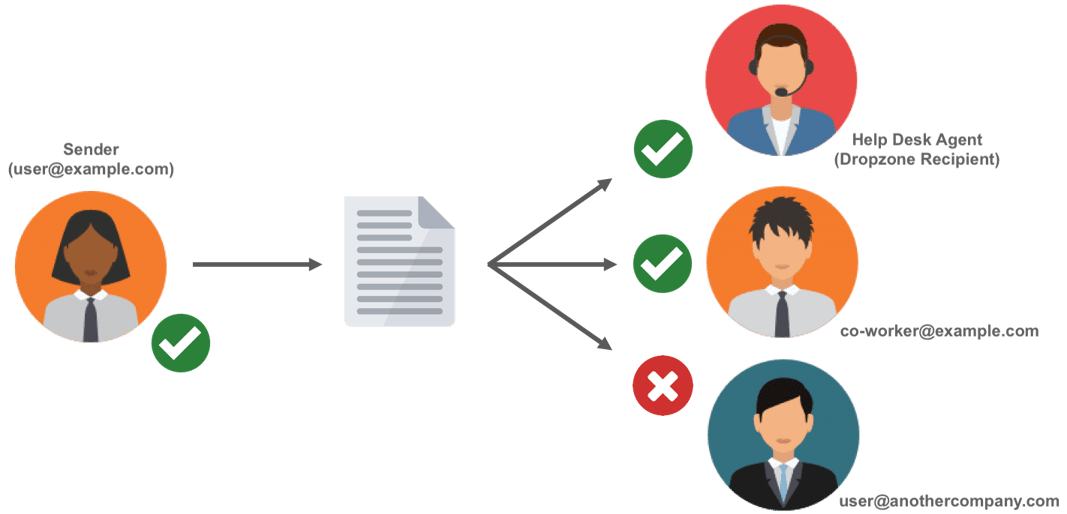
Sender Domain Access
With this new option enabled, a Dropzone upload can be accessed by the email address that uploaded the file (the sender), internal Dropzone members (recipients) PLUS any external end-user that has an email address within the same email domain as the sender.
Please note the following related to this new authentication option:
-
Access to uploaded files also requires the user has a copy of the SendSafely secure link. For Dropzones that are integrated with a ticketing system, the secure link is typically only available to people with access to the associated support ticket.
-
All email addresses are validated using a SendSafely pin code before allowing access.
-
Only valid business email addresses are supported. Uploads using personal email addresses such as gmail, hotmail, yahoo etc. are not granted access through this feature.
Sender Domain is a premium feature available on the Enterprise plan. To enable this feature, please contact your SendSafely account representative or success@sendsafely.com.
SendSafely: Encrypted File Transfer for Modern Business
If your organization needs a secure way to transfer files with customers or business partners, our platform might be right for you. Contact us today.
Request a Demo


