Skip to content
New AI Custom Form BuilderDescribe the intake form. It ships branded and end-to-end encrypted.AI Custom Form Builder is here See it build
Integrations

Send Secure Messages using our Zendesk App

Zendesk agents using the SendSafely Agent App can now send secure messages in addition to (or instead of) file attachments.

Brian Holyfield · 1 min read
Send Secure Messages using our Zendesk App

Zendesk agents using the SendSafely Agent App can now send secure messages in addition to (or instead of) file attachments. This feature is ideal for cases where an agent needs to send credentials, API keys, or other sensitive content that might not be stored in a file.

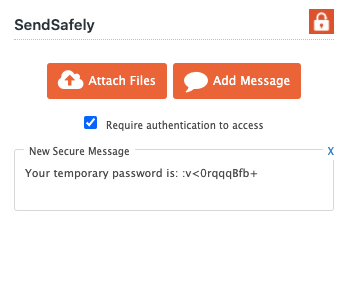
SendSafely secure messages use the same end-to-end encryption and recipient authentication as file attachments. To add a secure message to a ticket, simply click the new “Add Message” button.
Zendesk 1-3

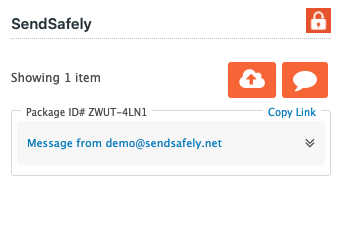
Sending a message using the sidebar app works just like send a file. The sidebar app will insert a secure link into the agent reply editor when you submit your reply. Once a message is sent, it can also be viewed using the side bar app.
zd_secure_message

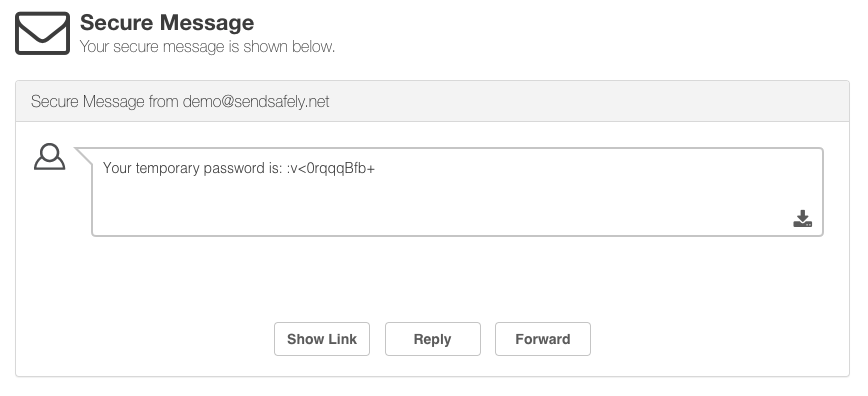
End users view the message by clicking the link to the SendSafely portal that gets inserted into the agent’s reply.
secure_message_porta

The SendSafely App for Zendesk can be installed for free from the Zendesk Marketplace.


SendSafely: Encrypted File Transfer for Modern Business

If your organization needs a secure way to transfer files with customers or business partners, our platform might be right for you. Contact us today.

Request a Demo

Frequently asked questions

Can I send an encrypted message from Zendesk with SendSafely?

Yes. Since 2021, Zendesk agents using the SendSafely Agent App can send secure messages in addition to, or instead of, file attachments. Click the “Add Message” button, and a secure link is inserted into the agent reply when you submit it.

When should a Zendesk agent use a SendSafely secure message?

Secure messages suit sensitive content that is not stored in a file, such as credentials or API keys. They avoid putting that information in plain text in the ticket.

Are SendSafely secure messages protected the same way as files?

Yes. SendSafely secure messages use the same end-to-end encryption and recipient authentication as file attachments sent through the app, so the recipient must pass the same verification before the message content is decrypted and displayed.

How does a customer read a SendSafely secure message sent from Zendesk?

The end user clicks the SendSafely link inserted into the agent’s reply, which opens the message on the SendSafely portal. Agents can also view sent messages from the sidebar app.

Where do I get the SendSafely app for Zendesk?

The SendSafely app is installed from the Zendesk Marketplace. The Zendesk integration page describes the agent app, portal widget, Dropzone and Messenger components.

Written by Brian Holyfield