Skip to content
New AI Custom Form BuilderDescribe the intake form. It ships branded and end-to-end encrypted.AI Custom Form Builder is here See it build
Integrations

New formatting for SendSafely Zendesk ticket links

Our Zendesk Sidebar App now includes the option to automatically add hyperlinked text instead of an un-formatted SendSafely URL when agents send outbound files to users.

Brian Holyfield · 1 min read
New formatting for SendSafely Zendesk ticket links

Our Zendesk Sidebar App now includes the option to automatically add hyperlinked text instead of an un-formatted SendSafely URL when agents send outbound files to users. This neatly formatted link enhances the visual appearance of the ticket reply when viewed by the customer.

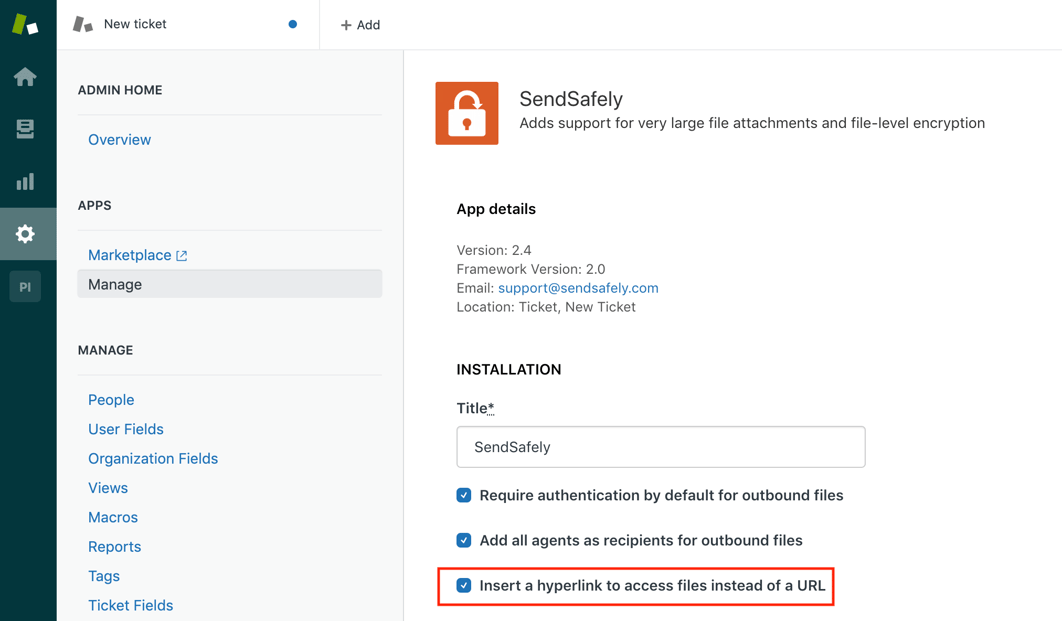
The hyperlink option is available to all SendSafely enterprise users with the SendSafely Zendesk App installed. To turn on this feature navigate to Manage Apps (under Settings) then select “Change Settings” on the SendSafely App. Check the box next to the “Insert a hyperlink to access files instead of a URL.” option. Make sure to click “Update” to save your changes.SendSafely Agent App Settings PM
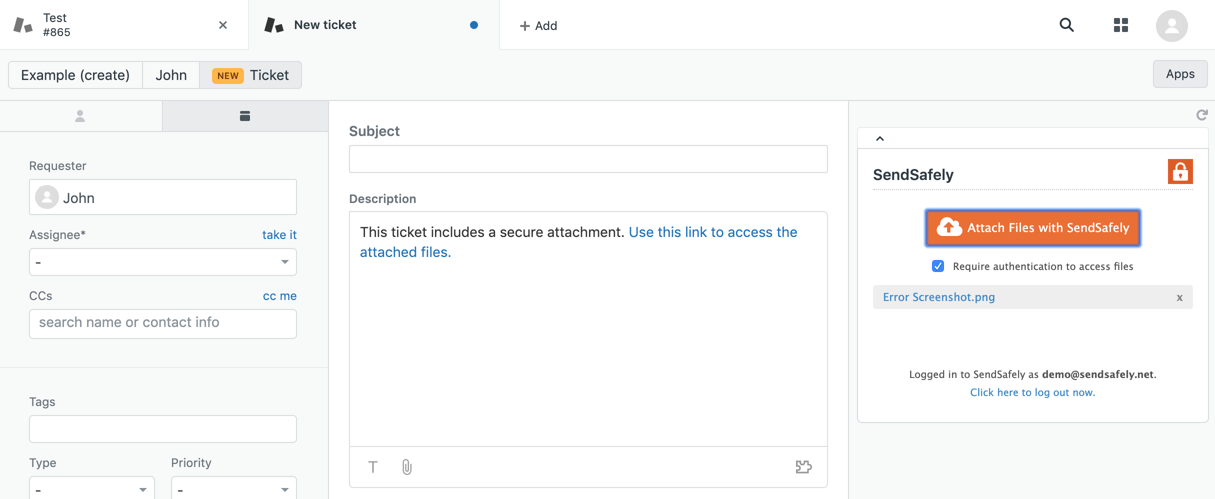
Once enabled, the old behavior of adding an un-formatted SendSafely Link is replaced with adding a text-based hyperlink that simply says “Use this link to access the attached files”.

Old Behavior (un-formatted SendSafely Link)
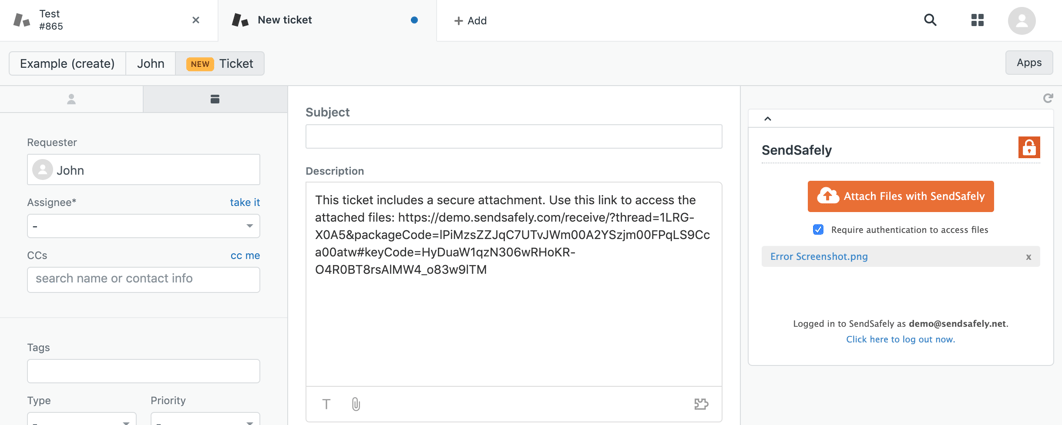
Insert Link - Fully keyed Link PM

New Behavior (text-based hyperlink)

Insert Link - hyperlinked PM

An overview of our Zendesk integration and instructions on how to install/setup each component can be found in ourOnline Help Center.


SendSafely: Integrated File Transfer for the Apps you Love

If you are a Zendesk customer looking for a secure way to transfer files with customers, or simply need to send large attachments using Zendesk, our platform might be right for you.

Request a Demo

Frequently asked questions

Can the SendSafely Zendesk app insert a hyperlink instead of a raw URL?

Yes. Since 2019, the SendSafely Zendesk Sidebar App can add a text hyperlink that says “Use this link to access the attached files” instead of an unformatted SendSafely URL in the agent’s reply.

How do I enable hyperlinked SendSafely links in Zendesk?

In Zendesk, go to Settings > Manage Apps, select Change Settings on the SendSafely App, check “Insert a hyperlink to access files instead of a URL” and click Update to save.

Why use a hyperlink instead of a SendSafely URL in Zendesk replies?

A text hyperlink makes the ticket reply look cleaner to the customer than a long, unformatted URL, while still giving them secure access to the attached files.

Written by Brian Holyfield