By leveraging the power of Zendesk’s AI agents and SendSafely security, you can now request and collect sensitive documents from end users in a completely secure and automated fashion. Our latest Dropzone enhancement integrates seamlessly with Zendesk Messaging and can be used within a bot conversation as part of an AI workflow.
As an example, during a chat with an AI agent, a customer may need to submit sensitive information to continue the support process. The AI agent can insert the SendSafely Dropzone directly into the chat and securely gather those files and messages without the intervention of a human. The sensitive data is protected every step of the way with SendSafely’s end-to-end encryption.
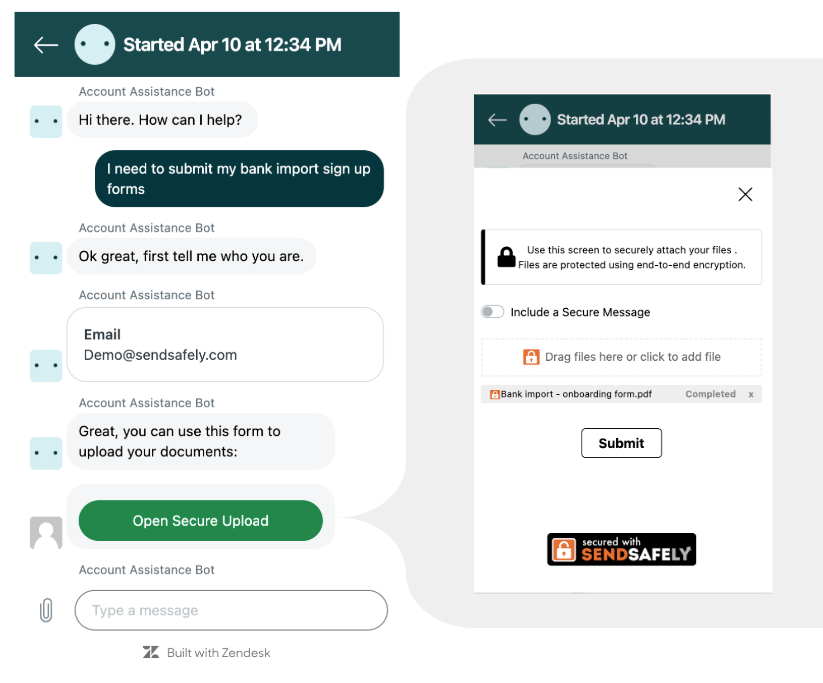 The SendSafely Dropzone provides a native end-to-end encrypted, mobile friendly upload form directly within the messenger window. The customer can upload files and a secure message without having to navigate away from the conversation. Once the upload is complete, the agent can pass the customer on to further automated workflows or to a human support agent as needed. This hands free encryption works seamlessly to eliminate repetitive manual tasks and free up your support agents for where they’re really needed.
The SendSafely Dropzone for Messenger is compatible with Zendesk AI agents -Essential, AI agents - Advanced (Ultimate AI), and other third party AI agents connected to Messenger. The SendSafely app is easy to configure as an answer in Zendesk Essentials, or as an API integration in Zendesk Advanced (Ultimate AI).
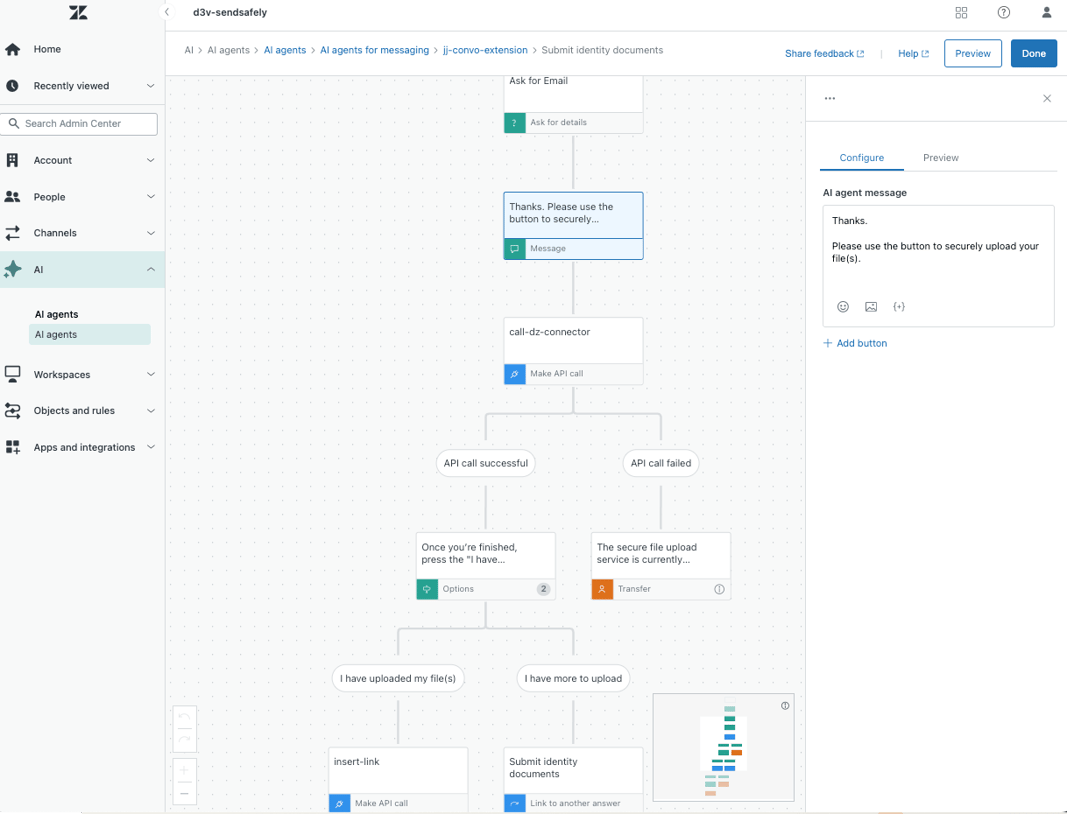
SendSafely for Zendesk is available on the SendSafely Business and Enterprise plans. For more information, contact success@sendsafely.com.
SendSafely: Integrated File Transfer for the Apps you Love
If you are looking for a secure way to send or receive files with anyone, or simply need a better way to transfer large files, our platform might be right for you.
Request a Demo