
Two of our new Advanced Privacy Bundle features, Restrict File Saving and Printing and Watermarking for PDF and image files are now available in Workspaces. Workspace Owners and Managers can apply one or both features to individual Workspaces to enhance protections for extra sensitive files. When enabled, file restrictions and watermarking apply to all Workspace collaborators and the Workspace is limited to PDF and image file types only.
Enabling Advanced Privacy Features
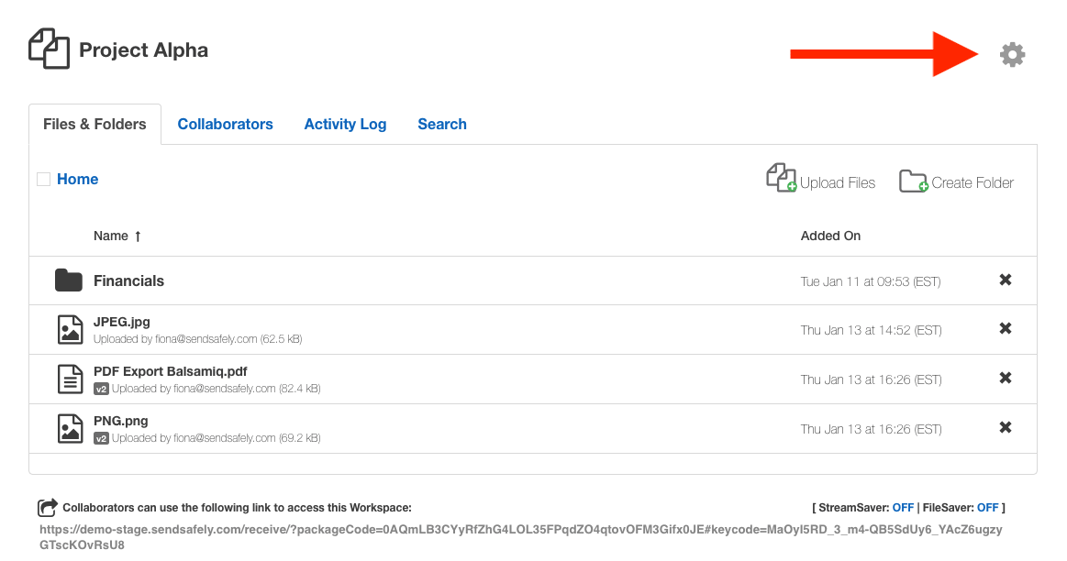
To enable either Restrict File Saving and Printing or Watermarking on a Workspace, Owners and Managers click the settings icon (cog) in the top right hand corner of the Workspace.
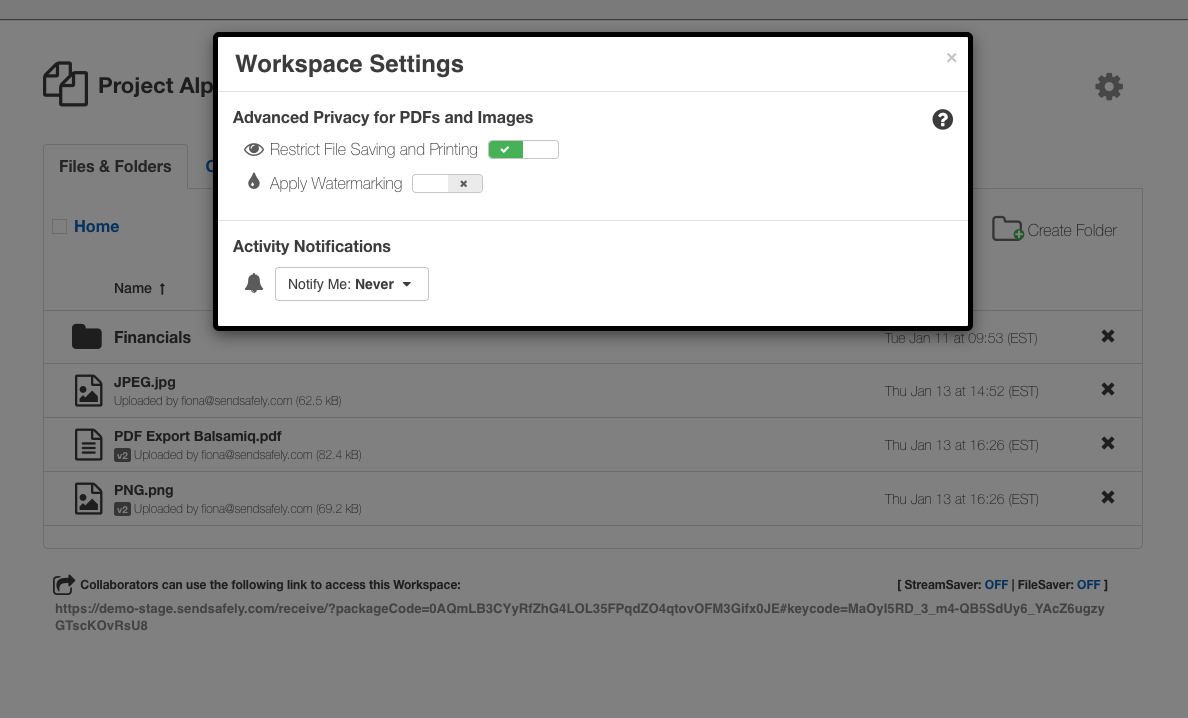
From here, you can choose to enable one or both features by toggling the slider to the on position.
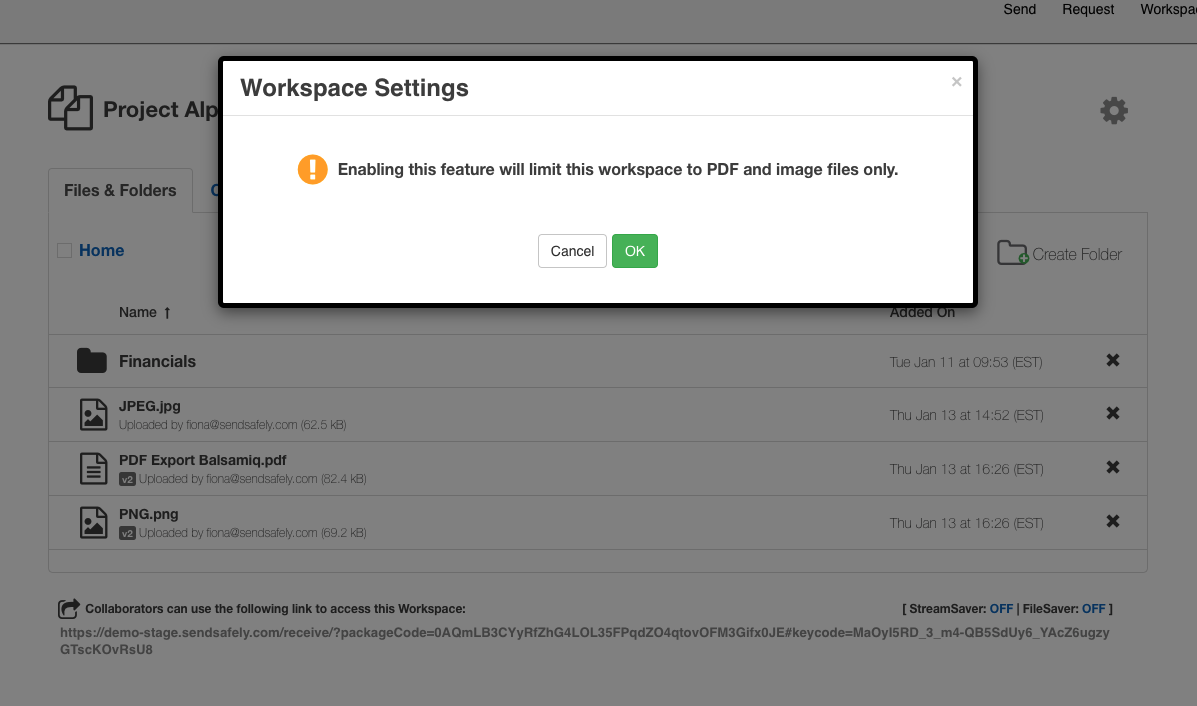
Once turned on, you are advised that the Workspace will be limited to PDF and image files only. If the Workspace contains any other file types, you will need to remove them prior to enabling either feature.
Restrict File Save and Print
When Restrict File Saving and Printing is enabled, all Collaborators, regardless of role (i.e. viewer, contributor, owner etc.) are blocked from downloading and printing files. The only option is to preview the file within SendSafely.
Watermarking
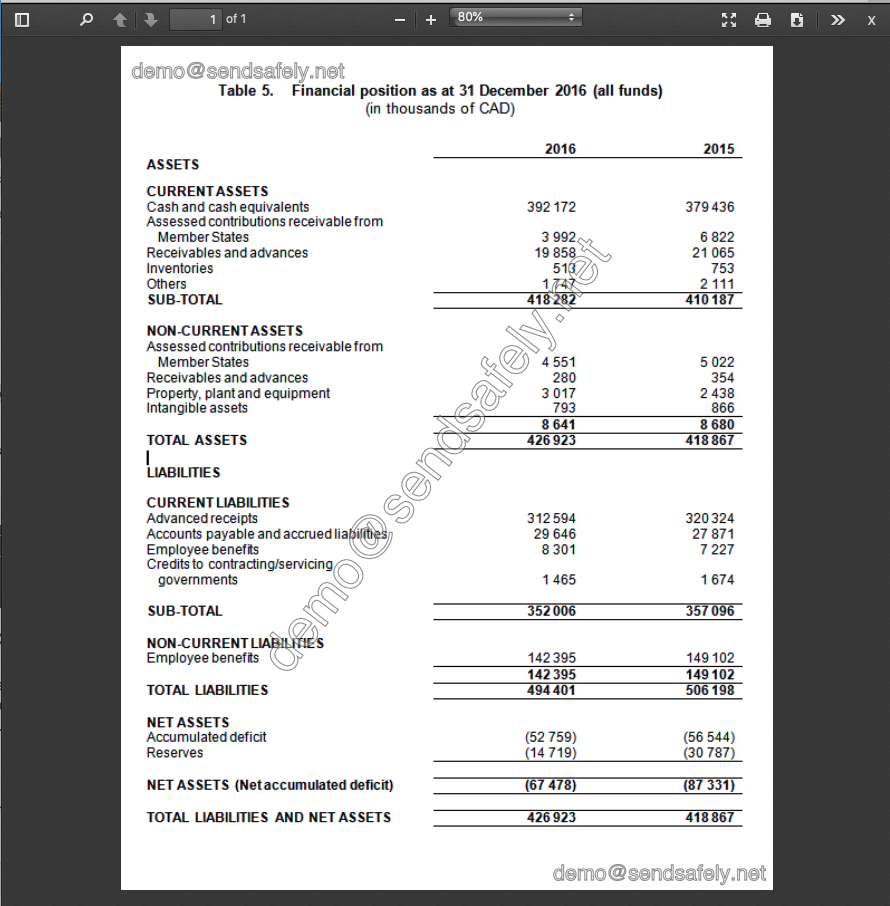
When Watermarking is enabled, all Workspace files will be watermarked with the email address of the collaborator. Watermarks apply to all collaborators regardless of role.
Watermarking and Restrict File Download are included as part of the SendSafely Advanced Privacy Bundle. Contact sales@sendsafely.com for more information on how to enable this option for your SendSafely subscription.
SendSafely: Encrypted File Transfer for Modern Business
If your organization needs a secure way to transfer files with customers or business partners, our platform might be right for you. Contact us today.
Request a Demo


