
SendSafely Workspaces is a secure collaboration feature available with the Enterprise version of SendSafely that allows you to create and share file repositories with support for folders and file versioning. Now workspace collaborators have the option to turn on Workspace Notifications to receive email updates on activity occurring within each shared repository.
Each collaborator manages their own notification preferences from the Activity Log tab within the Workspace.
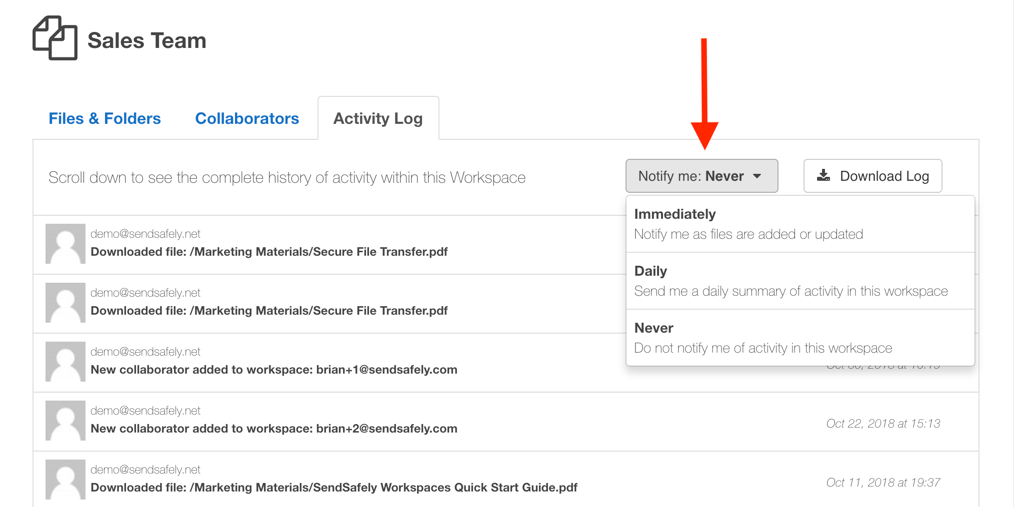 Collaborators can choose from the following notification options:
- Immediately - Email notifications will be sent when files are added or updated in the Workspace by any collaborator. Choose this option if you have an urgent need to know when new files are available. For very active workspaces you will be notified every 15 minutes.
- Daily - A single daily email is sent summarizing all file adds or updates occurring that day. If no updates occur, no email is sent. Choose this option if you anticipate a large amount of activity within your Workspace and do not wish to receive multiple notifications.
- Never - No notification emails are sent (this is the default option).
SendSafely: Integrated File Transfer for the Apps you Love
If you are looking for a secure way to transfer files with customers or business partners, our platform might be right for you. Contact us today to request a demo and free trial subscription.
Request a Demo


