
We’re excited to introduce Workspace deeplinking, a new capability that links Workspace collaborators directly to a specific folder or file using a dedicated URL. Prior to this update, collaborators could only be sent links to the “Home” folder within a Workspace, and were required to manually navigate to the desired file or folder. With Workspace deeplinking, collaborators are now taken directly to the exact location they need.
-
Deep link to a folder → Users are taken directly to that specific Workspace subfolder.
-
Deep link to a file → Users are taken directly to the file details page.
How It Works
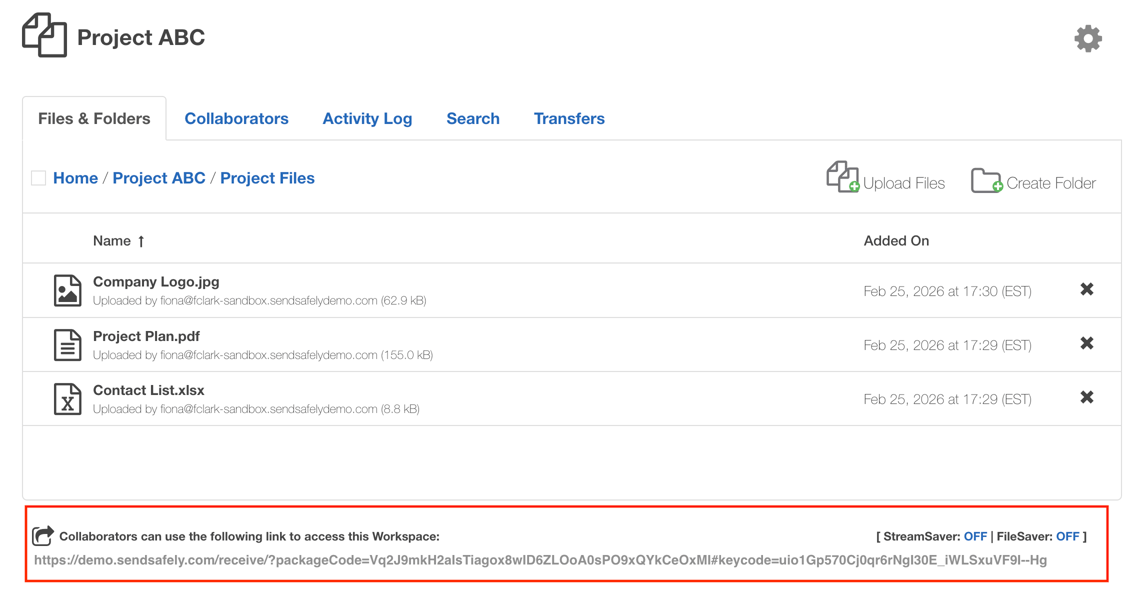
The same, shareable secure link located at the bottom of the Workspace page has been converted to a deeplink. When browsing a Workspace, the shareable link automatically updates to reflect your location (folder or file). To generate a deeplink for a collaborator, simply navigate to the file or folder you wish to share, and copy the link displayed at that location.
When a collaborator clicks the link:
-
If it points to a folder, the Workspace opens directly to that folder view.
-
If it points to a file, the user is taken straight to the file details page.
Access controls remain enforced, users can only access folders and files they are authorized to view.
Benefits
-
Fewer Clicks - Workspace deeplinking reduces unnecessary navigation steps, making it faster to access frequently used content.
-
Easier Sharing Need someone to review a specific document? Send them directly to the file instead of explaining the folder path.
-
Improved Workspace Usability As Workspaces scale, structure becomes more complex. Deeplinking keeps collaboration efficient, even in deeply nested environments.
Whether you’re sharing documentation, exchanging sensitive files, or managing ongoing projects, Workspace deeplinking ensures collaborators can get where they need to go.
SendSafely Workspaces are available on the SendSafely Teams, Business and Enterprise plans. For more information, contact success@sendsafely.com.
SendSafely: Integrated File Transfer for the Apps you Love
If you are looking for a secure way to send or receive files with anyone, or simply need a better way to transfer large files, our platform might be right for you.
Request a Demo


