Skip to content
New AI Custom Form BuilderDescribe the intake form. It ships branded and end-to-end encrypted.AI Custom Form Builder is here See it build
Product

Workspace File Search

Workspace collaborators can now search for files within a specific Workspace.

Brian Holyfield · 1 min read
Workspace File Search

Workspace collaborators can now search for files within a specific Workspace. This new feature is especially useful for locating items in large Workspaces with many files and folders. Users can search on file name, file owner and date range. Search is available to all Workspace collaborators, including external guests.

To search for a file within a Workspace, click on the Search tab as shown below.
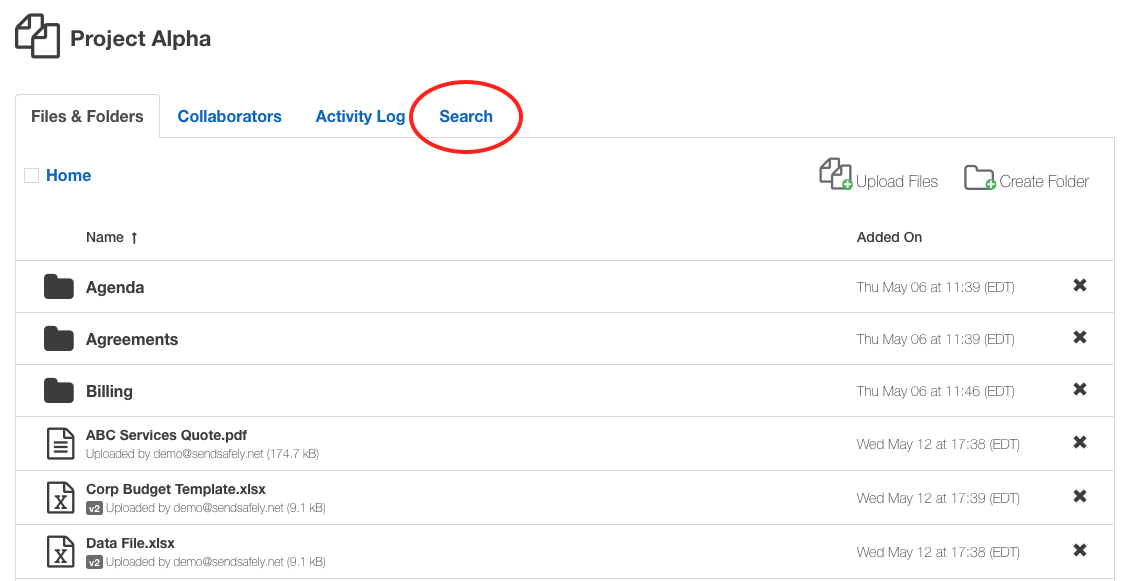
Search Tab

Once you enter your search criteria, click the “Search” button to view the results. You can search for items by file name, email address or upload date. Searches are not case sensitive and partial matches are returned. For example, if you want to see all files uploaded by collaborators from a single company you could search on Uploaded by: “@companyname.com”.
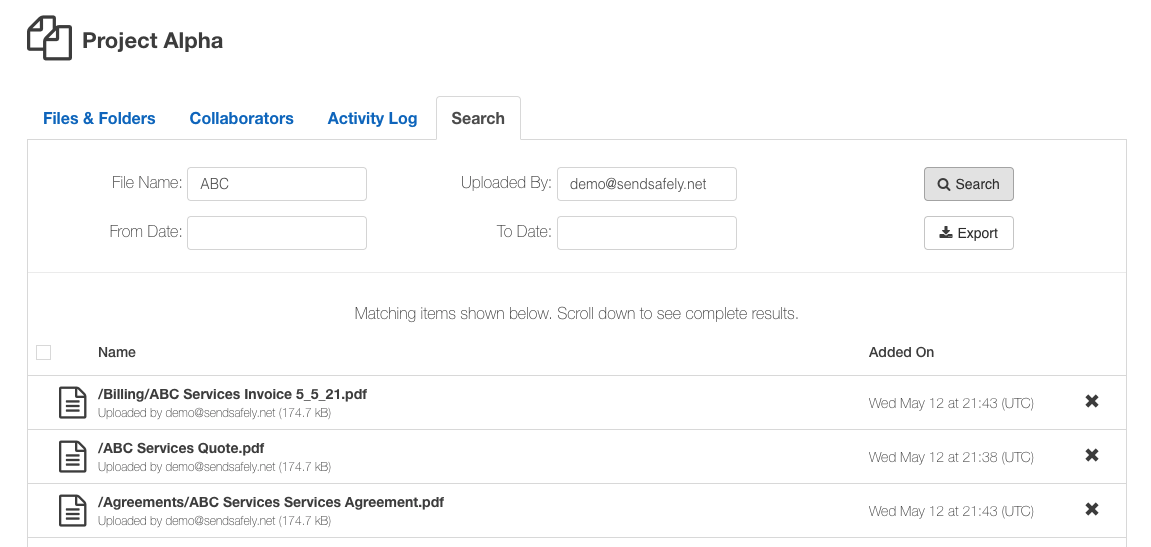
Search Results

From the search results listing, you can view, download, delete and rename files. Search results can be also exported in CSV format by clicking the “Export” button. We hope you enjoy this new and much anticipated Workspaces feature.


SendSafely: Encrypted File Transfer for Modern Business

If your organization needs a secure way to transfer files with customers or business partners, our platform might be right for you. Contact us today.

Request a Demo

Frequently asked questions

Can I search for files inside a SendSafely Workspace?

Yes. Since 2021, Workspace collaborators can search for files within a specific Workspace using the Search tab. It is especially useful for finding items in large Workspaces with many files and folders.

What can I search by in a SendSafely Workspace?

You can search by file name, file owner (uploader email address) and upload date range. Searches are not case sensitive and return partial matches.

How do I find all files uploaded by people from one company in a Workspace?

Search on the Uploaded by field using the company’s email domain, for example “@companyname.com”. Because partial matches are returned, this lists every file uploaded by collaborators from that domain.

Can external guests use Workspace search?

Yes. Search is available to all Workspace collaborators, including external guests, so anyone with access to the Workspace can locate files within it.

What can I do with Workspace search results?

From the results listing you can view, download, delete and rename files. You can also export the search results in CSV format by clicking the Export button.

Written by Brian Holyfield