Skip to content
New AI Custom Form BuilderDescribe the intake form. It ships branded and end-to-end encrypted.AI Custom Form Builder is here See it build
Product

Workspace Name Search

Brian Holyfield · · 1 min read

Users with large numbers of Workspaces can now quickly search by name on the Workspaces listing page. This new search functionality makes locating a specific Workspace fast and convenient for users with over 100 workspaces.

The new search box is located next to the Workspace Name column header on the Workspaces listing page. Click on the magnifying glass icon to expose the search text box.
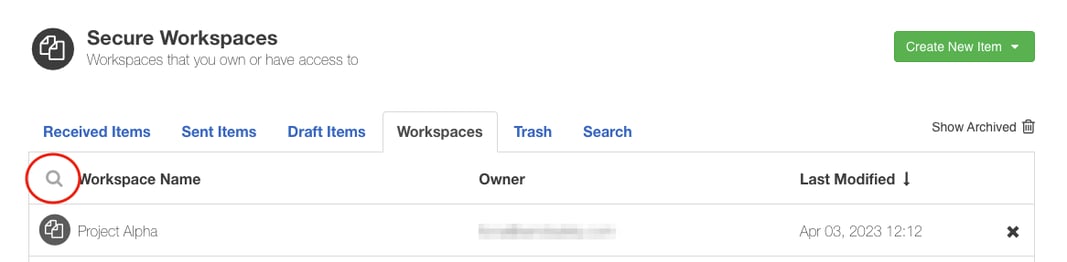
ws_search_box

Users can search on both full or partial Workspace name by entering the search text and clicking enter. Both active and archived Workspaces are returned in the search results. To clear the search, click the X icon.
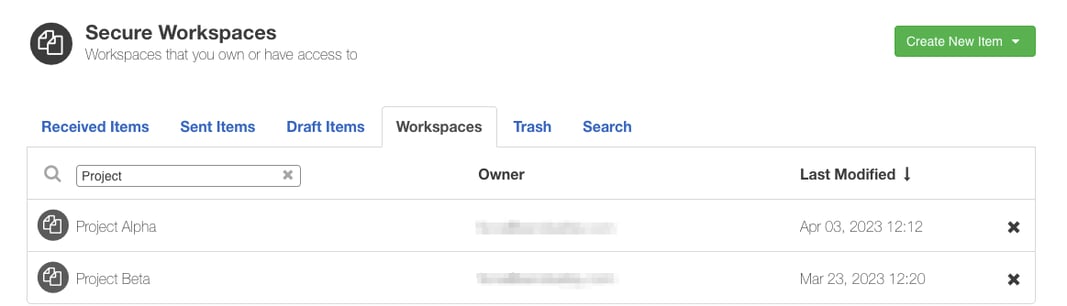
ws_search_results


SendSafely: Encrypted File Transfer for Modern Business

If your organization needs a secure way to transfer files with customers or business partners, our platform might be right for you. Contact us today.

Request a Demo

Frequently asked questions

How do I find a specific Workspace in SendSafely?

Use the search on the Workspaces listing page. Click the magnifying glass next to the Workspace Name column header, enter a full or partial name, and press enter. Learn more about Workspaces.

Can I search for SendSafely Workspaces by partial name?

Yes. Workspace name search accepts both full and partial Workspace names. Enter the text in the search box next to the Workspace Name column header and press enter to see matching Workspaces.

Does SendSafely Workspace search include archived Workspaces?

Yes. Both active and archived Workspaces are returned in Workspace name search results, so you can find an older, archived Workspace by name.