
StreamSaver is now available for beta testing to all current customers using the Chrome web browser. StreamSaver is a new option that speeds up the download and decryption process for large files shared through SendSafely. We recommend using StreamSaver for optimal download performance for any file larger than 1GB. Support for additional browsers will be coming soon.
Until now, users attempting to download very large files through SendSafely were encouraged to enable the FileSaver feature of our free SendSafely Chrome Extension. With StreamSaver, users do not need to have our Chrome Extension installed since it works natively in the web browser.
The option to enable StreamSaver is displayed in the lower right hand corner of the SendSafely Receive Items and Workspaces screens when using Chrome. While in beta, StreamSaver is always off by default - you must manually turn it on by clicking on the ON/OFF link when you wish to use this new feature.
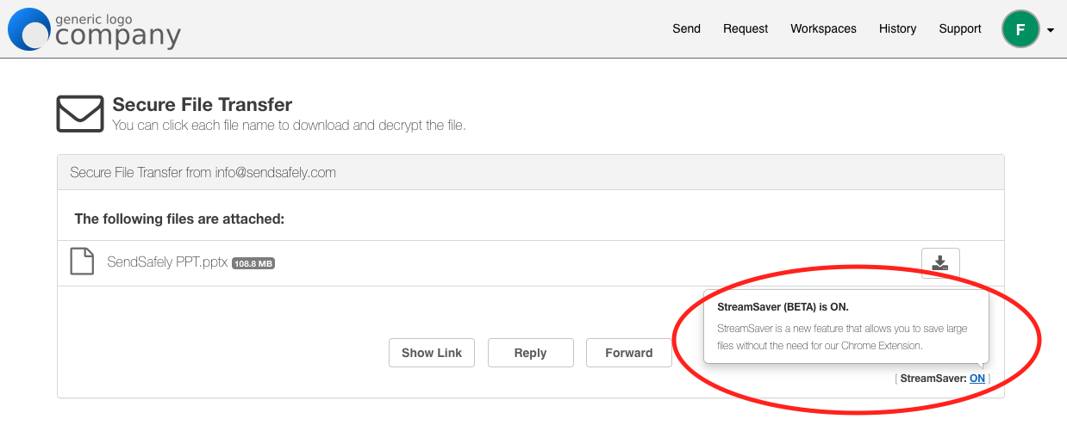
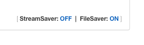
StreamSaver will eventually replace the need for using the FileSaver feature of our Chrome extension for large file downloads. Users that have the Chrome Extension installed should now see the option to choose between StreamSaver and the FileSaver as shown below. Clicking the ON/OFF link next to each will automatically allow you to switch between using FileSaver or StreamSaver for the current download.
For more information on using StreamSaver for large file download or to provide feedback on this beta feature, please contact us.
SendSafely: Integrated File Transfer for the Apps you Love
If you are looking for a secure way to send or receive files with anyone, or simply need a better way to transfer large files, our platform might be right for you.
Request a Demo


