Enterprise Admins can now specify the default, minimum and maximum file expiration settings for all users in their SendSafely enterprise portal. These new settings are managed in the Enterprise Console and apply to all packages sent using the web portal, email integrations (Outlook and Gmail) and the API.
Expiration Settings are displayed under the Site Configuration Options section of the Enterprise Console. Values can be set between 1 and 365 days. Items transferred using a Dropzone or Workspaces are not impacted by these settings.
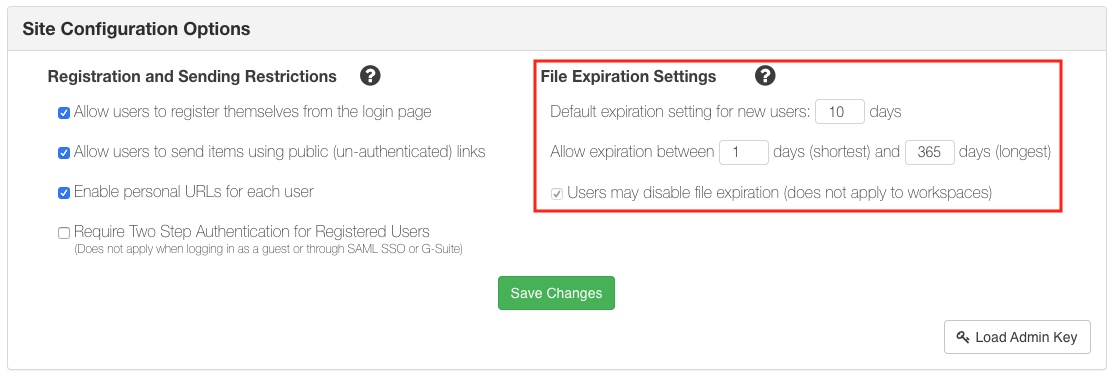
- New users added to the SendSafely portal will automatically inherit the default expiration setting. Users can change their default setting at any time in their own Edit Profile screen, however individual settings must fall between the shortest and longest days allowed.
- No changes are made to the default settings on the Edit Profile screen for existing users, unless current individual settings are outside of the allowed range. If individual settings are outside of the allowed range, they will be automatically updated to the minimum, or maximum allowed (whichever value is closest).
- Enterprise settings will be applied to new items only. Existing items will retain the expiration value set when the item was created.
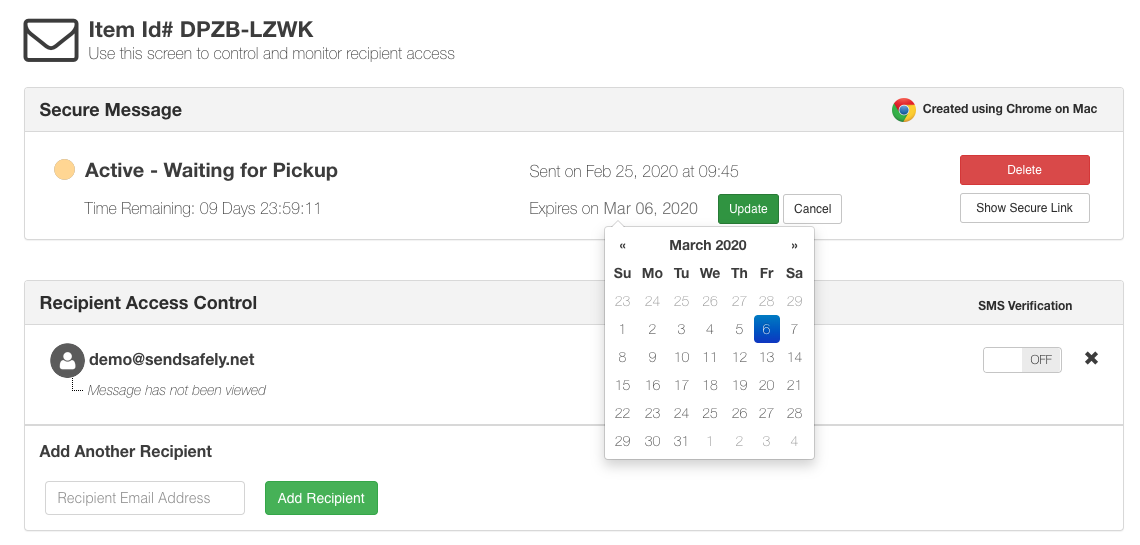
- Users can continue to update expiration for individual items on both the Send Items screen and Status screen, however expiration cannot be set outside of the allowed range.
Organizations that use their own Amazon S3 file storage have the option to disable file expiration. For more information on using your own file storage, please see our help center article.
SendSafely: Integrated File Transfer for the Apps you Love
If you are looking for a secure way to send or receive files with anyone, or simply need a better way to transfer large files, our platform might be right for you.
Request a Demo