
You can now seamlessly protect customer files uploaded to your Salesforce Experience Cloud portal with end-to-end encryption using our latest Dropzone Widget for Salesforce!
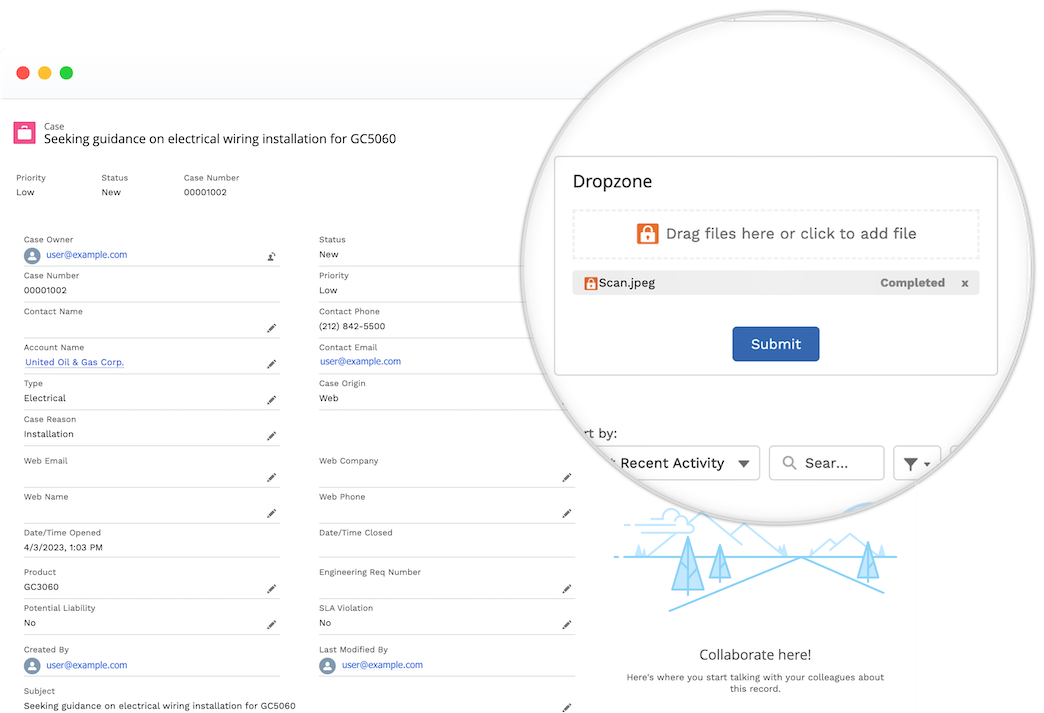
The Dropzone Widget for Salesforce is a Lighting Web Component that embeds on Experience Cloud portals. The widget enables your end users on a Digital Experience site (e.g., customers in a Customer Portal or partners in a Partner Portal) to submit sensitive files directly to a SendSafely Dropzone. Uploaded files are encrypted, and a secure link to those files is automatically posted as a Case Comment, Chatter Feed item, or custom field. The Dropzone Widget integrates with native Salesforce objects (Case, Lead, Opportunity) and can also integrate with custom Salesforce objects.
The most secure way to collect files from customers.
SendSafely protects sensitive files such as IDs, account details or system logs uploaded to Experience Cloud portals using true end-to-end encryption. This means only your designated agents have access, not SendSafely, Salesforce, or anyone else. Encrypted files are uploaded directly to SendSafely’s servers, never touching Salesforce storage.
Seamless User Experience
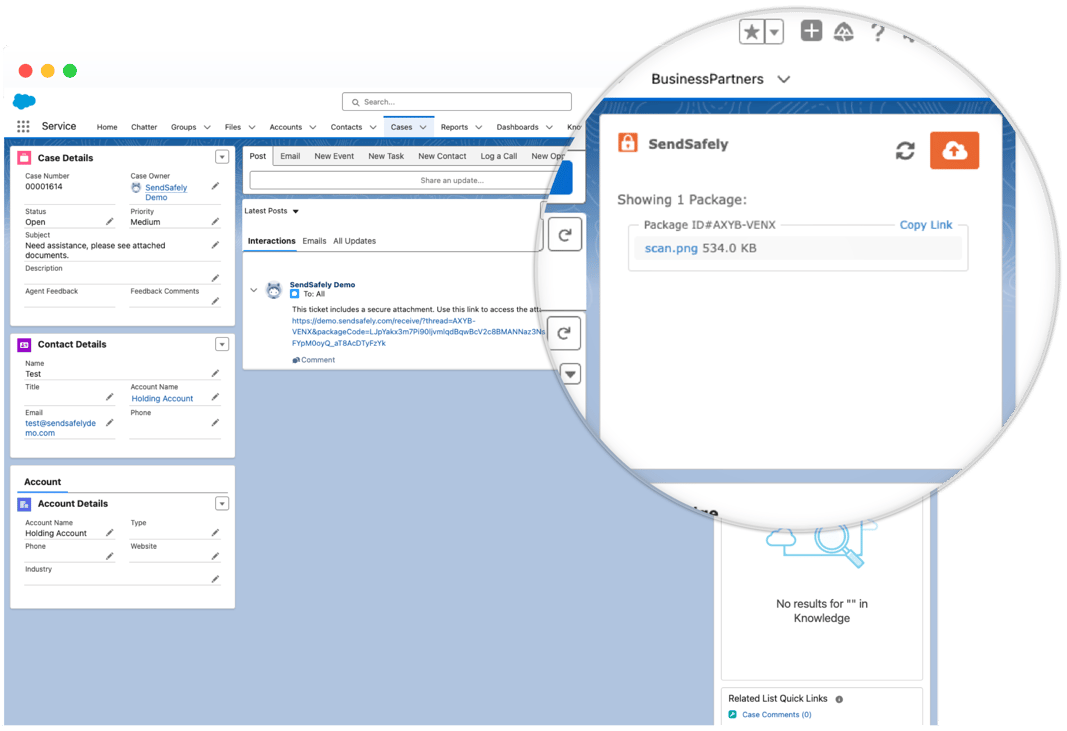
The Dropzone Widget works natively on any Customer or Partner Portal Case, Lead or Opportunity, providing a seamless customer upload experience. Authorized agents decrypt and view files directly within Salesforce using our complementary Salesforce agent app.
Additional Benefits
- Limit file access to a subset of authorized agents
- Audit every file view and download
- Manage file retention with automatic file expiration and deletion
- Protect files with watermarking, or designate as view-only
- Comply with data privacy regulations such as GDPR, CCPA, HIPAA & PCI
- Upload files up to 100GB
Dropzone Widget embedded on an Experience Cloud Case Detail page:
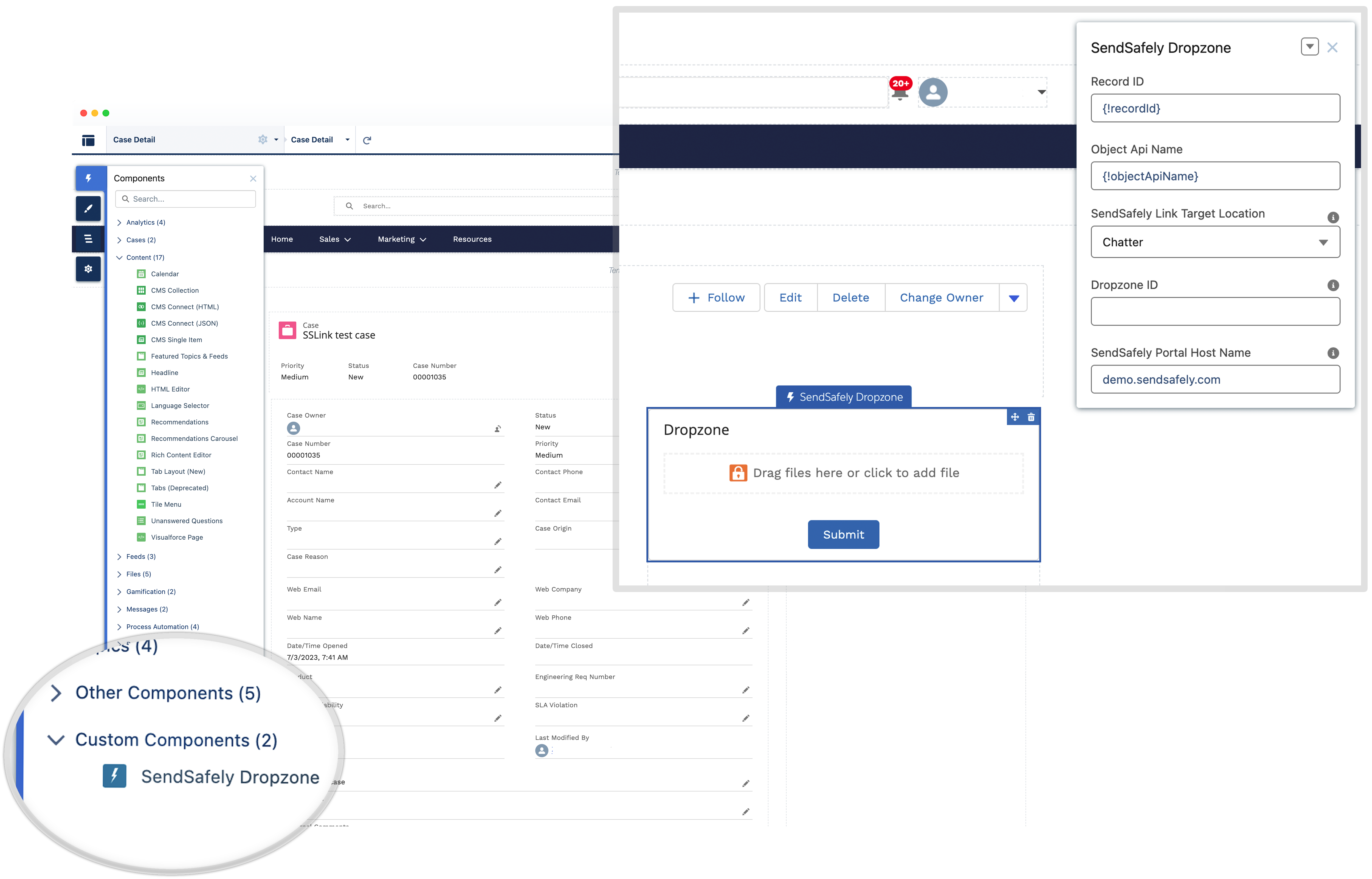
You can drag and drop the component onto any page using the Page Builder:
Agents decrypt and view uploaded files using the SendSafely Agent App:
Depending on your customer facing workflows, the Salesforce Dropzone widget can be used as a replacement for, or in addition to our Hosted Dropzone with Saleforce connector for customer file collection. For more information and installation instructions, please see our help center article.
SendSafely for Salesforce is available to subscribers on the SendSafely Business Enterprise plan. For more information, contact success@sendsafely.com.
SendSafely: Integrated File Transfer for the Apps you Love
If you are looking for a secure way to send or receive files with anyone, or simply need a better way to transfer large files, our platform might be right for you.
Request a Demo


