As the second phase of a long-term initiative to internationalize the SendSafely platform, we are pleased to announce the launch of multi-language support for our Zendesk Integrations, which includes the Agent Sidebar App and Help Center Widget. When combined with the previously released internationalization of the SendSafely Dropzone, customers can now enjoy a native language experience across their entire support workflow.
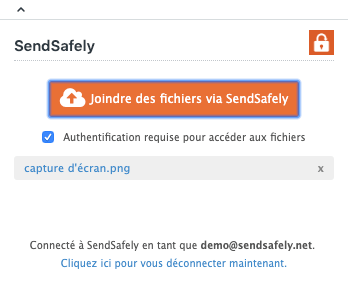
The Agent Sidebar App and Help Center Widget now automatically render in the user’s preferred language.
- Multi-language support for the Help Center Widget requires you to have your Help Center configured to support multiple languages.
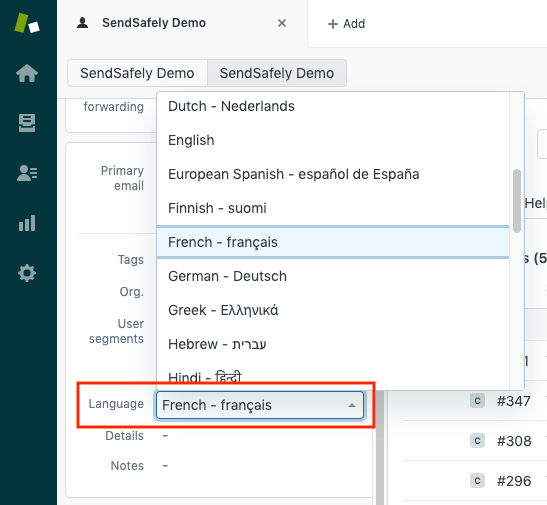
- For agents using out Sidebar App, the language will be automatically detected based on the preferred language defined within the agent’s Zendesk user profile screen.
Screens are currently available in English, Dutch, Finnish, French, German and Spanish with more languages being added in the future.
In order to help improve the accuracy of our interface, we’ve opened up the translation process to the community so that our users can provide suggestions for improved translation in their native language. You can visit our community translation portal to provide us with feedback and help us improve the overall accuracy of the translated content.
If you are a current SendSafely customer and would like to request additional languages or screen translations, please send an email to support@sendsafely.com.
SendSafely: Integrated File Transfer for the Apps you Love
_If you are looking for a secure way to transfer files with customers or business partners, our platform might be right for you. Contact us today to request a demo and free trial subscription. _
Request a Demo