
SendSafely has added another platform to our list of pre-built integrations with the release of our Dropzone Connector for Jira. Organizations that use Jira can now use a SendSafely Dropzone to securely collect very large files and attach them to any Jira issue. Attached files can be up to 100GB and are protected with SendSafely’s end-to-end encryption for maximum data privacy. Our new Dropzone Connector supports Jira Cloud and Jira Service Desk.
The SendSafely Dropzone is a turn-key secure file drop that makes requesting secure file uploads from end users as easy as sharing a URL.
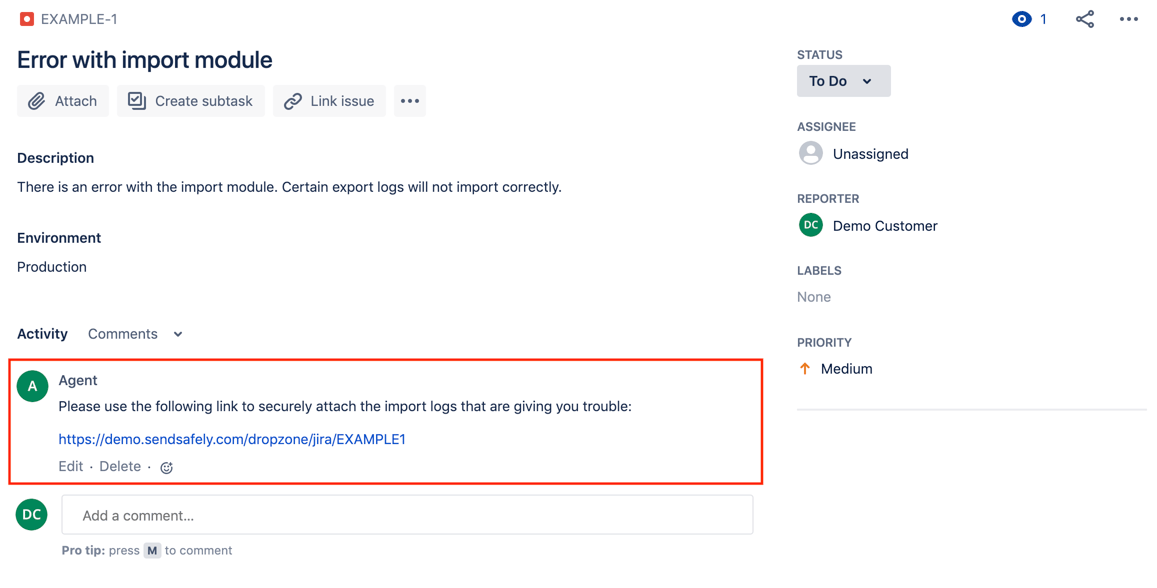
The Dropzone can be embedded within your own website or you can use our Hosted Dropzone, a mobile-ready web page hosted by SendSafely and branded with your company’s logo and color scheme. The Dropzone Connector for Jira allows users to upload files even if they don’t have a Jira account, making it ideal for customer or team communication that occurs outside the Jira platform (for example through email or Slack).
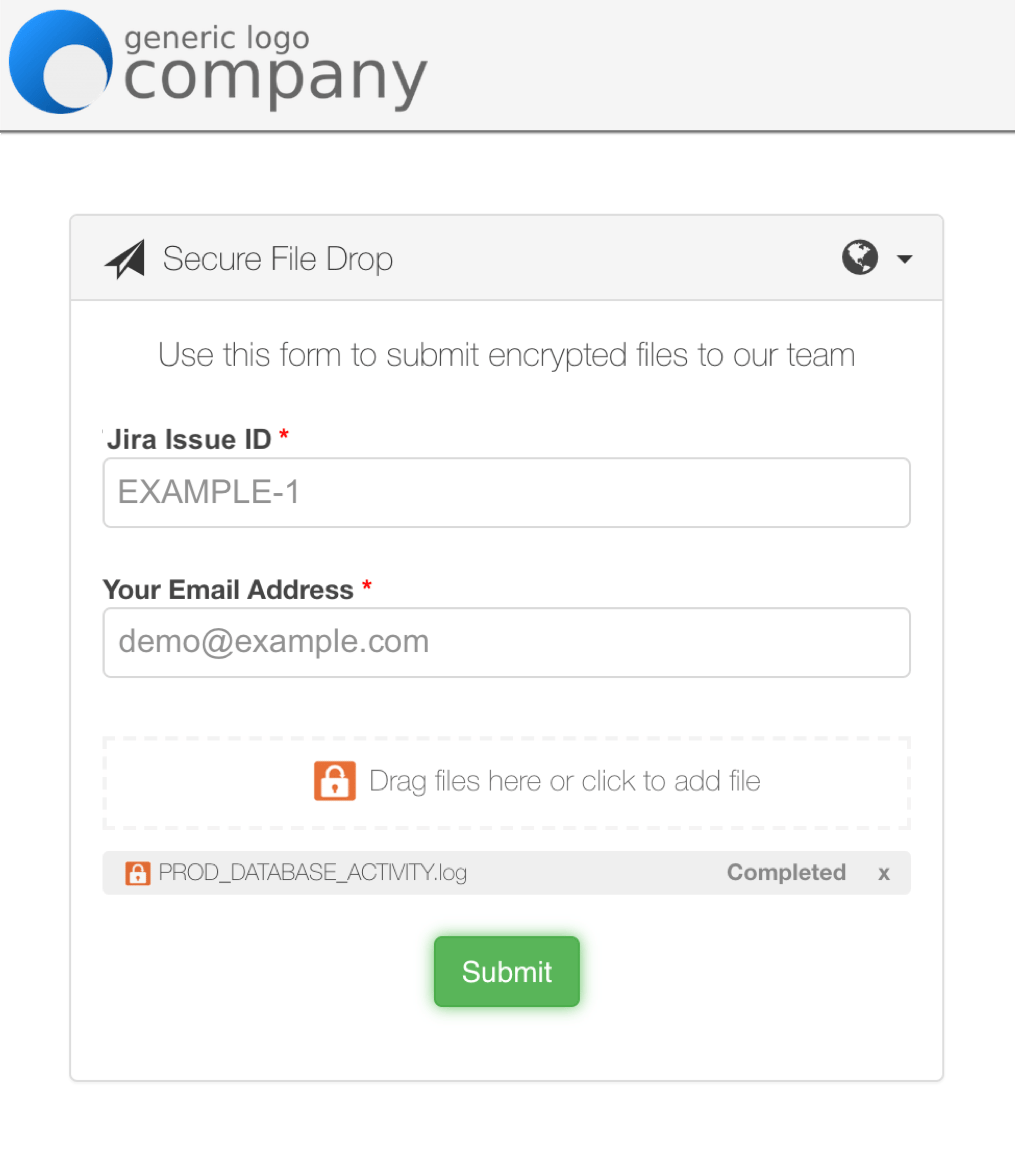
When uploading files, the user can provide a valid Jira issue id on the Dropzone screen or you can send them a Dropzone link with a pre-populated issue id. Users can upload images directly from any mobile camera and attach large files up to 10GB in size. When files are submitted, the Dropzone Connector posts a message to the Jira issue that includes the email address of the submitter along with a secure link to access the files.
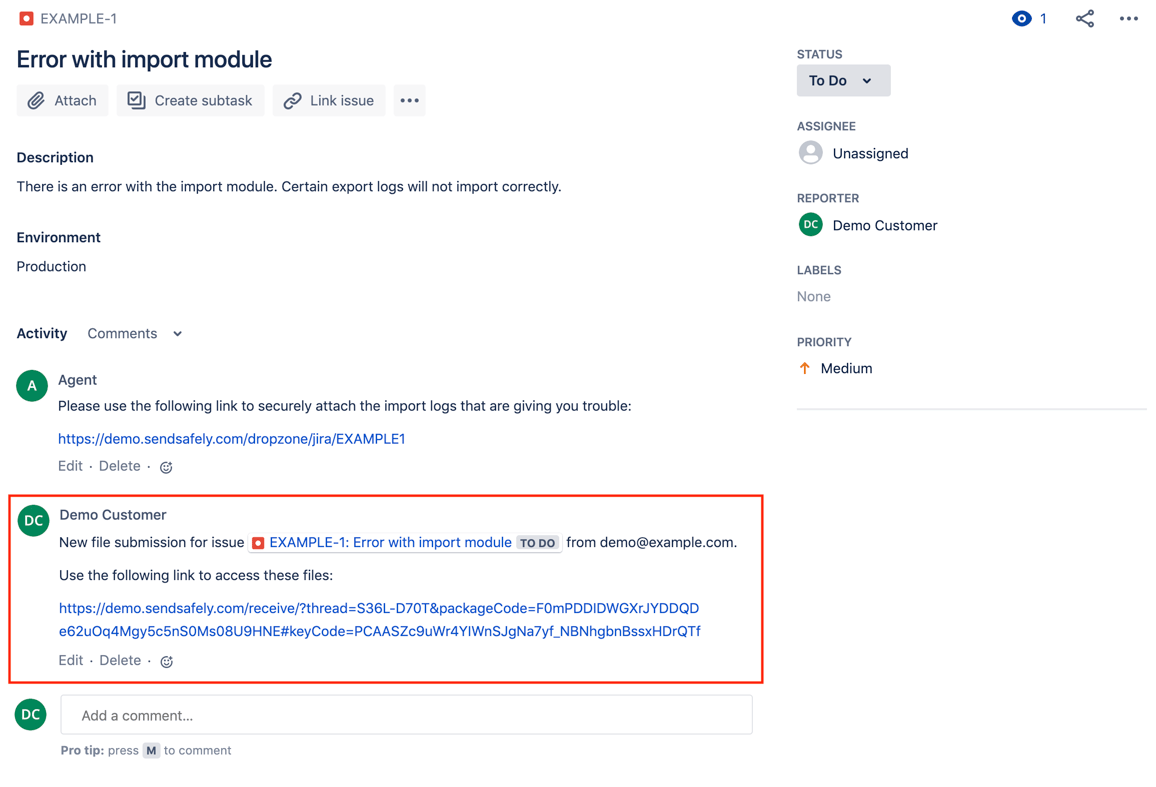
Authorized recipient lists are managed in SendSafely, ensuring only specific users have access to decrypt the sensitive files. Dropzone administrators can also specify a timeframe for automatic file expiration and deletion, eliminating the need to manually remove sensitive data from Jira once the files are no longer necessary.
For detailed Connector set up instructions, please refer to our Help Center article. Zapier users can also use our Zapier App to connect their Dropzone to Jira. For questions on SendSafely Jira integration, please contact our Customer Success Team.
SendSafely: Integrated File Transfer for the Apps you Love
If you are a Jira customer looking for a secure way to transfer files with customers, or simply need to send large attachments using Jira, our platform might be right for you.
Request a Demo


