Skip to content
New AI Custom Form BuilderDescribe the intake form. It ships branded and end-to-end encrypted.AI Custom Form Builder is here See it build
Product

Export to zip from your SendSafely Workspace

Exporting a large number of files from a SendSafely Workspace just got easier.

Brian Holyfield · 2 min read
Export to zip from your SendSafely Workspace

Exporting a large number of files from a SendSafely Workspace just got easier. Multiple files and folders can now be downloaded as a single zip file that retains the original file and folder structure.

To the left of each file and folder there is a checkbox that, when checked, exposes the “Download” option at the top of the screen. When this option is clicked, all selected files and folders (and any sub folders) will be exported to a zip file that gets saved to your local machine.
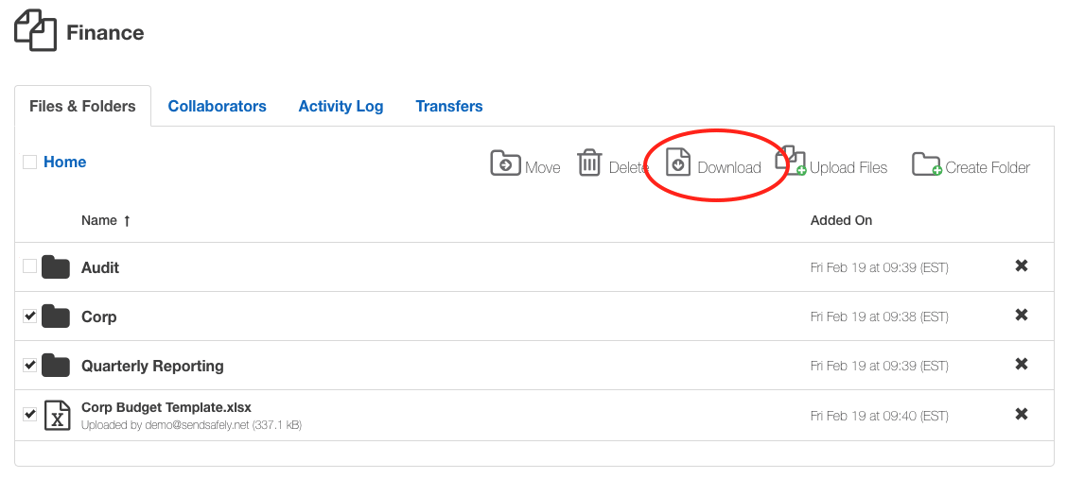
Select Folder - Download Workspace

Just like other Workspace downloads, progress is tracked on the “Transfers” tab. You can abort an in progress download by clicking on the X next to the green progress bar.
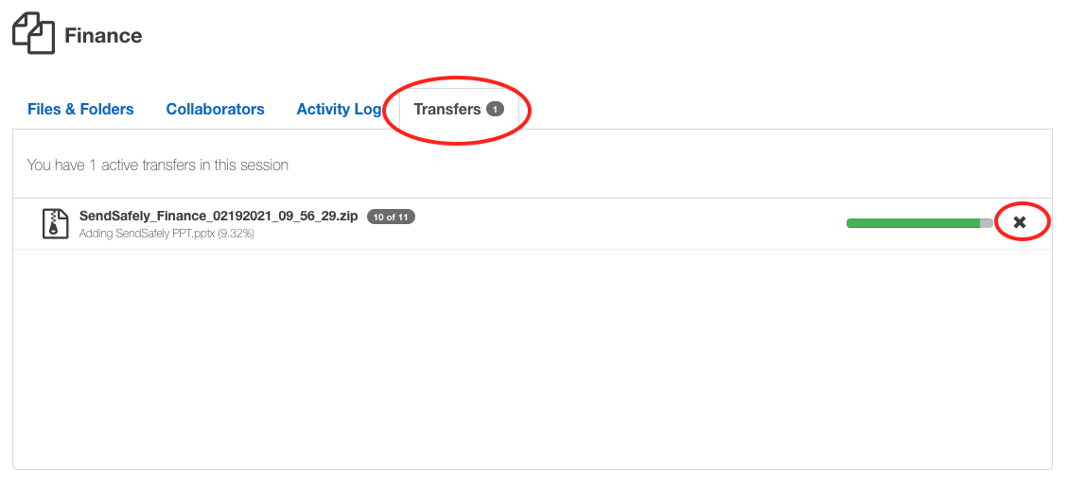
Transfers Tab -Workspace Download-1

Use the check box next to “Home” on the top left corner of the screen to select all of the files and folders in the current directory. If you choose this option within the root folder of the Workspace, the entire Workspace contents (all files and folders) will be downloaded.

For more information on downloading multiple files and folders at once, consult our Help Center Article on this topic.


SendSafely: Encrypted File Transfer for Modern Business

If your organization needs a secure way to transfer files with customers or business partners, our platform might be right for you. Contact us today.

Request a Demo

Frequently asked questions

Can I download a whole SendSafely Workspace as a zip file?

Yes. Check the box next to Home in the top left corner while in the Workspace’s root folder to select everything, then click Download. All files and folders are exported to a single zip file saved to your local machine.

Does the Workspace zip export keep my folder structure?

Yes. When you download multiple files and folders, including sub folders, SendSafely packages them into one zip file that retains the original file and folder structure.

How do I download multiple files from a SendSafely Workspace at once?

Check the boxes to the left of the files and folders you want, which exposes the Download option at the top of the screen. Clicking Download exports all selected items and their sub folders to a single zip file.

Where can I track or cancel a Workspace zip download?

Progress is shown on the Transfers tab, like other Workspace downloads. You can abort an in-progress download by clicking the X next to the green progress bar.

Written by Brian Holyfield