
With the SendSafely add-in for Outlook, you can integrate our secure file transfer and message encryption capabilities directly into your desktop email software, making it easier than ever to send encrypted files. Once the add-in is installed, sending an encrypted file is as easy as adding a traditional attachment to your email message.
The SendSafely “Add Encrypted Attachment” button works in much the same way as the traditional “Attach File” button. Files are attached with a “.SendSafely” extension, but when you press “Send” our add-in recognizes these files and automatically encrypts and uploads them to SendSafely. A link to SendSafely is also inserted into the body of your email message that your recipients can use to access the files. The actual file attachments are removed from the email message before it is sent.
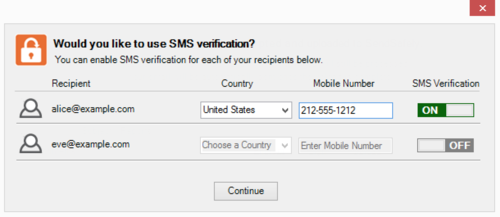
SendSafely for Outlook also lets you configure SMS verification for your recipients. Every recipient on the email message is automatically added as a recipient for the encrypted files. After you press “Send”, the add-in will prompt you with the option to enable SMS verification for each recipient on your email message.
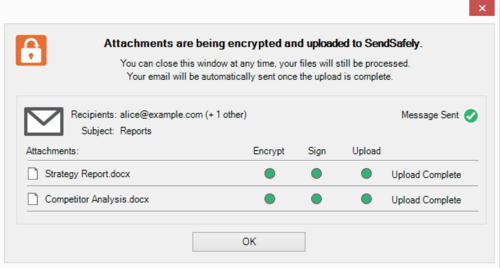
When sending large files, our add-in let’s you continue your work while the files get uploaded to our system in the background. Your email message is automatically sent as soon as all of the files have been successfully uploaded.
The Outlook add-in is just one example of how SendSafely can be integrated with virtually any system or application. Under the hood, the add-in uses our SendSafely Windows Client API to bridge the gap between Outlook and the SendSafely Platform. Expect to see more about our API over the next few months, as we plan on expanding coverage to other platforms and integrate into other programs that our customers use frequently (like Chrome Browser).


