
The new SendSafely for Outlook add-in is now available! The add-in is purpose built for the Outlook web-based platform and works with all newer versions of Outlook on Windows and Mac as well as the Outlook Web App (Microsoft 365 and Outlook.com).
Once installed, the add-in is automatically activated when composing a new email message or replying to an existing message. On the “Message” ribbon at the top of the screen click on the button labeled “Apps” and then click the SendSafely button. From the right hand task pane you can then log in to SendSafely.
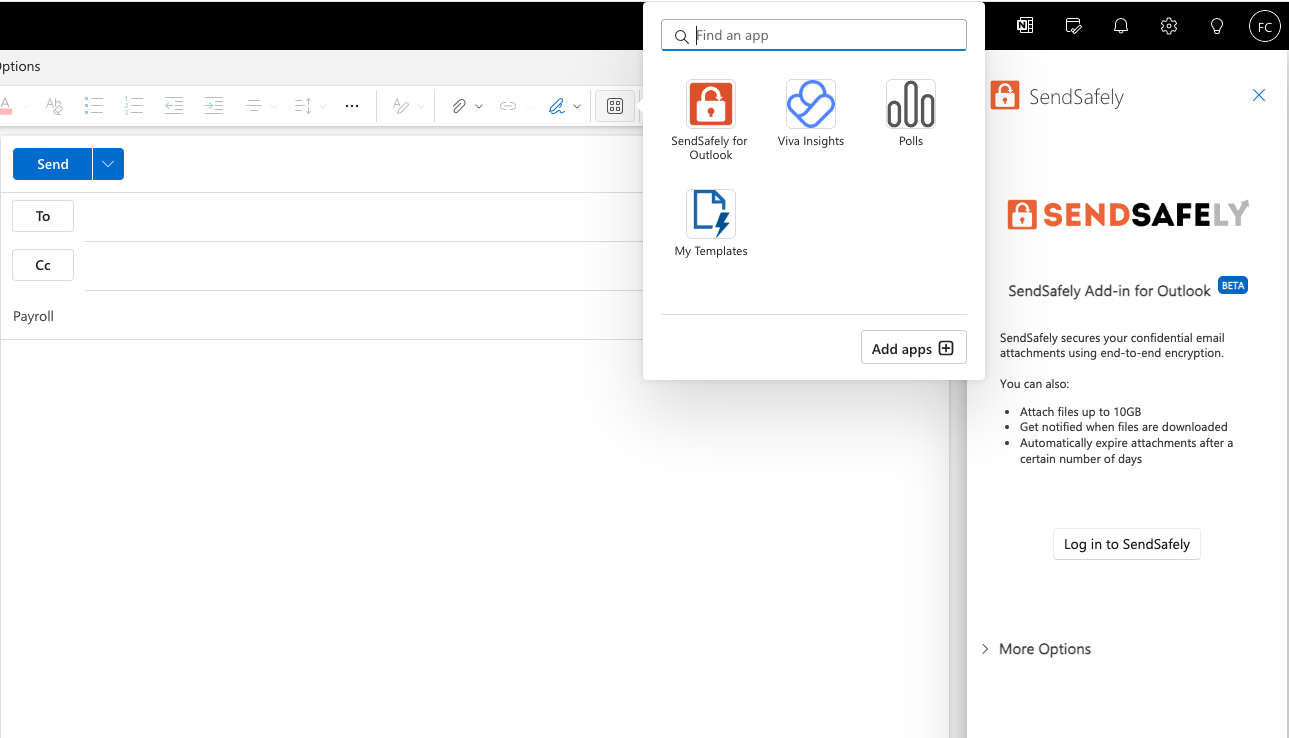
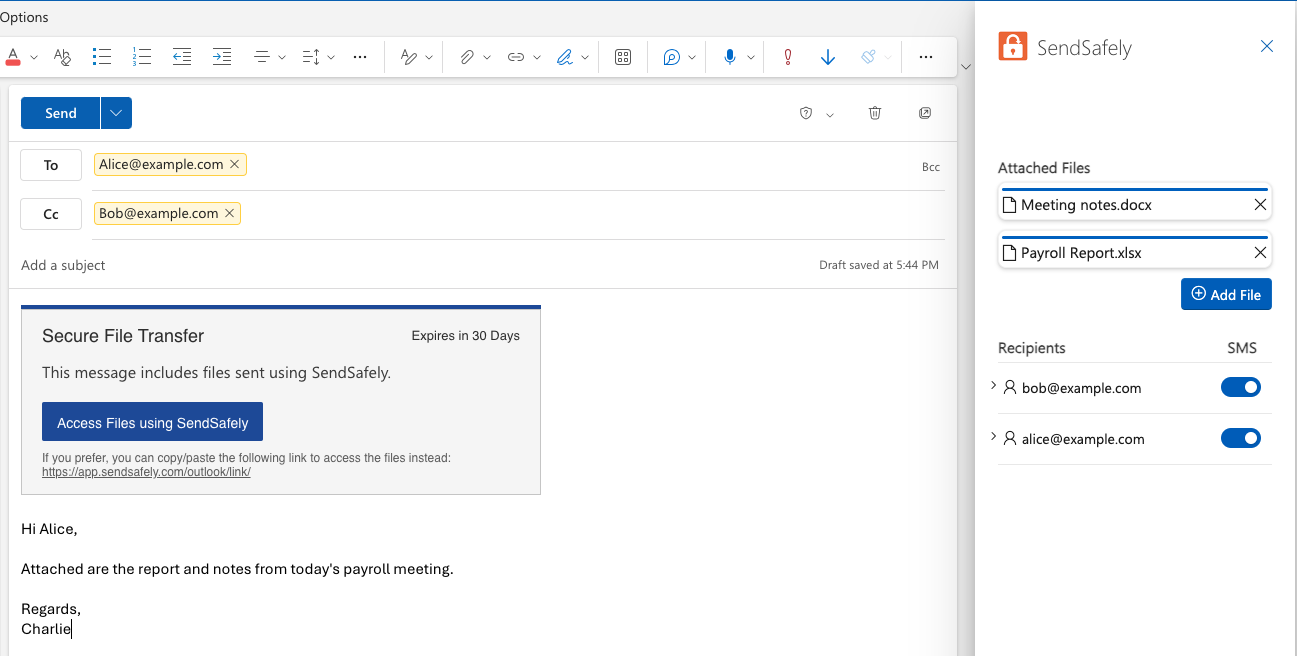
You can attach secure files to any email with a drag-and-drop to the SendSafely task pane, or using the file picker option. When files are added, a Secure File Transfer dialog is inserted in the body of the draft email. Any email addresses added on the To: and Cc: lines are automatically captured as SendSafely recipients. You can optionally enable SMS verification and add or edit the phone number for each recipient.
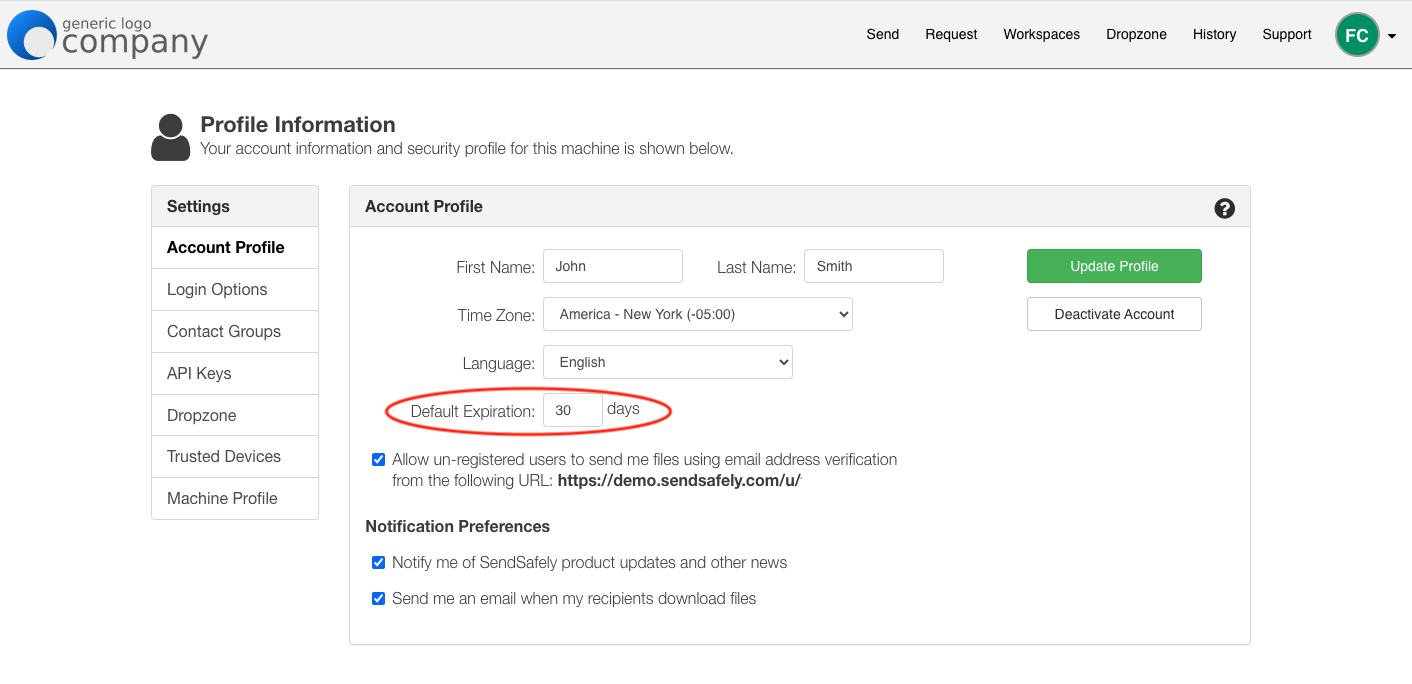
As with our legacy Outlook plug-in, expiration settings are managed from the SendSafely web portal. Any messages sent via the Outlook add-in inherit the default expiration value configured on the web portal Account Profile page.
The initial beta release of our Outlook add-in supports encrypted attachments, with the ability to encrypt the body of the email message coming soon.
Installation
The SendSafely Outlook Add-in is deployed to users by Microsoft admins via the Microsoft 365 admin center. Please contact support@sendsafely.com for the installation link. Step-by-step installation instructions are available here.
Support for our Legacy Plug-in
In contrast to the new Outlook add-in, the Legacy SendSafely for Outlook plug-in is a COM-based application, which is an older technology for integrating with Microsoft Outlook.
We will continue to support the legacy plug-in for the near future, but recommend that users begin to transition to the new add-in when possible. We will eventually be ending support for the legacy plug-in once the majority of users have transitioned to the newer add-in.
SendSafely: Encrypted File Transfer for Modern Business
If your organization needs a secure way to transfer files with customers or business partners, our platform might be right for you. Contact us today.
Request a Demo


