You asked for it, and here it is! We are excited to announce our newest Dropzone features: Support for Encrypted Messages and Sender Email Verification. These features were developed based on feedback we received from several of our current customers.
Encrypted Messages
The encrypted message feature is perfect for scenarios where your customers need to submit a sensitive data element, like a credit card number, or if they wish to provide some context for the files they are uploading. Messages can be submitted on their own or in addition to a file upload. The “Include a Secure Message” option, once checked, exposes a free-form text box that can be used to type a message of any length.
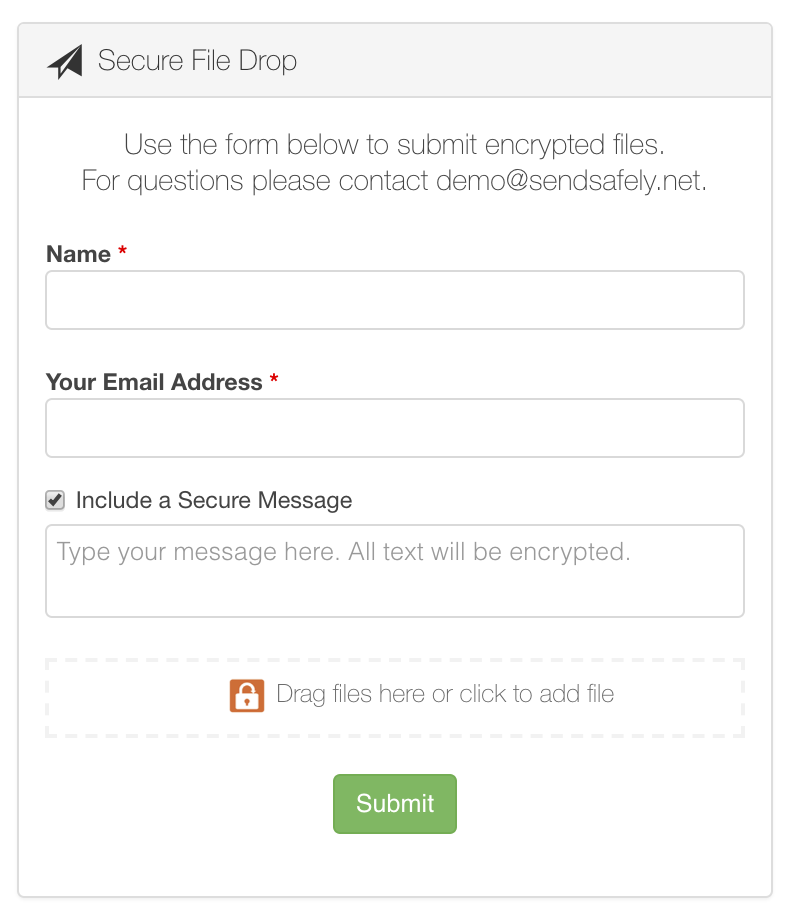
Dropzone messages are encrypted using the same mechanism that protects file uploads, and are displayed alongside any associated files in the SendSafely portal when the item is viewed.
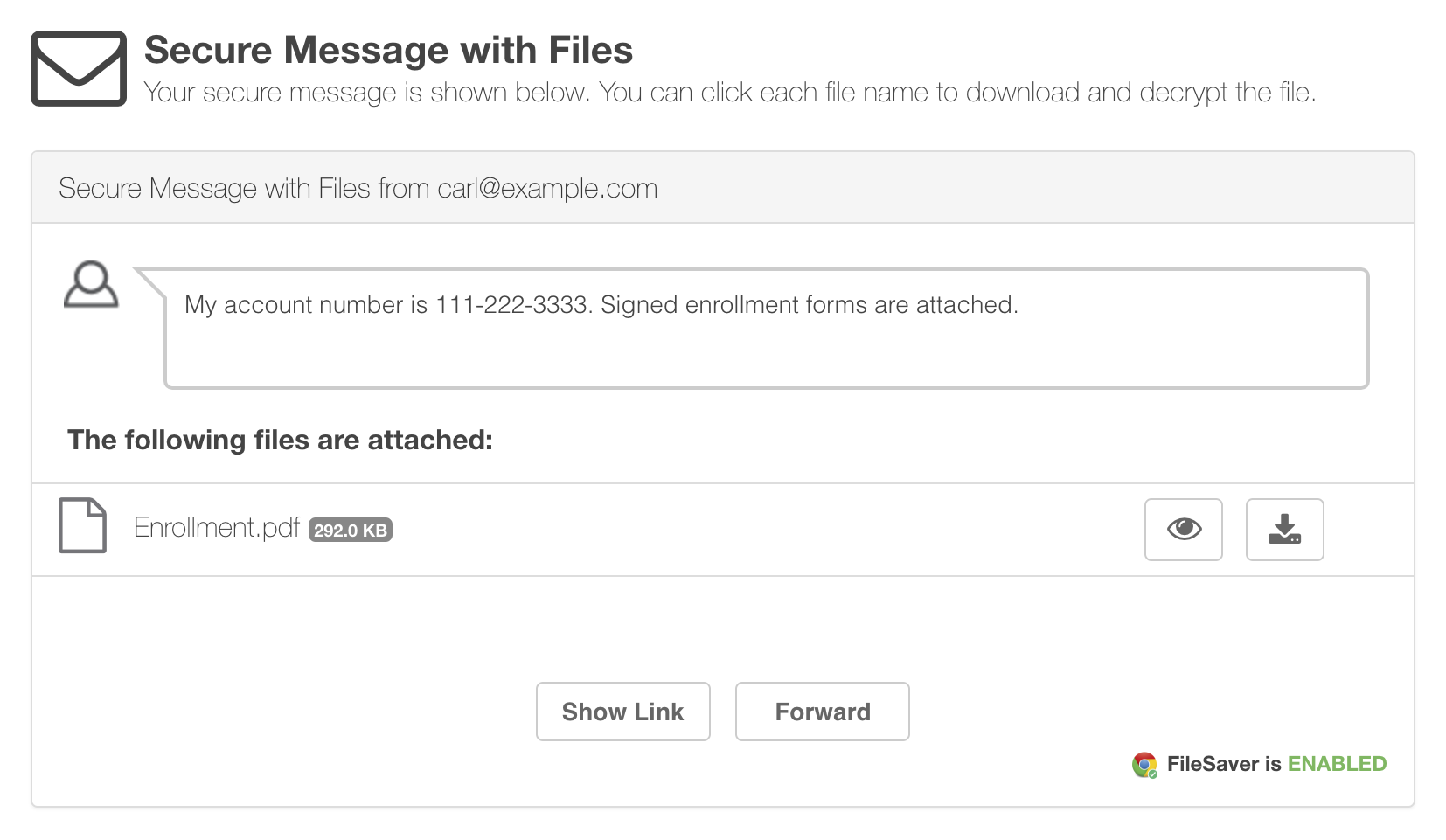
You can enable this new feature from the Dropzone Settings section of the Edit Profile screen. Just check the box next to “Allow users to include an encrypted message” under “Other Options”, as shown below. 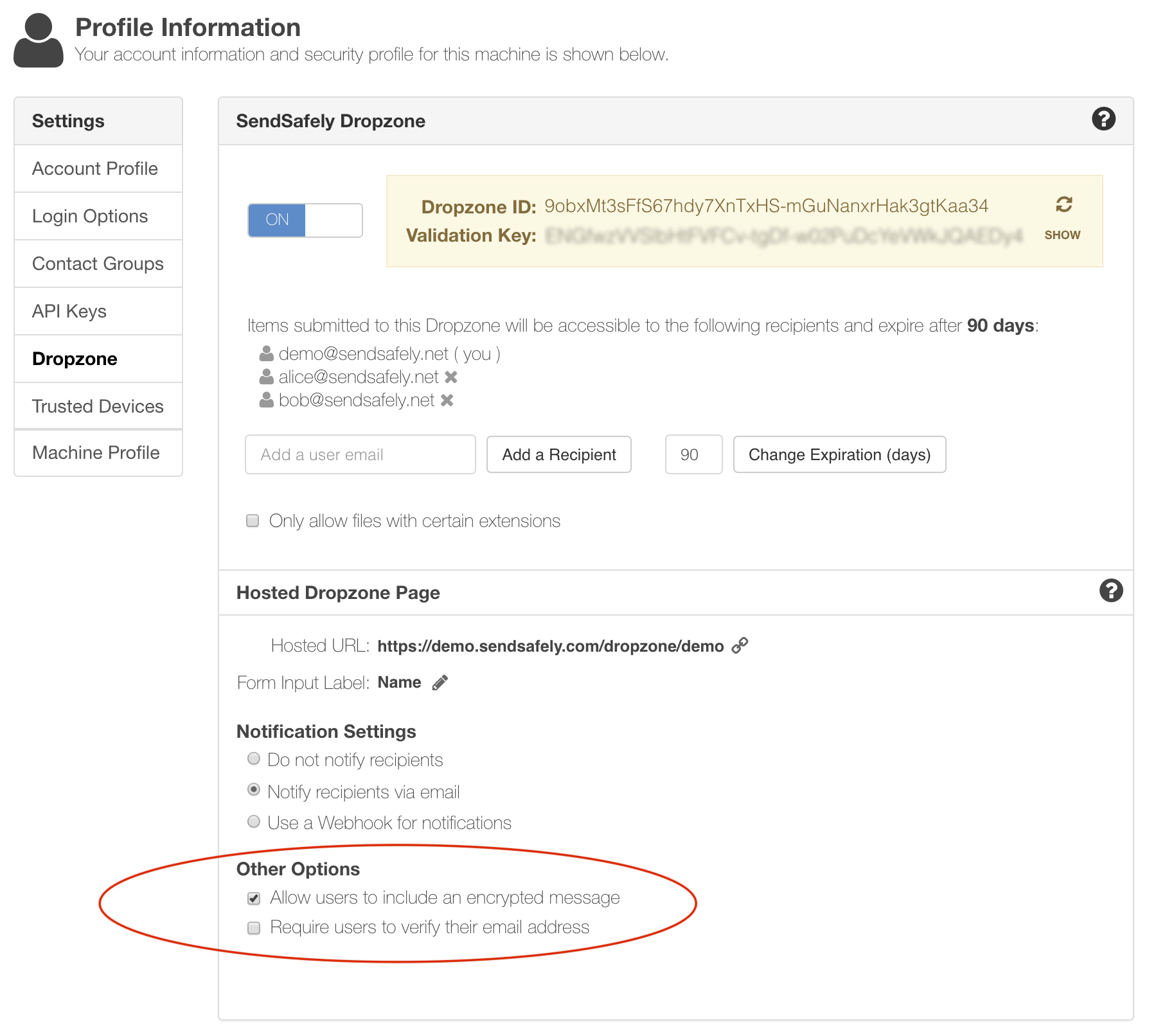
Sender Verification
By default, the Dropzone does not verify the sender’s identity before allowing files to be uploaded. While this makes for a very low-friction user experience, the email entered could be subject to typos or other errors, or may even be fictitious. We have also introduced the option to verify the Dropzone sender’s email address before files are submitted.
Once enabled, the Dropzone will first require the sender to provide their email address in the “What is your email address?” field on the Dropzone page.
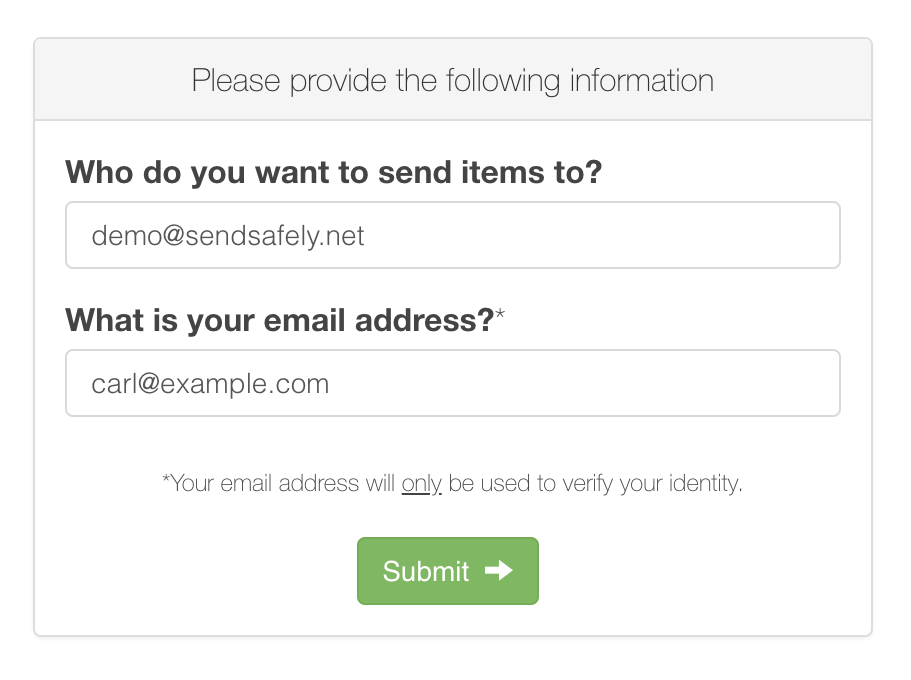
After providing their email address, SendSafely will send the user a one-time verification code. The code is required before the user will be allowed to upload files.
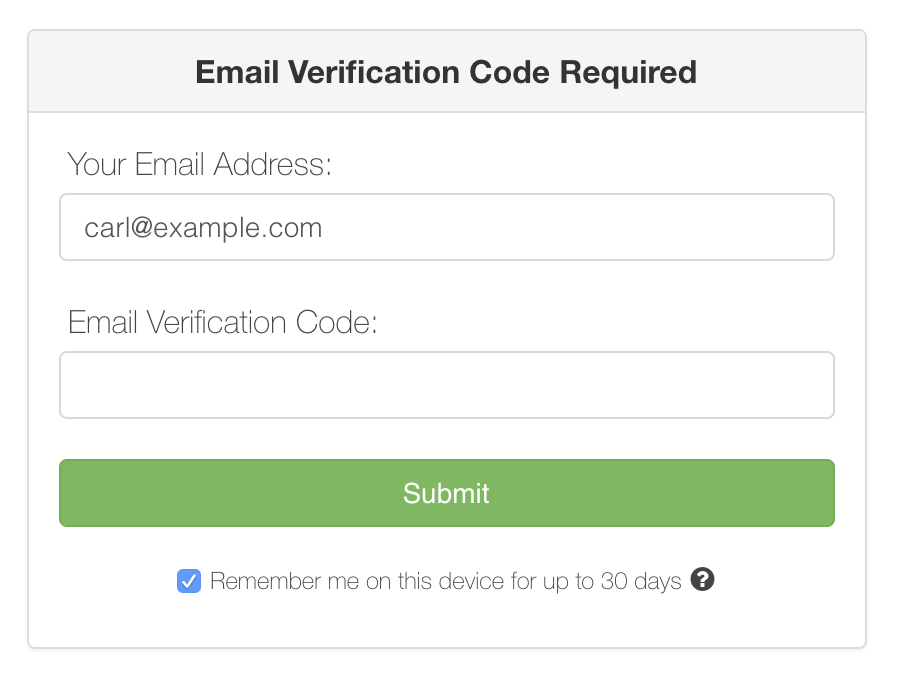 After entering the correct Email Verification Code, the user will be allowed to use the normal Dropzone screen to securely submit a new item. This option can be enabled from the Dropzone Settings section of the Edit Profile screen by checking the box next to “Require users to verify their email address” option.
SendSafely: Integrated File Transfer for the Apps you Love
If you are looking for a secure way to transfer files with customers or business partners, our platform might be right for you. Contact us today to request a demo and free trial subscription.
Request a Demo


