Skip to content
New AI Custom Form BuilderDescribe the intake form. It ships branded and end-to-end encrypted.AI Custom Form Builder is here See it build
Product

Delivery Notification Enhancements

We’ve recently updated how senders get notified when recipients view an item for the first time.

Brian Holyfield · 1 min read
Delivery Notification Enhancements

We’ve recently updated how senders get notified when recipients view an item for the first time. Senders will now get a delivery notification email when each recipient on a secure package has viewed or downloaded all items in a package. Previously, the delivery notification email was only sent once ALL recipients on a package had viewed the items.

This more precise notification method makes it easier to keep track of the delivery status of a package, especially packages with multiple recipients. Just like before, the delivery notification email contains the recipient email address, a listing of each file and/or message, the timestamp and IP address. The notification is only sent the first time a recipient accesses the package (not every time).
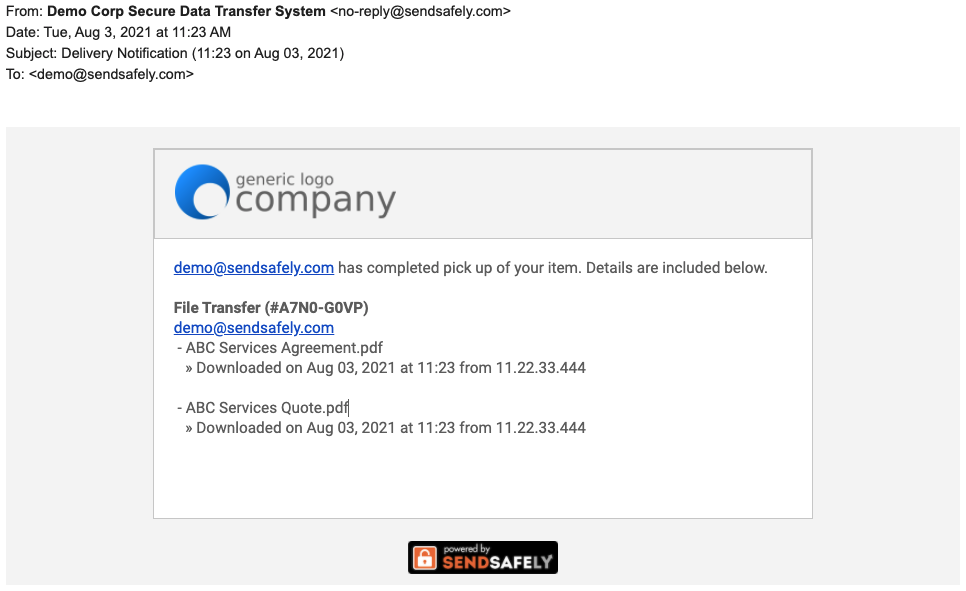
Delivery Notification

Senders who do not want to be notified can manage their delivery notification preference from the SendSafely Edit Profile screen.
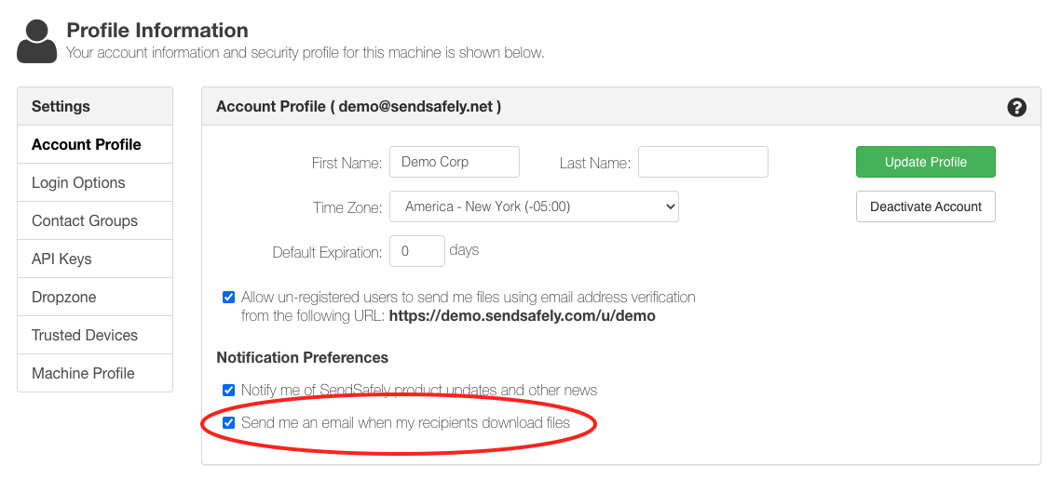
Edit Profile - Delivery Notification

SendSafely: The Easy to Use End-to-End Encryption Platform.

If your company is looking for a simple to use email encryption and secure file transfer platform, SendSafely integrates seamlessly with Microsoft Office 365 and G-Suite for Business.Contact us today to request a demo and free trial subscription.

Request a Demo

Frequently asked questions

How do I know when a recipient has opened my SendSafely package?

SendSafely emails the sender a delivery notification when each recipient has viewed or downloaded all items in the package. The email includes the recipient’s address, the files or message, a timestamp, and IP address.

Does SendSafely notify me for each recipient or only when everyone has opened the package?

Since a 2021 update, senders get a delivery notification for each recipient. Previously, the notification was only sent once all recipients on a package had viewed the items.

How do I turn off SendSafely delivery notifications?

Senders who do not want delivery notifications can turn them off by changing their delivery notification preference on the SendSafely Edit Profile screen.

Written by Brian Holyfield