
Security teams can now prevent SendSafely users from sending sensitive files to recipients with freemail or disposable email domains like Gmail and Yahoo. Our new feature, Restrict sending to freemail domains gives administrators another tool to reduce the risk of sensitive company data being sent outside approved business channels.
Add another guardrail against data exfiltration
Distinguishing between a legitimate business recipient and a personal or unauthorized account matters when employees are handling sensitive company data. A user could accidentally send files to a recipient's personal email address, select the wrong address from their contacts, or intentionally send company information to an account outside the organization's control.
With freemail restrictions enabled, SendSafely checks recipient domains against a continually maintained list of known freemail and disposable email providers. Recipients using those domains are blocked before they can be added.
Your organization's own email domains are always allowed, so the restriction does not interfere with internal sharing.
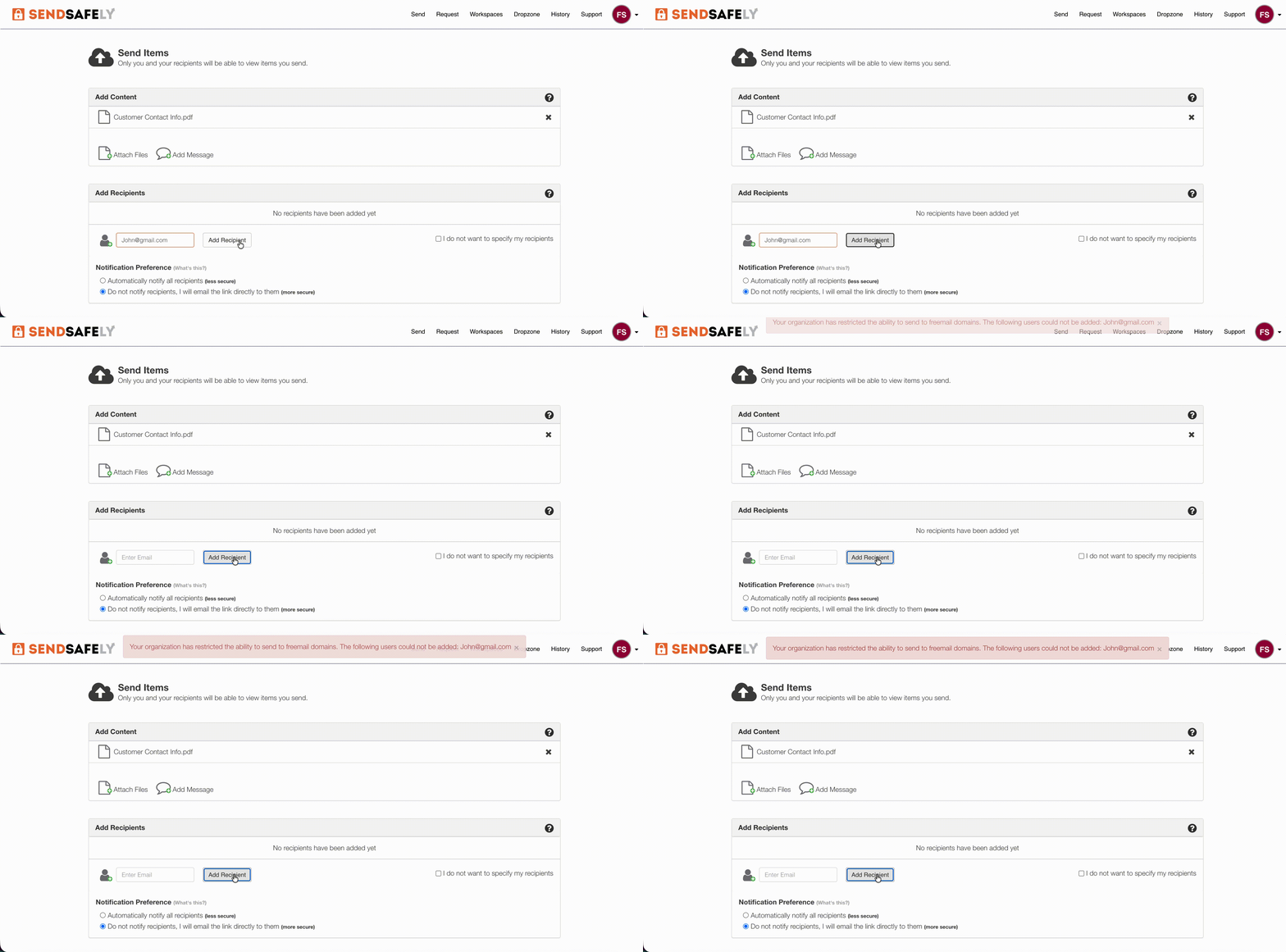
Protection wherever users send files
The restriction is enforced at the platform level, meaning the same policy follows users wherever they work with SendSafely, including the web portal, email and support desk integrations , APIs, and SDKs. It also applies when recipients are added to transfer packages, Workspaces, and contact groups.
For security teams, this provides a consistent outbound data control without relying on individual users to identify whether an email address belongs to a business or personal account.
Apply the policy to the users who need it
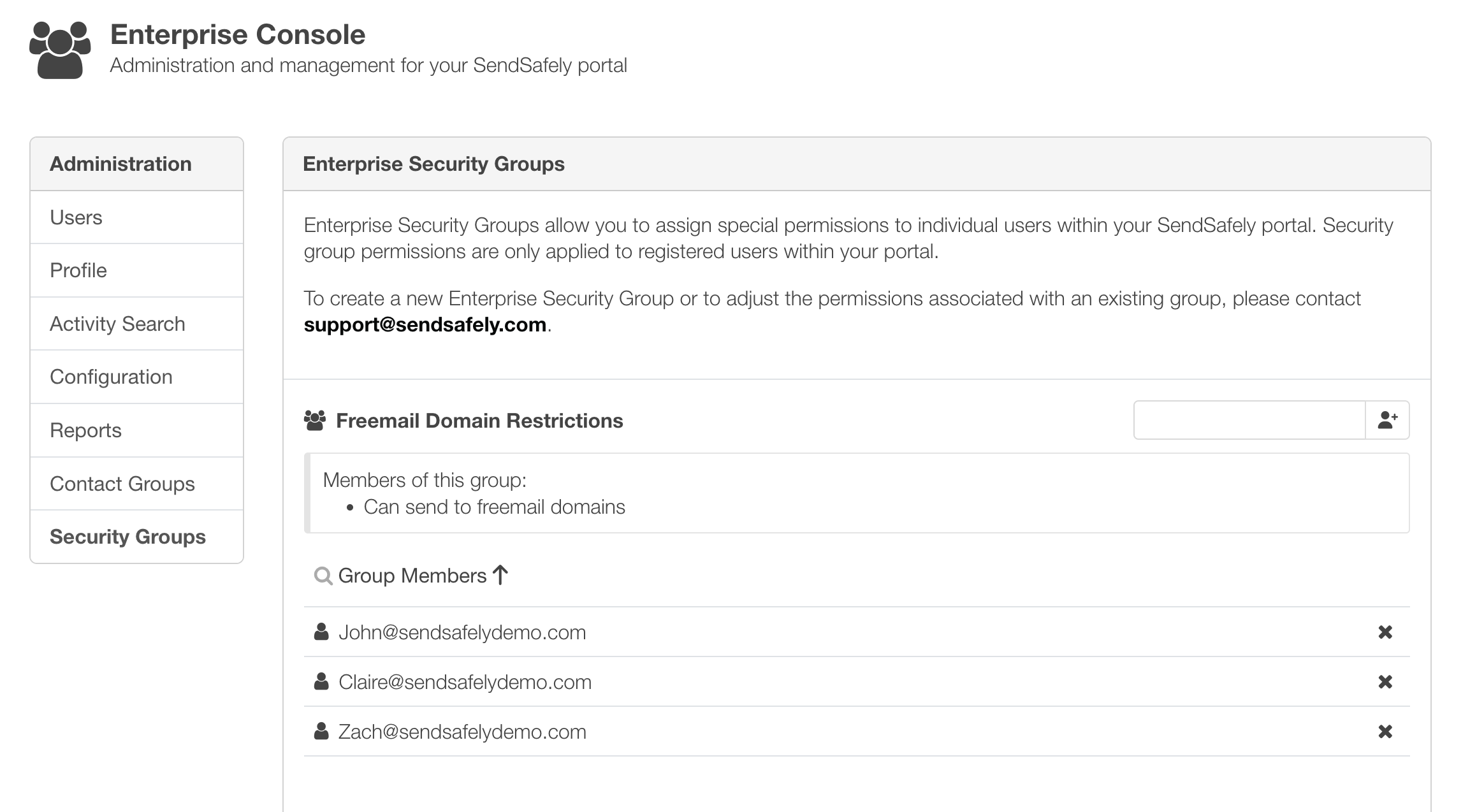
Security Groups can also be used to control which users are subject to the policy, allowing organizations to apply stricter outbound sharing requirements to specific teams or workflows.
This can be particularly useful for employees who routinely handle regulated, confidential, or otherwise sensitive information while leaving other workflows unchanged.
More control over where sensitive files can go
End-to-end encryption protects the contents of a SendSafely package, but organizations still need control over who employees are allowed to send those packages to.
Restricting freemail and disposable email domains adds another layer of outbound data protection, helping security teams reduce accidental sharing and make it harder for sensitive company information to be exfiltrated to personal or disposable accounts.
Restricting freemail domains is available on the Enterprise plan. For more information, contact sales@sendsafely.com.
SendSafely: Integrated File Transfer for the Apps you Love
If you are looking for a secure way to send or receive files with anyone, or simply need a better way to transfer large files, our platform might be right for you.


