Skip to content
New AI Custom Form BuilderDescribe the intake form. It ships branded and end-to-end encrypted.AI Custom Form Builder is here See it build
Integrations

Support for Multiple Languages in SendSafely

SendSafely is now fully internationalized for customers operating in multiple countries and languages.

Brian Holyfield · 1 min read
Support for Multiple Languages in SendSafely

SendSafely is now fully internationalized for customers operating in multiple countries and languages. Support for multiple languages is available for registered users and guests on all web portal pages and third party apps including Zendesk, Salesforce and Freshdesk. Users can choose their preferred language from Chinese, Dutch, Finnish, French, German, Japanese, Polish, Spanish and Swedish.

Registered users can select their preferred language from the Account Profile page. Once set, all pages and integrations will default to that language.
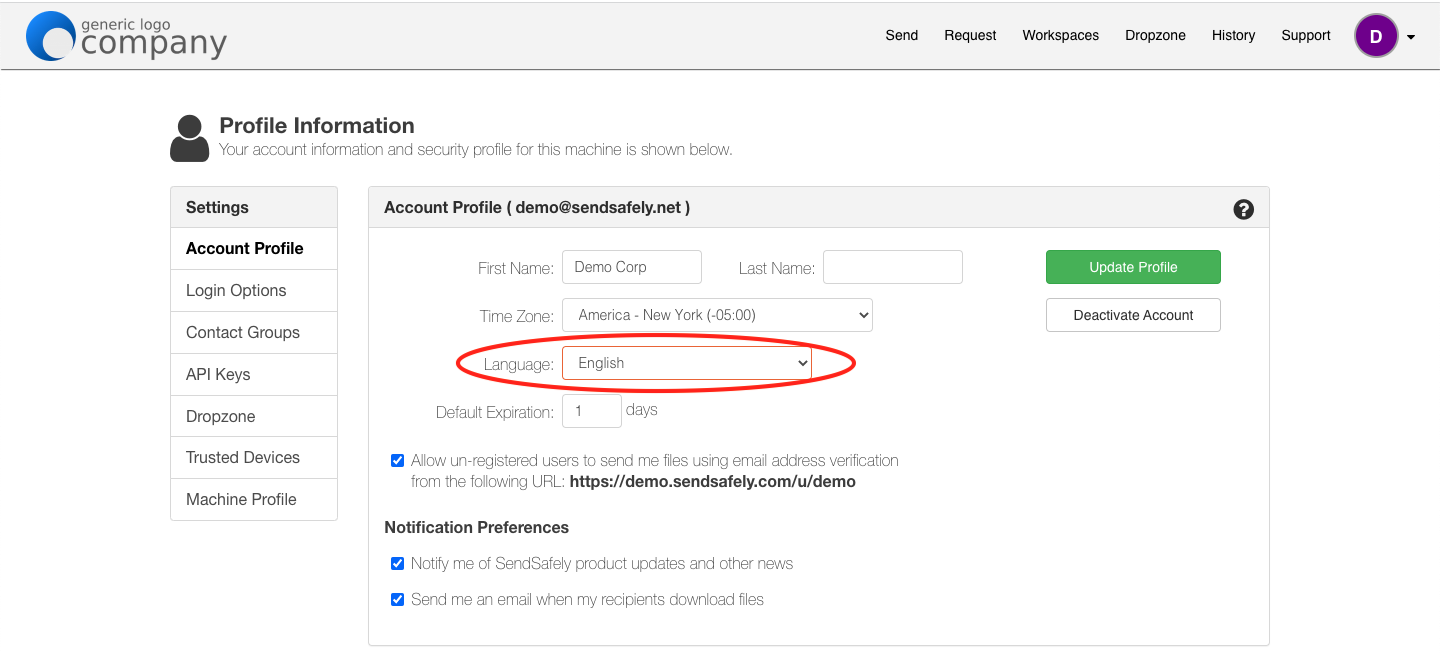
Account Profile Language Preference

Users can also change the language displayed on any page using the language picker located in the bottom left corner of every screen.
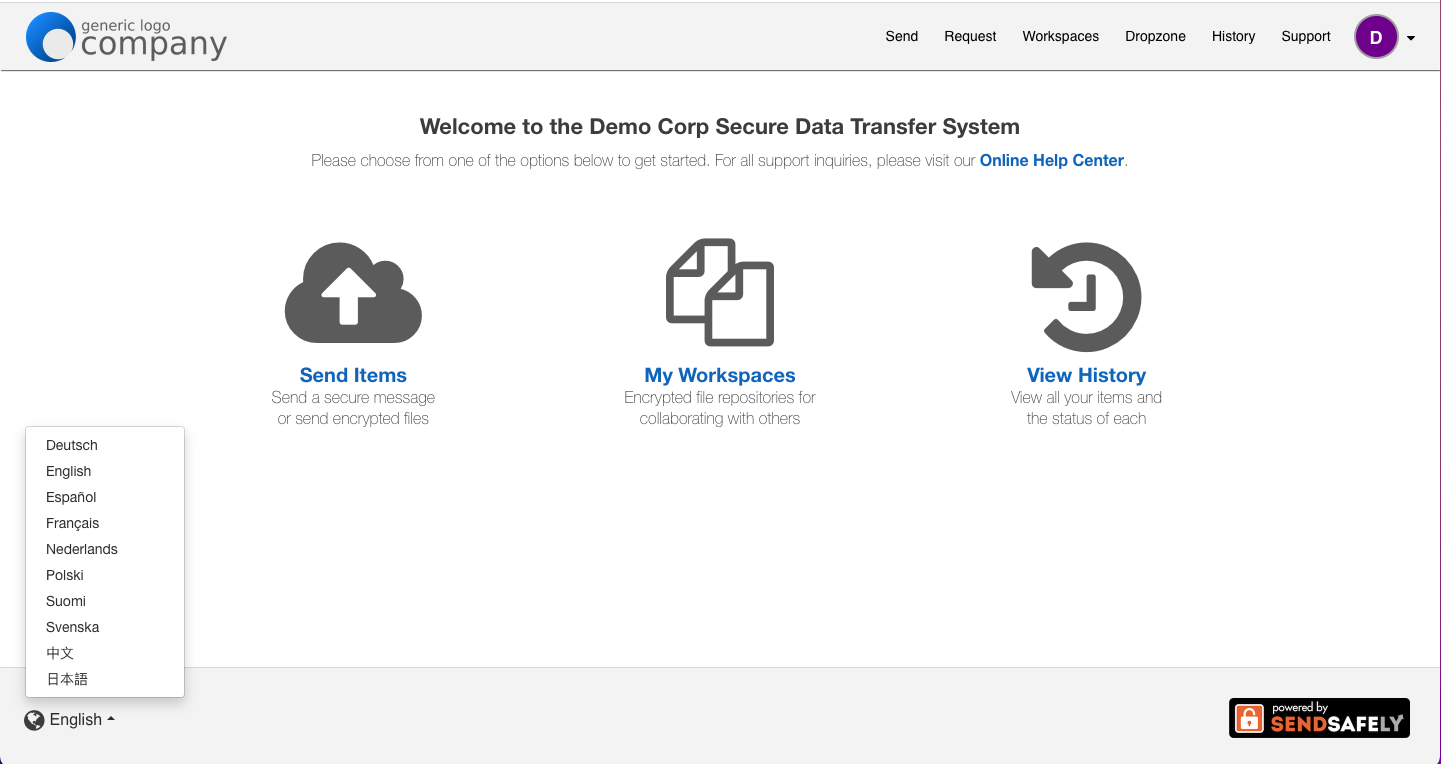
Page Footer Language Picker

If a user has not configured their preferred language, SendSafely automatically renders pages in the preferred language specified in their web browser preferences. If you are a current SendSafely customer and would like to enable multiple languages, please send an email to sales@sendsafely.com.


SendSafely: Integrated File Transfer for the Apps you Love

_If you are looking for a secure way to transfer files with customers or business partners, our platform might be right for you. Contact us today to request a demo and free trial subscription. _

Request a Demo

Frequently asked questions

What languages does SendSafely support?

As announced in 2022, users can choose Chinese, Dutch, Finnish, French, German, Japanese, Polish, Spanish, or Swedish. Language support covers web portal pages and the Zendesk, Salesforce, and Freshdesk apps.

How do I change my language in SendSafely?

Registered users can set a preferred language on the Account Profile page, and all pages and integrations then default to it. A language picker in the bottom left corner also switches the language on a page. Multi-language portals are available on Business and Enterprise plans.

Does SendSafely multi-language support apply to guest recipients?

Yes. Multi-language support is available for both registered users and guests on web portal pages and in third-party apps including Zendesk, Salesforce, and Freshdesk.

Written by Brian Holyfield