Skip to content
New AI Custom Form BuilderDescribe the intake form. It ships branded and end-to-end encrypted.AI Custom Form Builder is here See it build
Integrations

Secure Messaging for Intercom

We have just added secure message capability to our Intercom app!

Brian Holyfield · 1 min read
Secure Messaging for Intercom

We have just added secure message capability to our Intercom app! Customers can now optionally type secret data into a new secure message box instead of, or in addition to uploading secure files. This is great for when you only need to collect a short string of text, such as a social security number, API key or password. The secure message box, is fast, convenient and secure for both agent and customer.

Secure message capability can be enabled by any SendSafely Admin from the SendSafely web portal, Apps and Integrations page. Simply click on the “Configure” button on the SendSafely for Intercom card, and then toggle “Allow users to include a secure message” on.
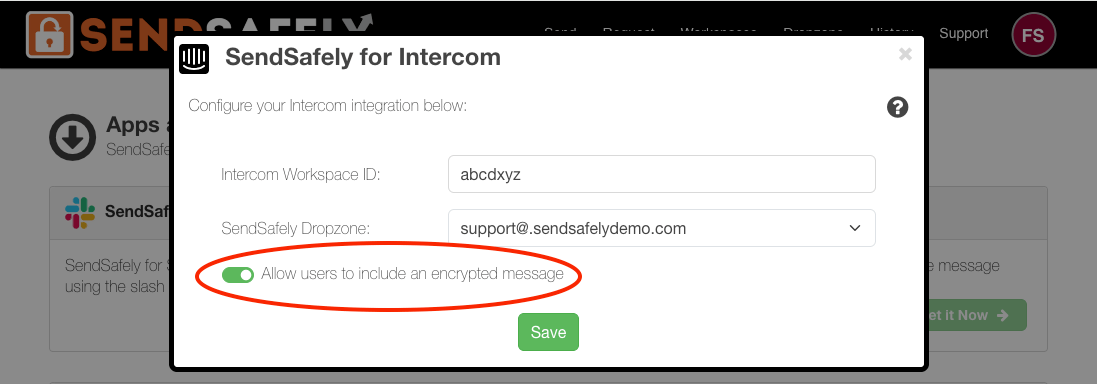
Intercom Secure Message

Once enabled, customers using the SendSafely for Intercom app can optionally include a secure message, either instead of or in addition to file uploads.
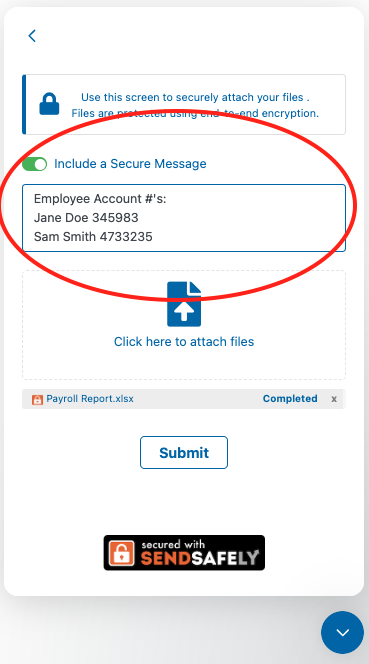
Include Secure Message

Secure messages are encrypted with the same end-to-end encryption as file uploads and are displayed in the same SendSafely package as any uploaded files.
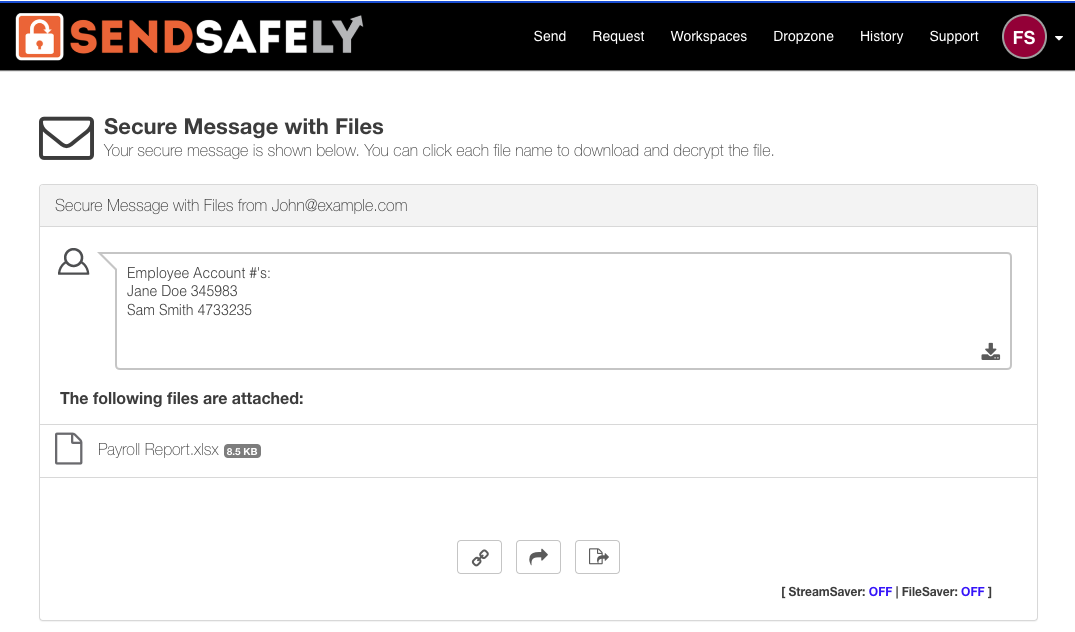
Uploaded files

For more information on SendSafely for Intercom, contact success@sendsafely.com.


SendSafely: Integrated File Transfer for the Apps you Love

If you are looking for a secure way to send or receive files with anyone, or simply need a better way to transfer large files, our platform might be right for you.

Request a Demo

Frequently asked questions

Can customers send sensitive text securely through SendSafely in Fin (formerly Intercom)?

Yes. The SendSafely app for Fin (formerly Intercom) includes a secure message box where customers can type sensitive data, either instead of or in addition to uploading files. See the integration.

How do I enable secure messages in the SendSafely Fin (formerly Intercom) app?

A SendSafely Admin goes to the Apps and Integrations page in the SendSafely web portal, clicks Configure on the SendSafely for Intercom card, and toggles on ‘Allow users to include a secure message’.

When should I use a secure message instead of a file upload?

Secure messages suit short strings of sensitive text, such as a Social Security number, an API key, or a password, where uploading a file would be unnecessary.

Are SendSafely secure messages encrypted the same way as files?

Yes. Secure messages use the same end-to-end encryption as file uploads and appear in the same SendSafely package as any uploaded files.

Can a customer send a secure message without uploading a file?

Yes. Once an admin enables the option, customers can include a secure message on its own or together with file uploads.

Written by Brian Holyfield