The SendSafely Dropzone is one of our most popular features - a simple and secure file drop that allows your customers to easily upload sensitive files and confidential documents. Until now, only the SendSafely user who owns the Dropzone was able to manage configuration settings and the list of users who have access to uploaded files.
As our larger customers began to deploy and manage multiple Dropzones within their organization, it became evident that we needed to provide a more streamlined and centralized way to administer Dropzone recipient lists and configurations. With our latest Dropzone API update, SendSafely enterprise administrators can now manage any Dropzone in their SendSafely portal.
Every Dropzone is set up under a single SendSafely account, who is designated as the Dropzone Owner. Most companies opt to use a team alias, like secureupload@company.com, as the owner account and then add individual named users as Dropzone recipients. Previously, the ability to make configuration updates, and add and remove recipients was limited to the owner account login.
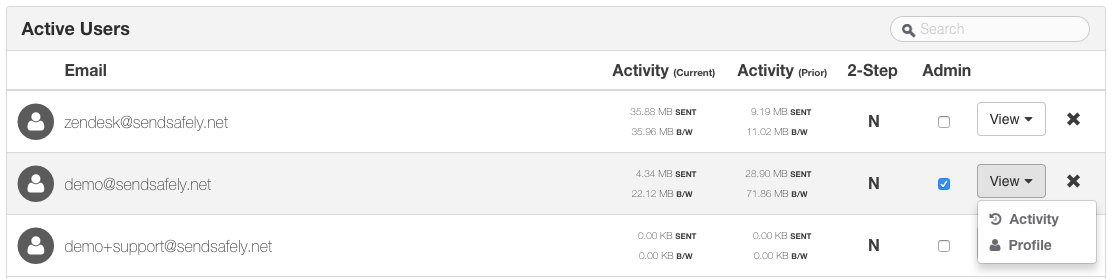
In order to manage a Dropzone as an enterprise administrator, navigate to the Enterprise Console (linked under the Account menu) and locate the Dropzone owner in the Active Users list. Use the Search option in the top right corner if you can’t easily locate the user in the list.
Click the View button on the row for the user, then select the Profile option as shown below
Once you are on the user’s profile page, select the Dropzone option under the Settings menu on the left side of the screen.
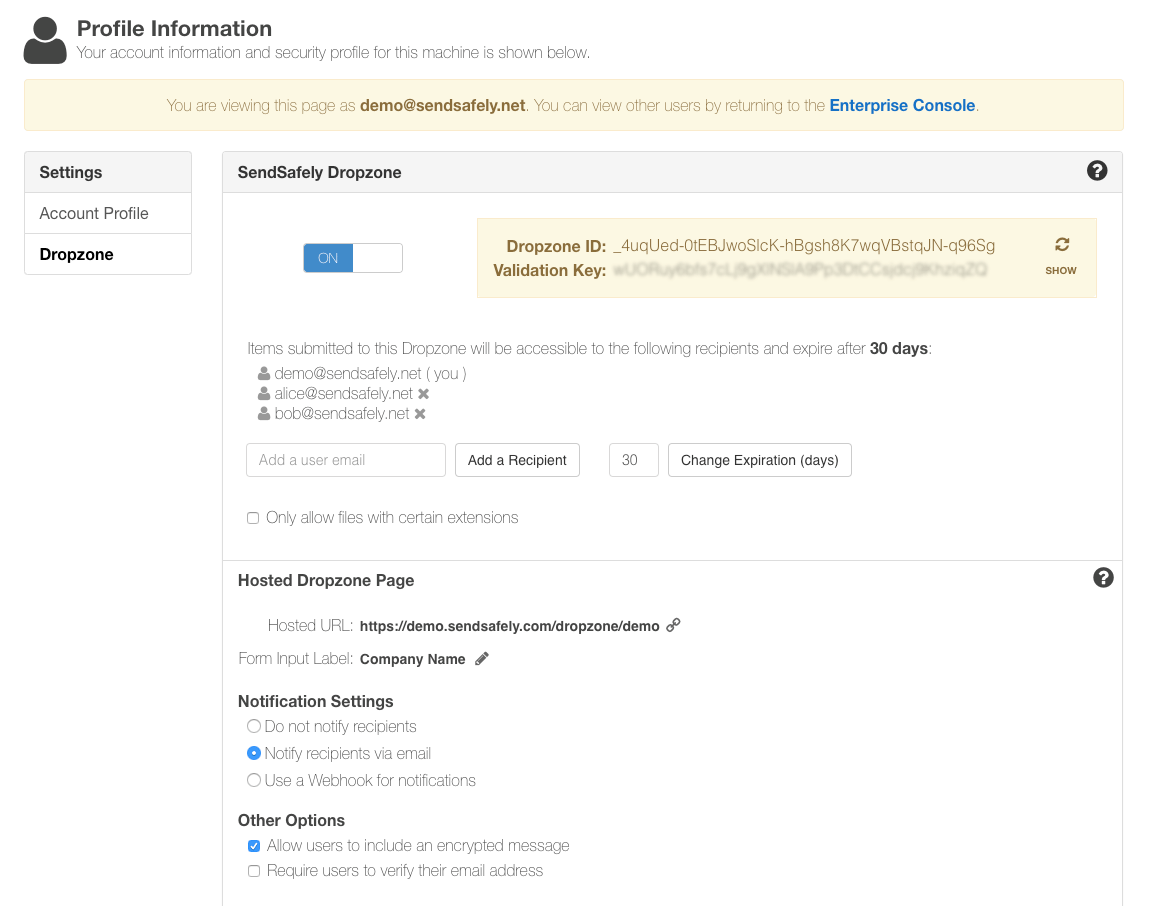
- To add a new recipient, type the user’s email into the “Add a user email “ text box. (Dropzone recipients must be existing SendSafely users.)
-
To remove recipients, click the X next to the user’s name from the recipient list. Note that removing a Dropzone recipient does not remove or inactivate the user from the SendSafely portal, just that specific Dropzone.
- Edits to the Dropzone Form Input Label, Notification Settings and Other Options can also be made from this page.
SendSafely: Integrated File Transfer for the Apps you Love
If you are looking for a secure way to transfer files with customers or business partners, our platform might be right for you. Contact us today to request a demo and free trial subscription.
Request a Demo


