Customers who use our popular Dropzone feature can now delegate Dropzone management permissions to any registered user. This means authorized individuals can be granted the ability to administer Dropzones owned by others, without having to elevate their user roles to full Administrator access.
Three new Dropzone related permissions can now be granted to users independently or together as a group. Permissions are applied to every Dropzone the user is a recipient on. The available permissions are:
- Manage the Dropzone Profile
- Manage the Status of Dropzone Items
- Bypass Restrict Download & Print Settings
A more in-depth description of each permission is outlined below.
Manage the Dropzone Profile
This permission gives users the ability to access the Dropzone Profile and edit configuration settings and recipient lists.
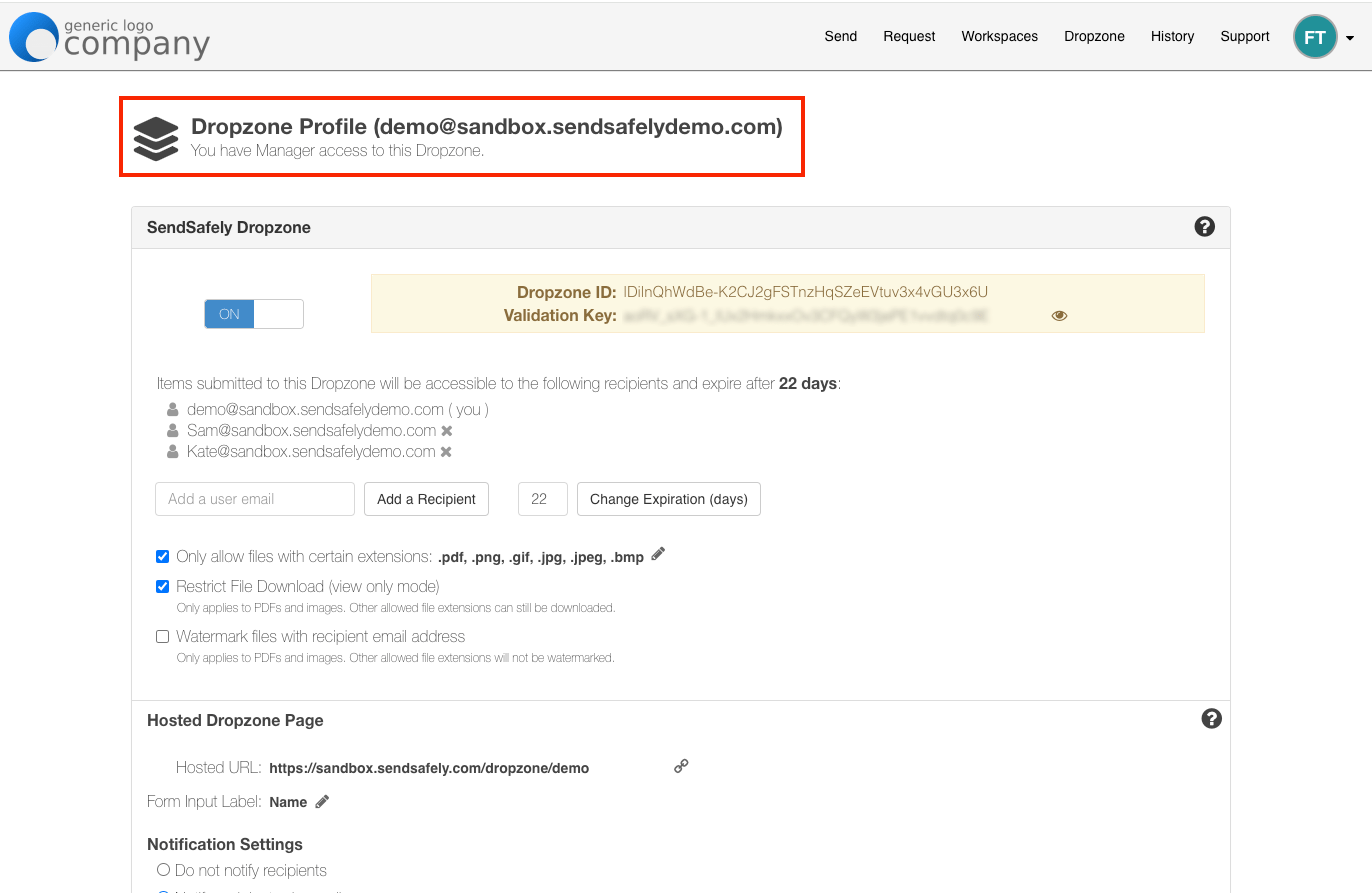
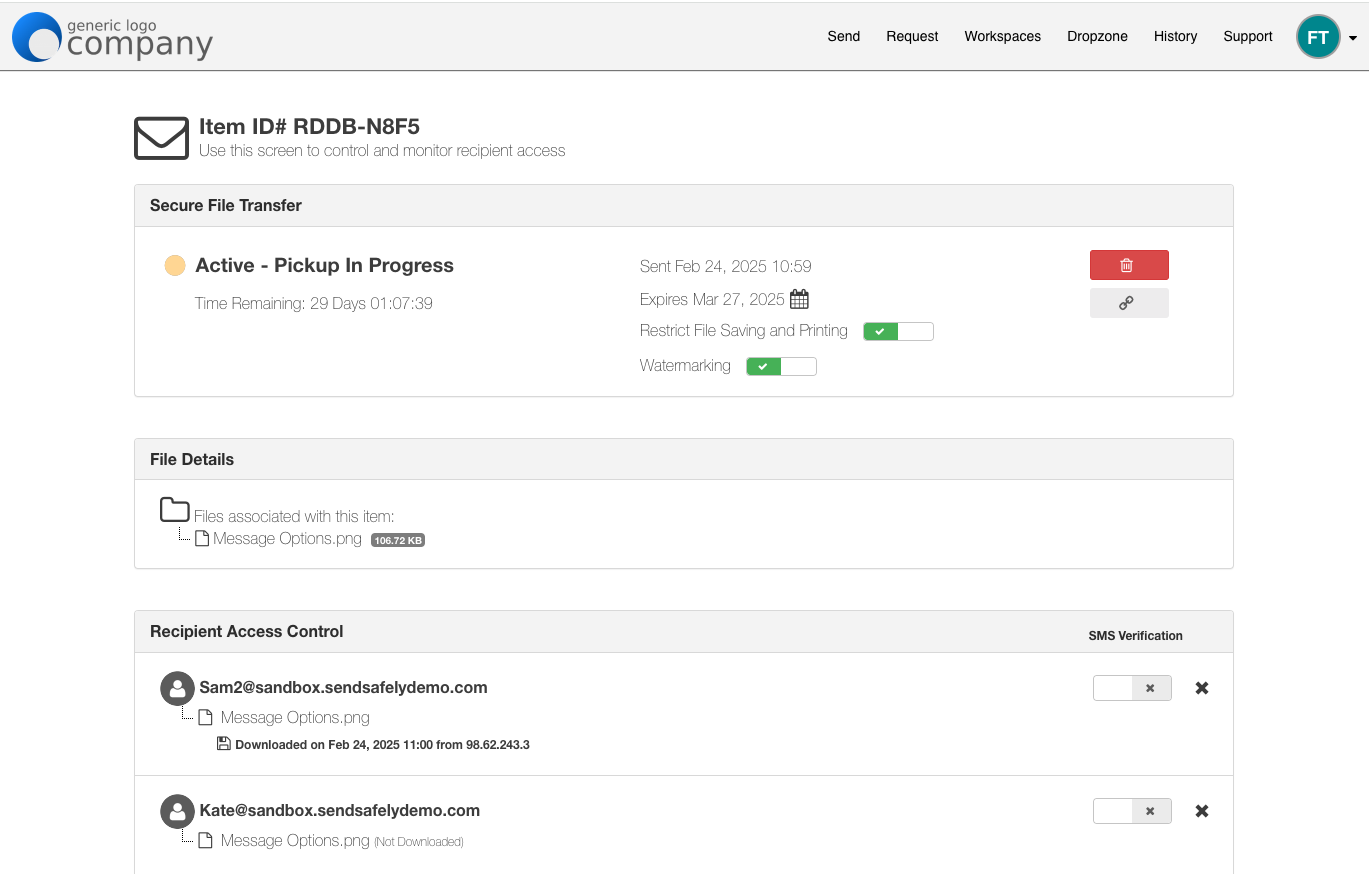
Manage the Status of Dropzone Items
This permission gives users the ability to access the status page for an individual Dropzone package. From here the user can edit the package expiration, privacy settings, and recipient list as well as delete the package.
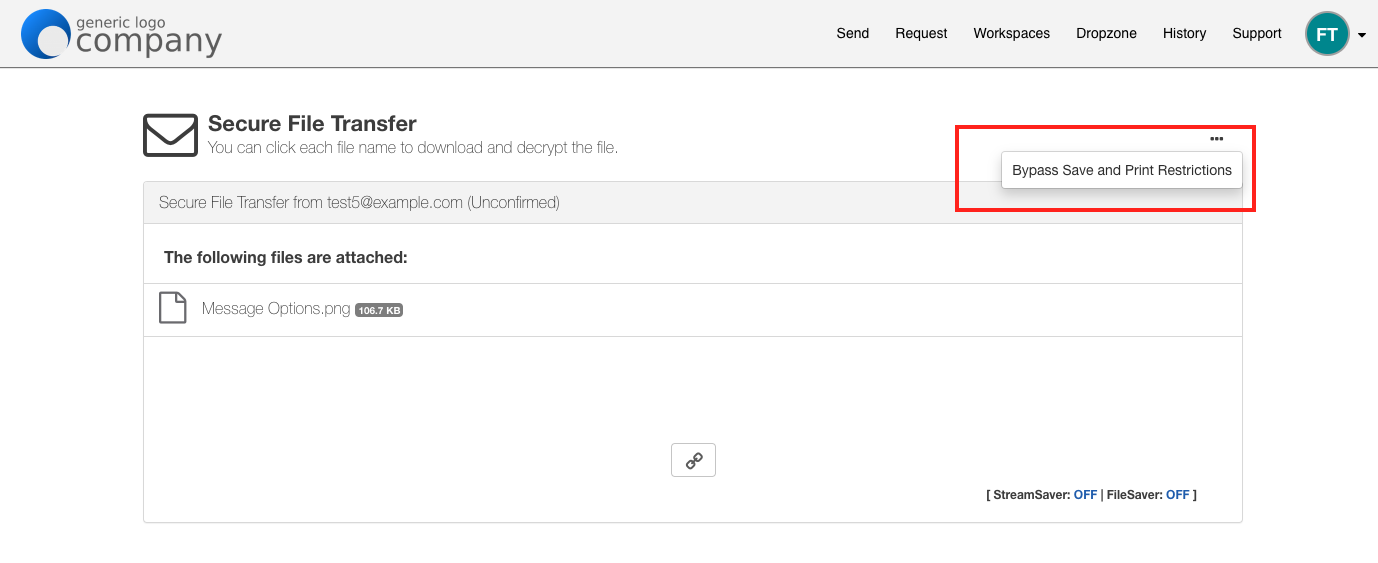
Bypass Restrict Download & Print Settings
The ability to download and print items that are otherwise restricted for all other Dropzone recipients.
Assigning Permissions using Enterprise Security Groups
These new permissions are granted via a new feature, Enterprise Security Groups, available on the Enterprise Console.
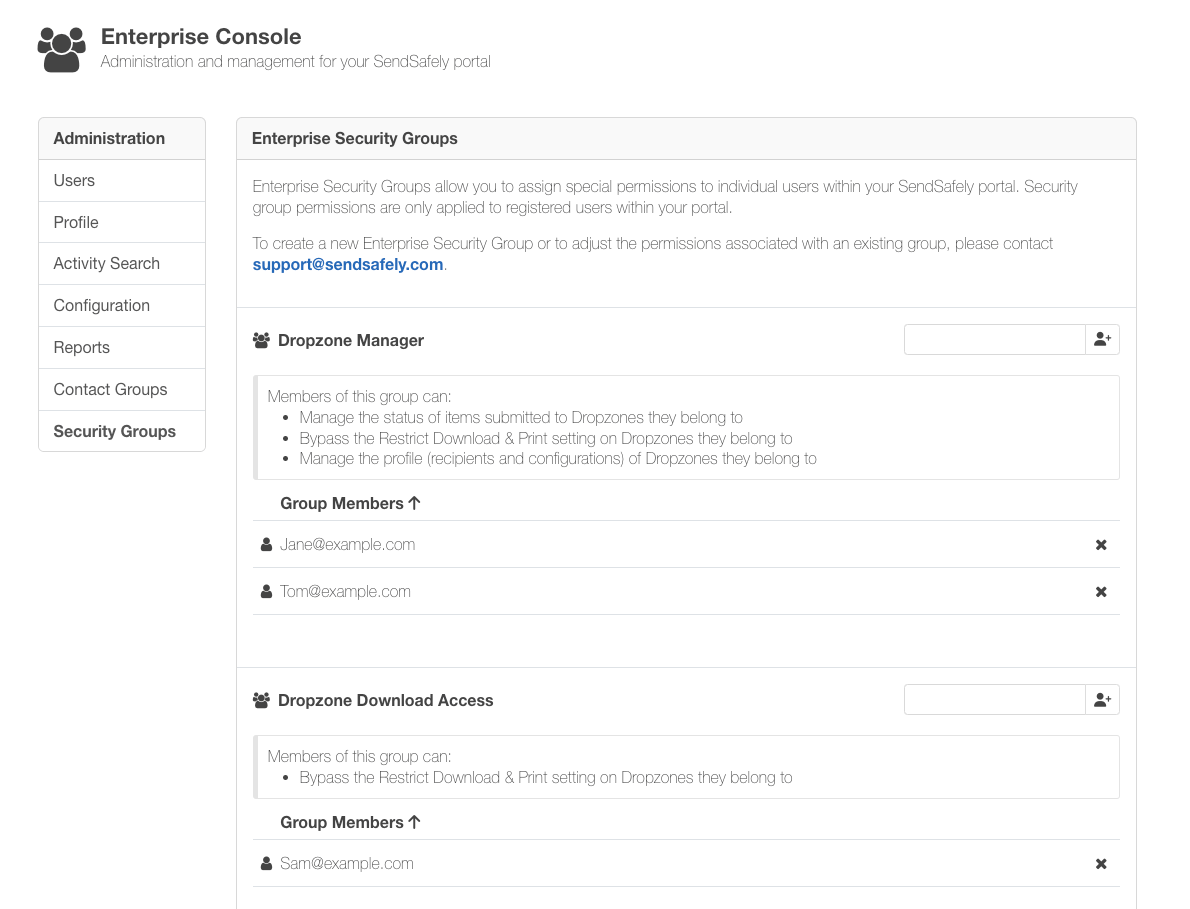
Security Groups and related permissions for your portal can be assigned by our support team, which will then allow you to add and remove group members through the Enterprise Console. Each Security Group can be customized to include, one, two, or all three of the above permissions.
To request one or more security groups, please contact support@sendsafely.com. Security Groups are currently in Beta, with additional permissions coming soon.
Security Groups are available on the SendSafely Business and Enterprise plan. For more information on eligibility or to upgrade your subscription, contact success@sendsafely.com.
SendSafely: Integrated File Transfer for the Apps you Love
If you are looking for a secure way to send or receive files with anyone, or simply need a better way to transfer large files, our platform might be right for you.
Request a Demo


