This week we are launching a number of updates to the Received Items page aimed at users of our popular Dropzone feature. These improvements are designed to increase the efficiency and productivity of users processing inbound files using the SendSafely web portal. The new updates allow users to:
- Expand and collapse all rows with one click
- Identify the source of the upload by displaying a Dropzone “badge”
- View the package description field at a glance (Dropzone uploads only)
####
####
Expand and Collapse Rows
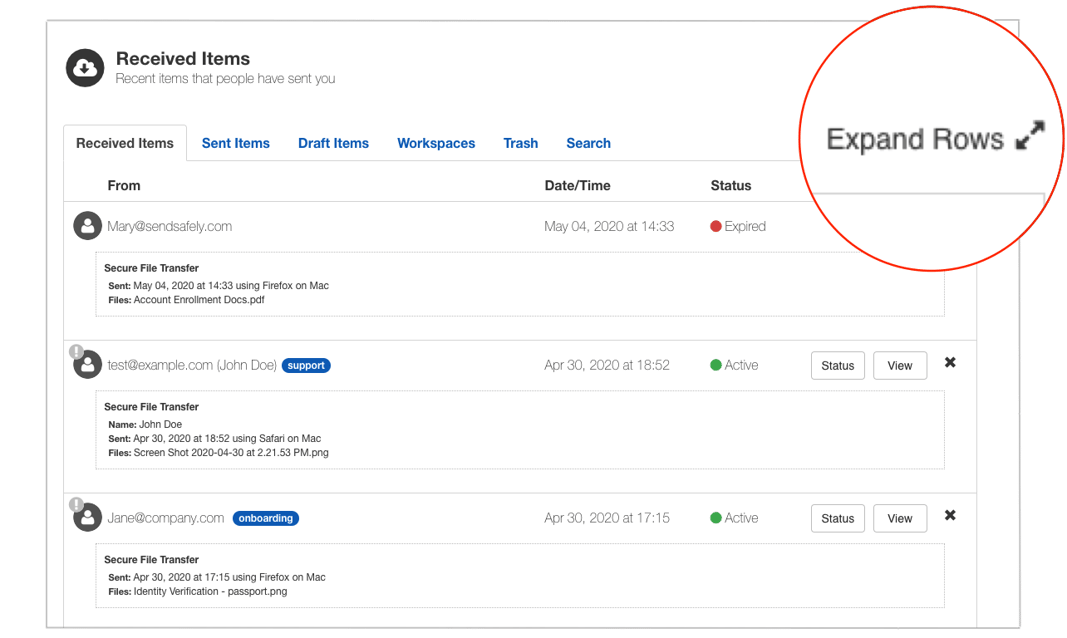
You can now expand all rows at the same time by clicking the Expand Rows button in the top right hand corner of the page. Expanded rows display the type of transfer, package description, date and file name. This new feature is particularly useful if you need to view the details of multiple transfers at one time, or are searching for a transfer containing a specific file, or file type. Simply re-click the button to collapse all rows.
Dropzone Badge
SendSafely users are often recipients on multiple team Dropzones, and therefore receive many different types of inbound files. Now users will see a badge next to each upload indicating the name of the Dropzone that the files belong to. The badge will also let you easily differentiate Dropzone packages from Personal URL uploads and other received items.
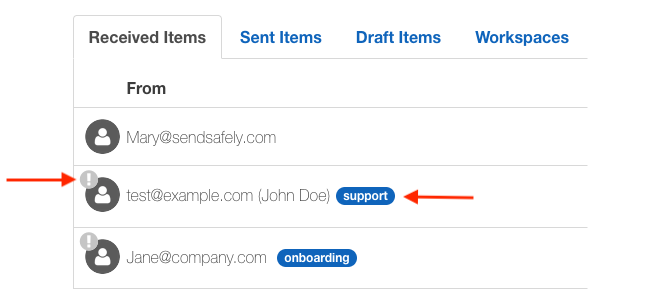
Uploads from Dropzones that do not require sender verification are marked with a circular exclamation point in the top left corner of the user icon. These users were previously identified by the “(unverified)” marker following the email address, meaning that the sender’s email address was not verified by SendSafely before allowing them to upload files.
Dropzone Package Description Field
The SendSafely Hosted Dropzone includes a flexible form field that can be used to request additional information from the uploader. This field is typically used to capture the uploader’s name, but can be configured to collect any data (like a Zendesk Ticket ID, Account Number or Company Name). We refer to this extra form field information as the Package Description.
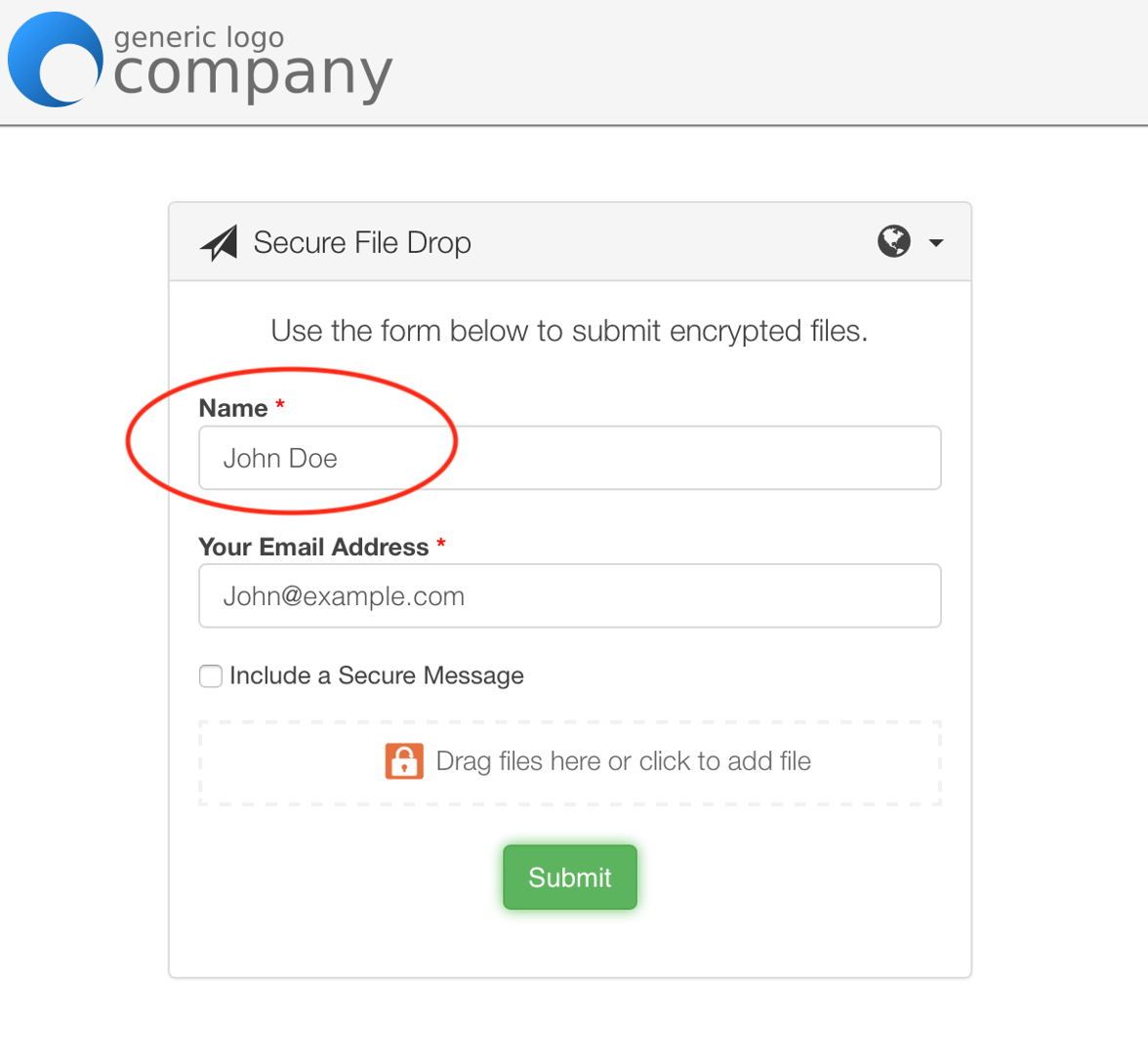
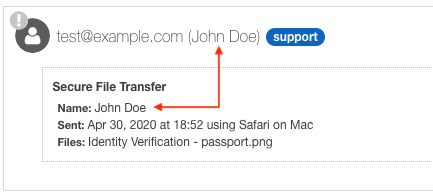
The package description is now displayed on both the collapsed row and the expanded row view of the Received Items page. Note that in the expanded view, users see both the configurable field label (e.g. “Name”) and the field content (e.g. John Doe)
These new data elements are also available via the SendSafely developer API for automation and integrations. For more information or feedback on these new features, please contact us.
SendSafely: Integrated File Transfer for the Apps you Love
If you are looking for a secure way to send or receive files with anyone, or simply need a better way to transfer large files, our platform might be right for you.
Request a Demo


