SendSafely is happy to announce the official v2 release of our embeddable Dropzone widget, which provides enhanced file collection flexibility for custom forms.
The v2 widget offers several new capabilities that were not available in our original Dropzone widget. Read on to learn how these new features provide designers more options when creating file collection forms protected by SendSafely.
Load the same widget in multiple locations on the same form
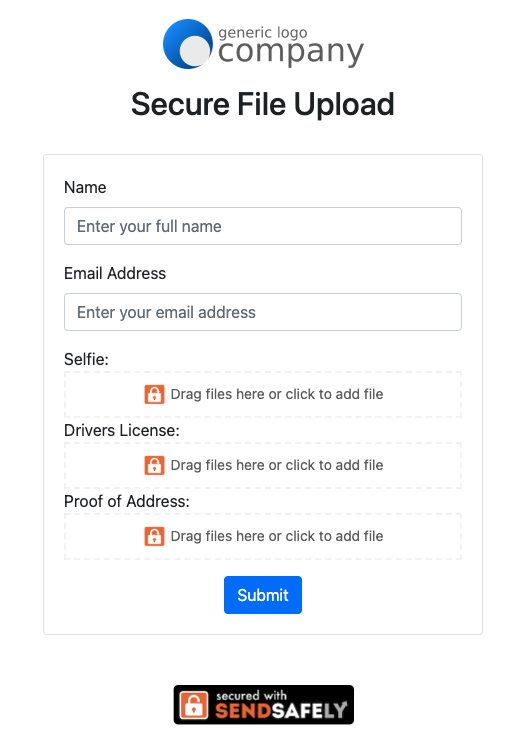
This option allows form designers to break a request for multiple files down into individual requests for a better user experience. So, instead of asking users to upload a list of files in a single location (and hoping the user remembers to submit them all) you can provide specific guidance for each file attachment.
As an example, if you require customers submit a selfie, a drivers license image and proof of address for ID verification, you could present three individual upload requests and block the form submission until all three files have been attached. On submission, all files are combined in a single SendSafely Dropzone package.
Load multiple widgets on a single form
We now allow different widgets to co-exist on the same web form. Files intended for one team can be uploaded to one Dropzone, while files intended for another team can be sent to a different Dropzone. Let’s take an employee onboarding form for example, files related to payroll can be submitted using the HR Dropzone widget, while information for the IT provisioning team can be uploaded using the IT Dropzone widget.
Native support for Dropzone Connectors
The utility functions used for invoking Dropzone Connectors from previous versions of the widget are no longer necessary, The v2 widget natively recognizes Dropzone Connectors associated with your Dropzone and can automatically invoke them on every upload.
No external dependencies
The new v2 widget does not require any external dependencies, like JQuery. This allows the widget to run natively in all Javascript platforms and frameworks.
See it live!
Technical implementation details are outlined in our Help Center Article here, and live examples on Codepen.io are available here.
Dropzone Widgets are available on the SendSafely Teams, Business and Enterprise plan. For more information, contact success@sendsafely.com.
SendSafely: Integrated File Transfer for the Apps you Love
If you are looking for a secure way to send or receive files with anyone, or simply need a better way to transfer large files, our platform might be right for you.
Request a Demo


