
Administrators can now create and manage designated Service Accounts from the Enterprise Console to use with our API and third party integrations. Service Accounts are not permitted to log into the SendSafely portal, do not require an associated email inbox and have limited access to service-type features only.
This type of account reduces administrative burden and enhances security by:
- Eliminating the need to generate, store and share passwords
- Limiting control to only administrators
- Ensuring Service Accounts are only used for their intended purpose
- Abstracting key functions from individuals to guard against turn over
- Not requiring the creation and management of unnecessary email inboxes
Service Accounts are configured and managed by Administrators from the Enterprise Console using account impersonation functionality. Read on to learn how to set up and manage a Service Account.
Creating a Service Account
Administrators can create a new Service Account from the Add Users section of the enterprise console. Choose Service Account (No Login) from the Login Type dropdown and click the Add User button. While the username must be in the format of an email address, email is not required for creation or maintenance of the account.

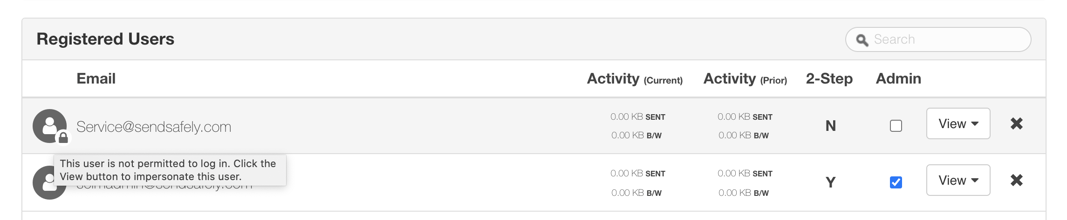
Once the Service Account is created, it is listed in the Registered Users section of the Enterprise Console. Service Accounts are designated with a padlock, indicating they are not permitted to log in.
Managing a Service Account
Admins can manage and configure the settings of a Service Account by impersonating the account from the Enterprise Console. To configure settings, click the View button on the user row, then select the Profile option from the dropdown.
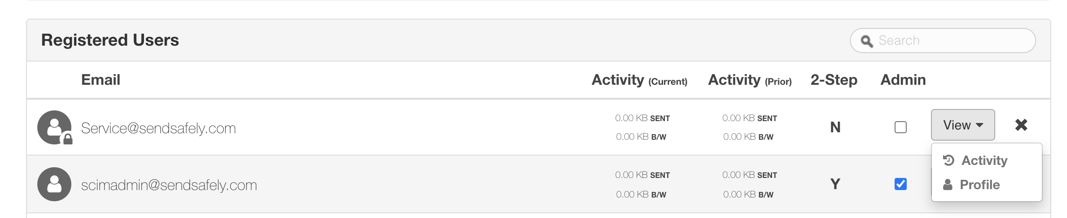
While impersonating within the portal, Admins can access and edit account-related settings for each Service Account:
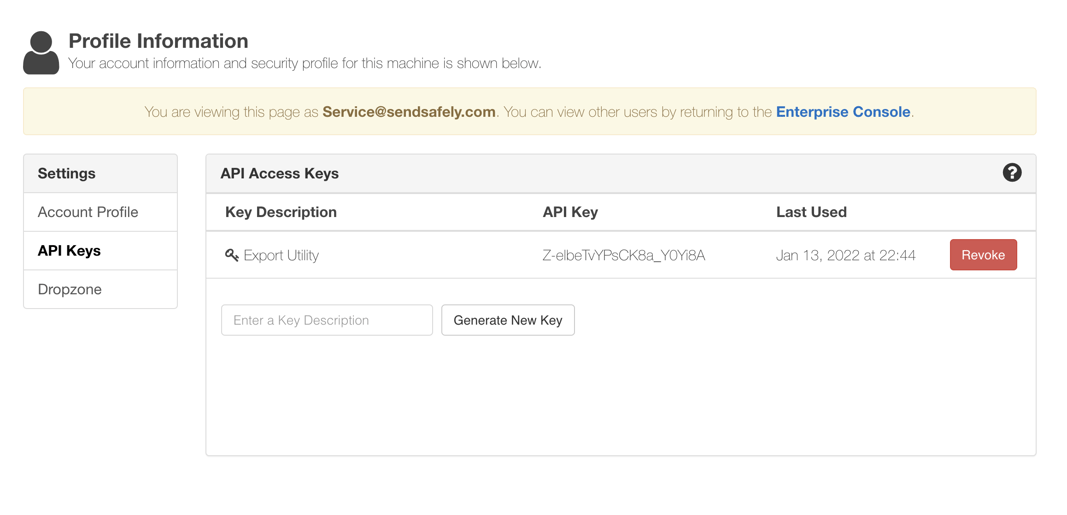
- By default, Service Account personal URLs and email notifications are turned off.
- Admins can generate and revoke API keys and secrets for the Service Account. These can be used to authenticate via the API (including keys for SCIM authentication).
- Admins can also turn on, and configure settings for a Dropzone, owned by the Service Account. The Dropzone URL will reflect the name of the Service Account (click here for more information on Dropzones).
For a more detailed overview of how to use and manage SendSafely Service Accounts, visit our Online Help Center. Service Accounts are available in all SendSafely Enterprise subscription. Contact sales@sendsafely.com for more information on SendSafely plans.
SendSafely: Encrypted File Transfer for Modern Business
If your organization needs a secure way to transfer files with customers or business partners, our platform might be right for you. Contact us today.
Request a Demo


