Do you ever need people to send you files securely? Every SendSafely user has their own Personal URL that anyone can use to send secure inbound files and messages. Your Personal URL can even be integrated into your email signature, so everyone you communicate with can have easy access to it.
-
Your personal URL is largely based on your email address, so if your email address is user@example.com you would use a URL like the following one: https://www.sendsafely.com/u/user@example.com.
-
For Enterprise Users, the URL is even shorter and based on just the local portion of your email address. So if your email is me@companyname.com you will use something like: https://
.sendsafely.com/u/me. -
Organizations that use SendSafely can also publish a generic URL that allows people to send files to anyone in the organization, provided the recipient is registered with SendSafely and has not disabled this feature. The generic URL would look something like: https://
.sendsafely.com/u/
To help prevent spam and defend against spoofing, SendSafely will always verify the sender’s email address before allowing them to send you files.
Integrate your Personal URL into your Email Signature
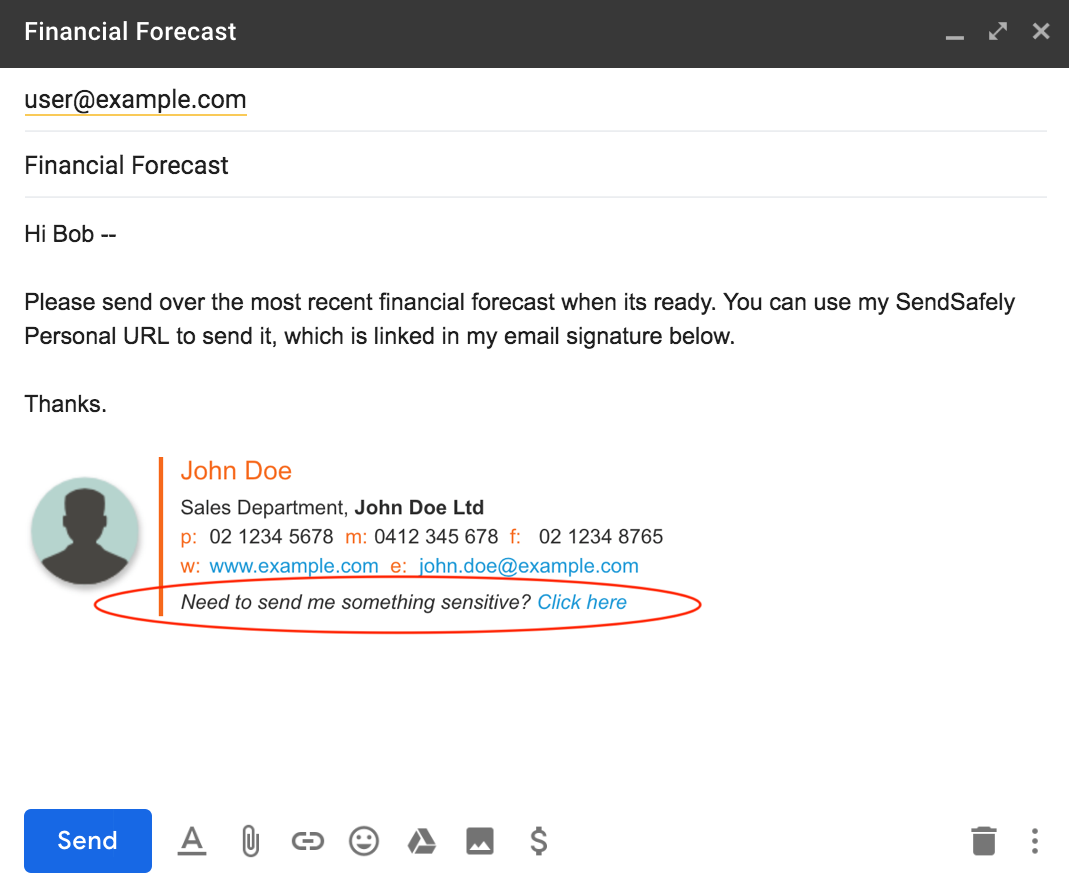
Many of our users find it convenient to including their personal URL in their email signature, along with their contact information so people can easily send them files using SendSafely.
Not sure what your personal URL is? Browse to the Edit Profile screen after logging in, or press the Request button on the top menu bar to see your personal URL.
If you don’t want people to use your Personal URL, you can disable this feature from the Edit Profile screen by un-checking the box that controls this feature (located directly underneath your first and last name). Enterprise Admins that want to disable this feature for their entire organization can do so from the Enterprise Console. Note that this feature is not currently offered on our FREE plan.


