
Managing more than one SendSafely portal has traditionally meant keeping track of separate logins, switching between portals, and checking billing or usage one account at a time. Now, the new SendSafely Multi-Portal Administration (MPA) brings that work into one place.
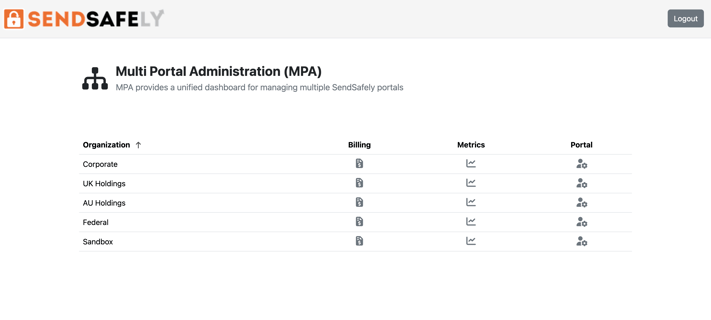
MPA gives admins responsible for multiple SendSafely portals a single login and a centralized dashboard for accessing and managing every portal associated with their account.
One Login for Every Portal
After signing in to MPA, admins see a list of all SendSafely portals linked to their account. From there, they can open any portal with a single click and enter with full admin access. The MPA makes it simple to switch between portals, and there is no need to maintain separate credentials for each.
MPA also supports SAML SSO, allowing organizations to use their existing identity provider to manage authentication, and all administrative access is logged in the SendSafely audit log.
Billing and Usage in One Place
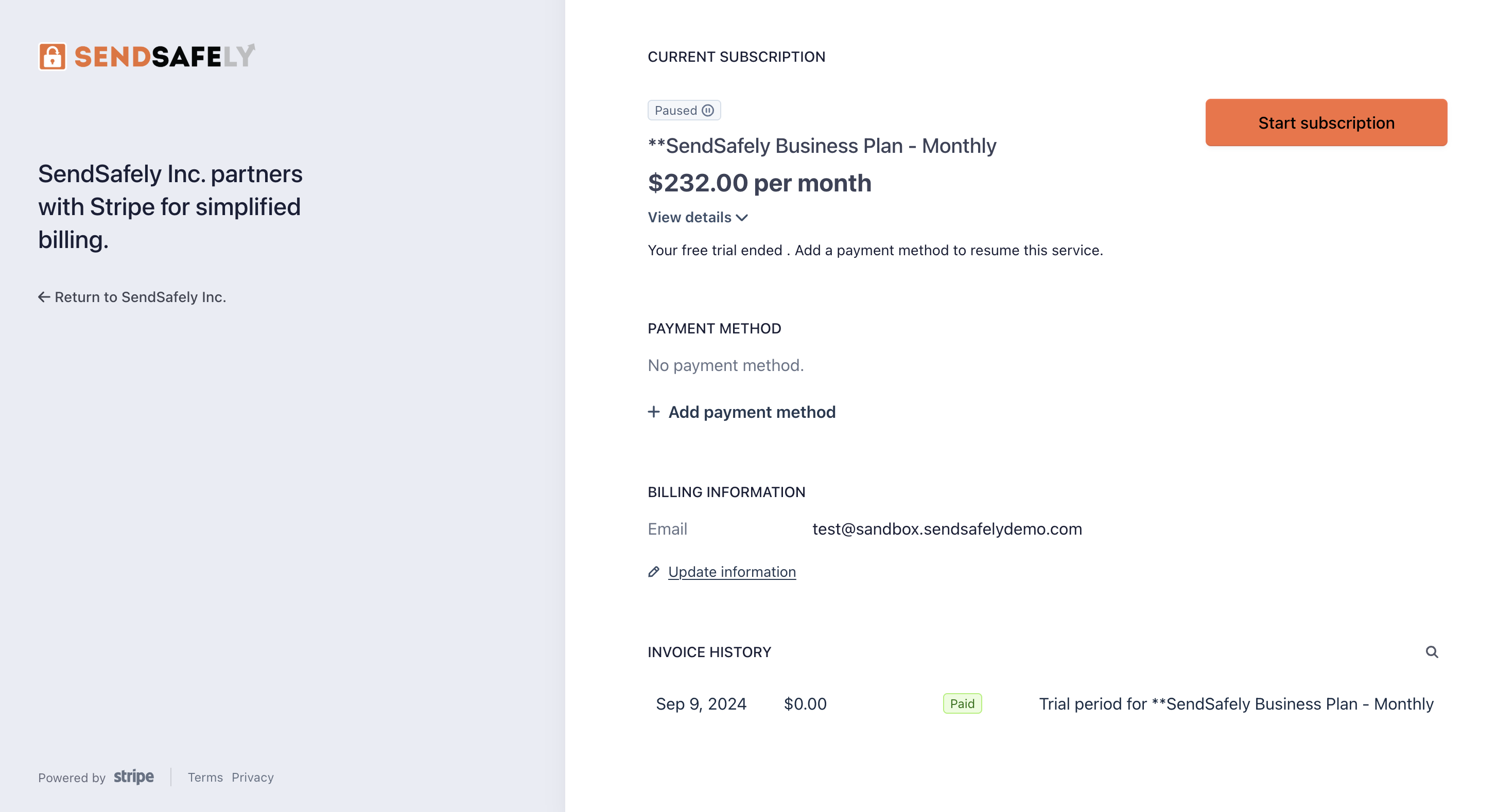
Along with simplified authentication, MPA also makes it easier to check account information. Admins can access billing and subscription details for each organization directly from the MPA dashboard. Additionally, usage statistics and other account metrics are also available. That means common administrative tasks can be handled from one place instead of portal by portal.
Built for Partners and Multi-Portal Organizations
The MPA was designed for larger organizations that operate multiple SendSafely portals across subsidiaries, data residency requirements, or sandbox and production environments. It is also particularly useful for SendSafely partners and resellers that manage portals on behalf of customers. In both cases, MPA replaces a collection of individual portal logins with one administrative entry point.
Available Now
Multi-Portal Administration is available now for SendSafely partners and customers managing multiple portals. Existing customers can contact success@sendsafely.com to get started. New customers interested in learning more can contact sales@sendsafely.com to schedule a demo.
SendSafely: Integrated File Transfer for the Apps you Love
If you are looking for a secure way to send or receive files with anyone, or simply need a better way to transfer large files, our platform might be right for you.


