Skip to content
New AI Custom Form BuilderDescribe the intake form. It ships branded and end-to-end encrypted.AI Custom Form Builder is here See it build
Product

Timezones that Travel with You

Brian Holyfield · · 1 min read

Earlier this month we released a new feature that lets you configure the timezone used for showing date and time values related to your SendSafely items. The default setting for your account can be set from the Edit Profile screen when logged into your SendSafely account.

If you’re on the road and log into SendSafely, you might notice that we will detect any change in your local timezone and ask you if you want to automatically update your SendSafely timezone settings to match the local time. If you choose Yes then your profile will be updated until your log back in from another timezone, at which point we’ll ask you again.
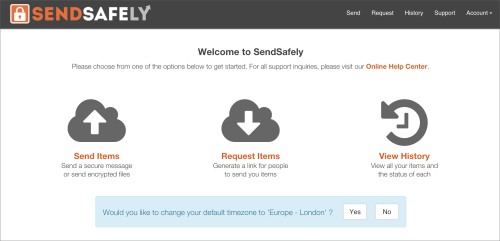
image

If you prefer to remain on your home time zone, just choose No and your timezone settings will remain unchanged. You can always access and update the time zone settings associated with your profile from the Edit Profile screen as shown below.
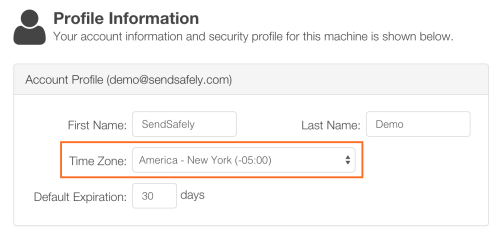
image

Frequently asked questions

Can I change the timezone SendSafely uses to display item dates?

Yes. You can set the default timezone for date and time values on your SendSafely items from the Edit Profile screen when logged in.

What happens when I log in to SendSafely from a different timezone?

SendSafely detects the change in your local timezone and asks whether you want to update your timezone setting. If you choose Yes, your profile uses the new timezone until you log in from another timezone, when you will be asked again.

How do I keep my home timezone while traveling?

Choose No when SendSafely asks whether to update your timezone. Your timezone setting stays unchanged.