Skip to content
New AI Custom Form BuilderDescribe the intake form. It ships branded and end-to-end encrypted.AI Custom Form Builder is here See it build
Product

Custom Clickwrap for Terms of Access

Brian Holyfield · · 1 min read

SendSafely Enterprise customers can now require external users to accept customized terms of access prior to allowing external users to send or recieve items using their SendSafely Enterprise portal. This feature was designed for organizations that distribute sensitive information through their SendSafely portal and want to impose specific restrictions on how the information is used.

Once configured, a Terms of Access checkbox is displayed on the external user login page, and users must check the box in order to complete the login process. The Terms of Access link points to a custom URL managed by your organization, so all maintenance and updates to legal verbiage are handled independently of SendSafely.
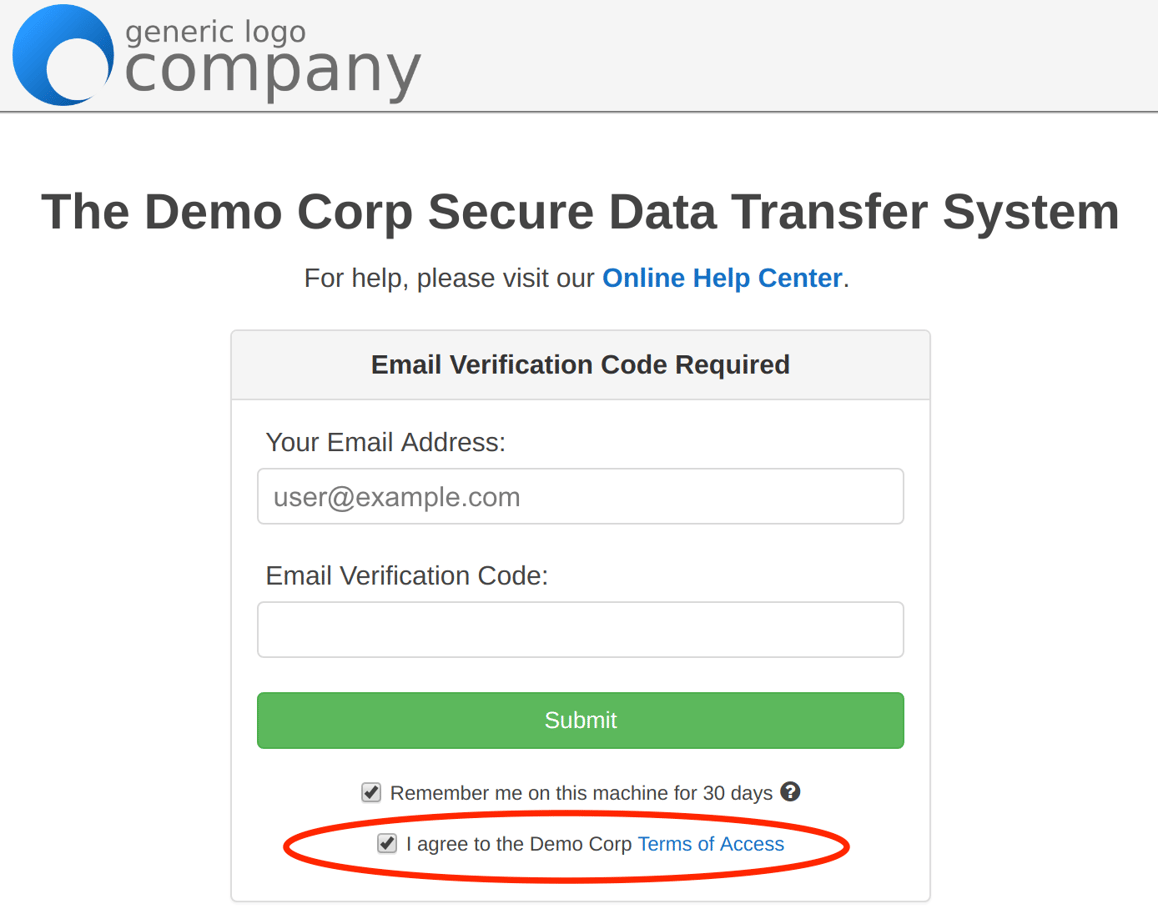
![](/img/blog/legacy/sendsafely-custom-terms-clickwrap/Custom Terms of Access-1.png)

For more information or questions regarding how to enable SendSafely’s Custom Terms Clickwrap, you can email our support team at support@sendsafely.com.

Frequently asked questions

Can SendSafely require external users to accept terms before they access items?

Yes. In 2017 SendSafely introduced Custom Terms Clickwrap for Enterprise customers, which requires external users to accept customized terms of access before they can send or receive items through the organization’s SendSafely Enterprise portal.

How does the SendSafely Terms of Access clickwrap work at login?

Once configured, a Terms of Access checkbox appears on the external user login page. External users must check the box to complete the login process, so they cannot reach the portal without accepting the terms.

How do I enable Custom Terms Clickwrap in SendSafely?

Enterprise customers can contact the SendSafely support team at support@sendsafely.com for information on enabling Custom Terms Clickwrap, which requires users to accept custom terms before accessing their portal.