Skip to content
New AI Custom Form BuilderDescribe the intake form. It ships branded and end-to-end encrypted.AI Custom Form Builder is here See it build
Integrations

Encrypted email now available in Outlook Add-in!

Brian Holyfield · · 1 min read

Users of our Outlook add-in can now choose to encrypt the text of their email message in addition to file attachments. With this latest update, sensitive content within the email itself can be protected with the same end-to-end encryption as file attachments.
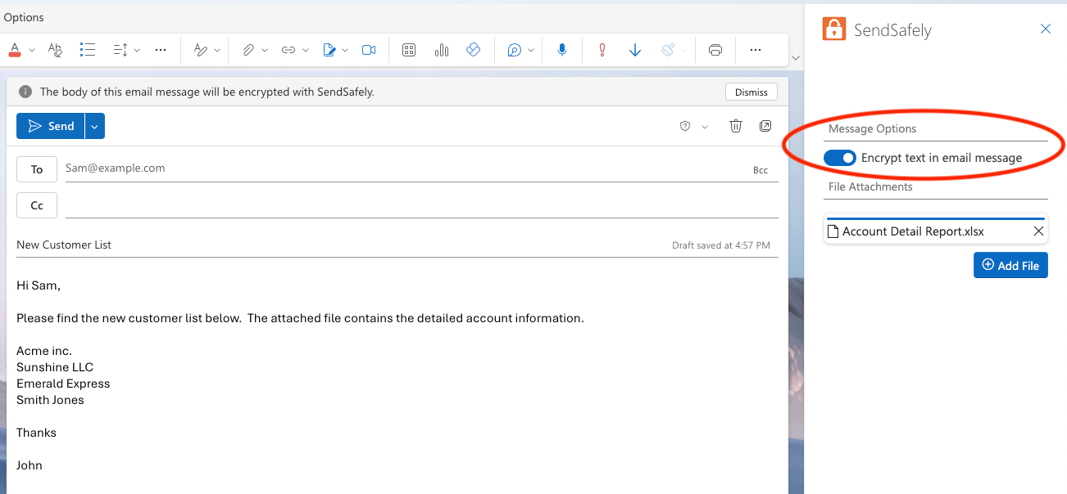
Message Options

When ‘Encrypt text in email message’ is toggled on, all text in the email body is removed and encrypted as a SendSafely Secure Message. A SendSafely dialog box is inserted into the email body with a “View Message” button for the recipient.
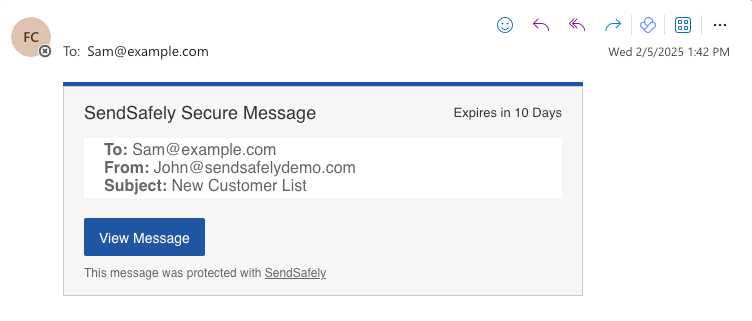
Secure Message Dialog-1

Recipients click the “View Message” button, and once authenticated to SendSafely, view the contents of the email message (and any file attachments) in the Safely Web portal.
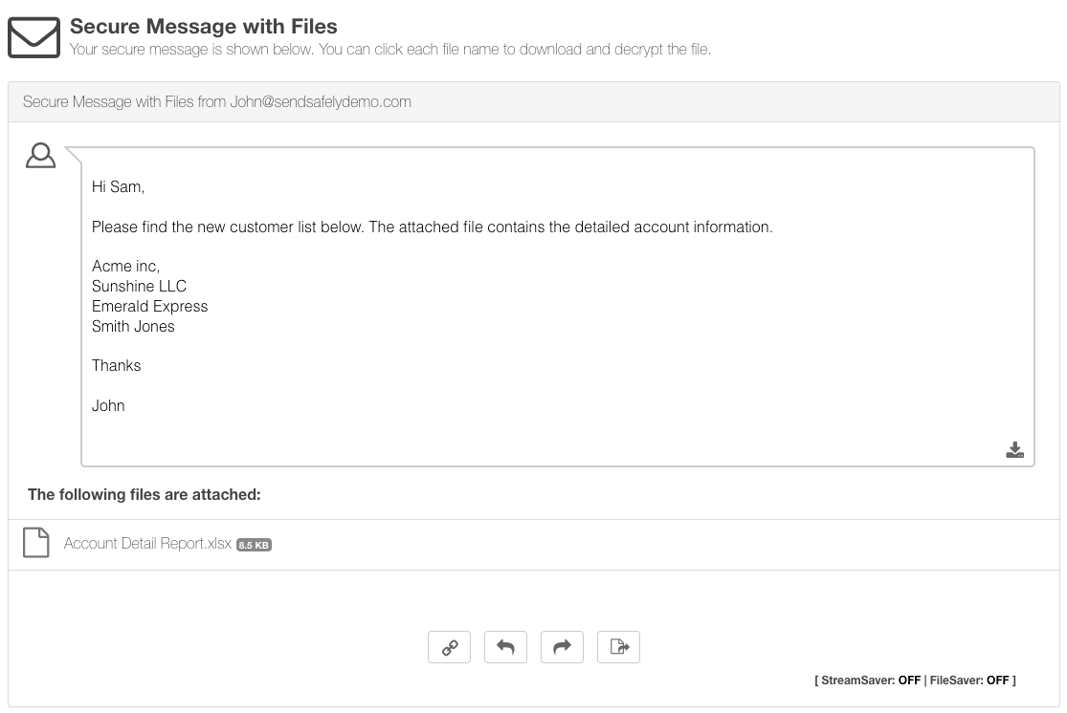
Recieve Screen


SendSafely: Encrypted File Transfer for Modern Business

If your organization needs a secure way to transfer files with customers or business partners, our platform might be right for you. Contact us today.

Request a Demo

Frequently asked questions

Can the SendSafely Outlook add-in encrypt the body of an email?

Yes. Since February 2025, the add-in can encrypt the email text as well as attachments when you toggle on ‘Encrypt text in email message’. The body is protected with the same end-to-end encryption as files. See the Outlook and Gmail integration.

What happens to my email text when I encrypt it with SendSafely in Outlook?

All text in the email body is removed and encrypted as a SendSafely Secure Message. A SendSafely dialog box with a View Message button is inserted into the email in its place.

How does a recipient read a SendSafely-encrypted email from Outlook?

The recipient clicks the View Message button, authenticates to SendSafely, and views the message contents and any file attachments in the SendSafely web portal.

Are attachments encrypted along with the email text?

Yes. The add-in encrypts file attachments, and with the message text option on, the recipient views both the message and attachments together in the SendSafely web portal.

Can Microsoft or SendSafely read messages encrypted with the Outlook add-in?

No. Content is encrypted on the sender’s device using OpenPGP, so Microsoft and SendSafely see only ciphertext. The decryption key is split so no one, including SendSafely, can read the contents on its own.