Skip to content
New AI Custom Form BuilderDescribe the intake form. It ships branded and end-to-end encrypted.AI Custom Form Builder is here See it build
Engineering

Guest Identity Verification using Google

Brian Holyfield · · 1 min read

SendSafely account holders have long enjoyed the option of using Google Login to authenticate to SendSafely. We are pleased to announce we have extended this convenience to all guest recipients and Workspace collaborators as well. Guests with Google email accounts can now use Google login to verify their identity instead of an email verification code when accessing SendSafely. Here’s how it works:

When accessing a SendSafely item, each guest recipient must provide their email address.
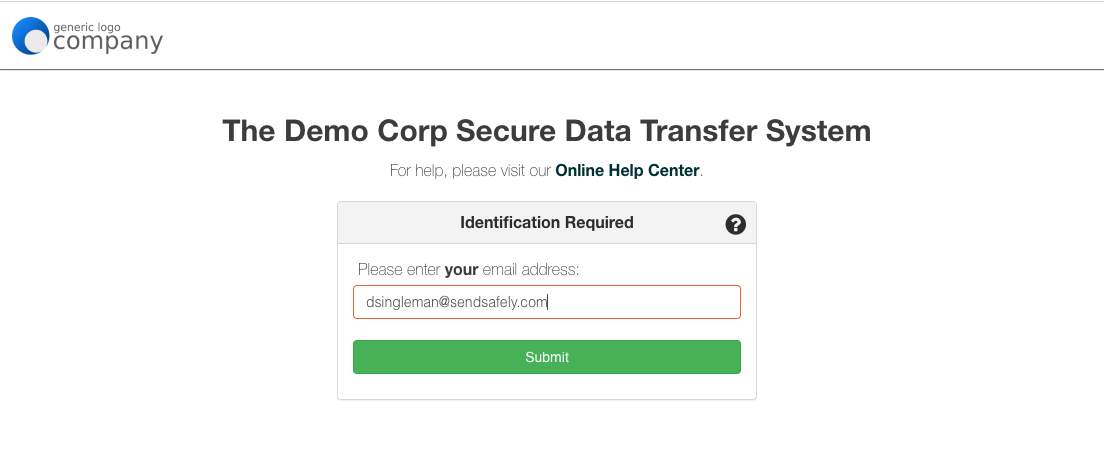
Screen Shot 2023-04-24 at 1.53.29 PM

If the guest’s email address is a Google account, SendSafely offers the option to login with Google. The user can still choose to receive an email verification code instead if they prefer.
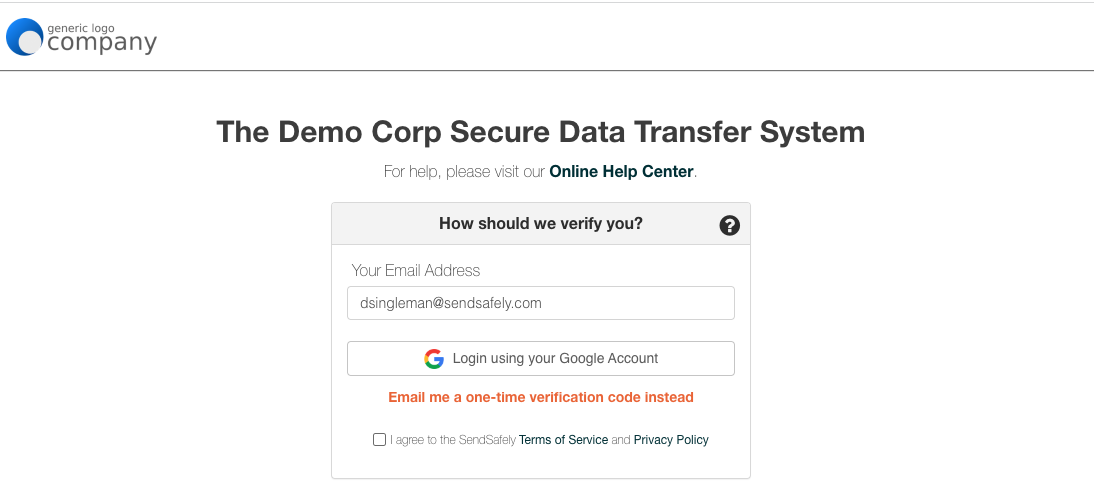
Screen Shot 2023-04-24 at 1.53.39 PM

Once the user successfully authenticates to their Google account, they are granted access to the SendSafely item.

Note that any SendSafely item protected with an SMS code still requires the guest enter that SMS code for access.


SendSafely: Encrypted File Transfer for Modern Business

If your organization needs a secure way to transfer files with customers or business partners, our platform might be right for you. Contact us today.

Request a Demo

Frequently asked questions

Can SendSafely recipients verify their identity with Google login?

Yes. Guest recipients and Workspace collaborators whose email address is a Google account can log in with Google to verify their identity instead of entering an email verification code.

Do guests need a SendSafely account to use Google login verification?

No. The feature extends Google login to guest recipients and Workspace collaborators, not just account holders. Guests enter their email address and, if it is a Google account, can choose to log in with Google.

Can a guest still use an email verification code instead of Google login?

Yes. When SendSafely detects a Google account and offers Google login, the guest can still choose to receive an email verification code instead. Google login is an option, not a requirement.

Does Google login bypass SMS verification in SendSafely?

No. Any SendSafely item protected with an SMS code still requires the guest to enter that SMS code to gain access, even after authenticating with Google.